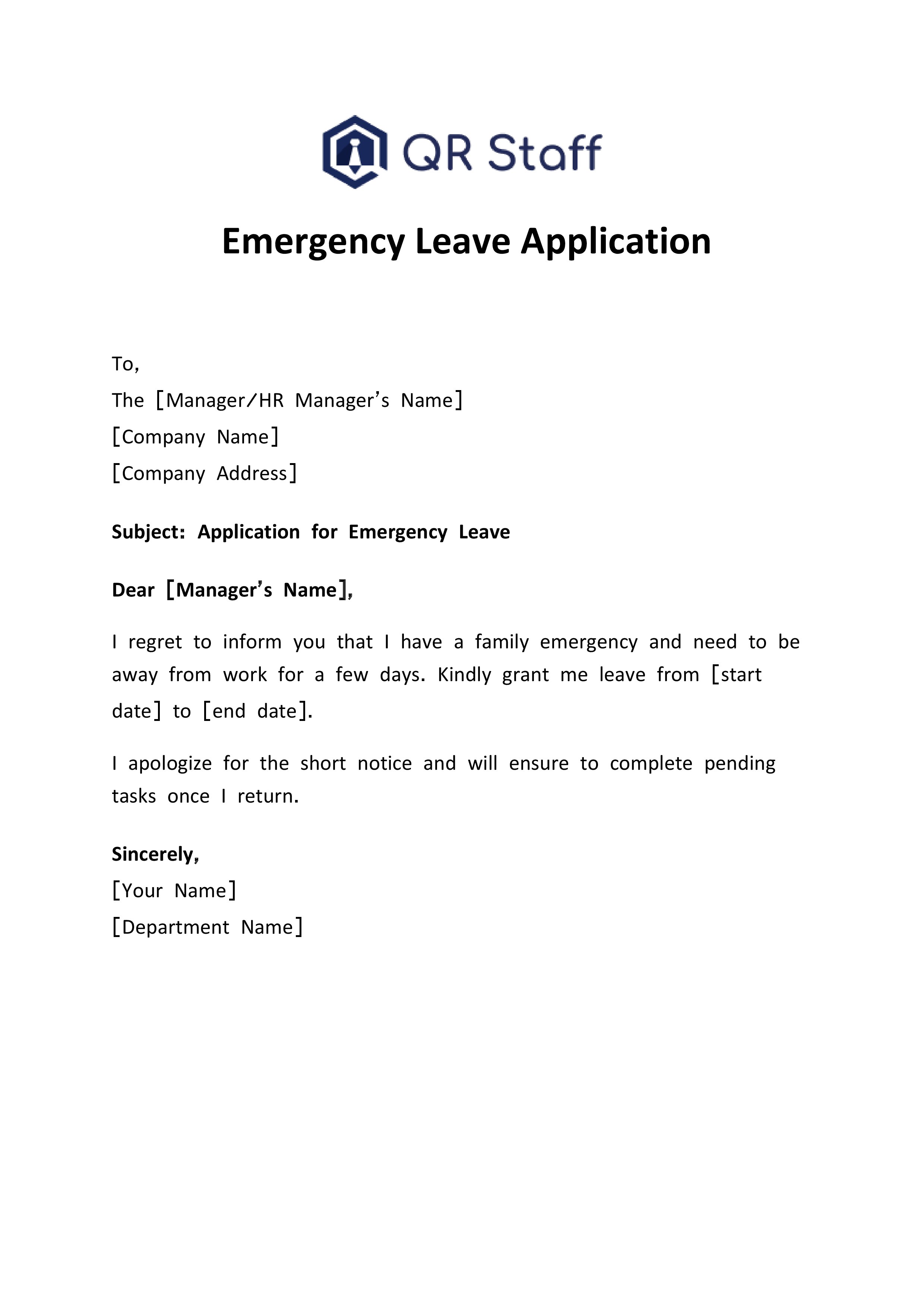
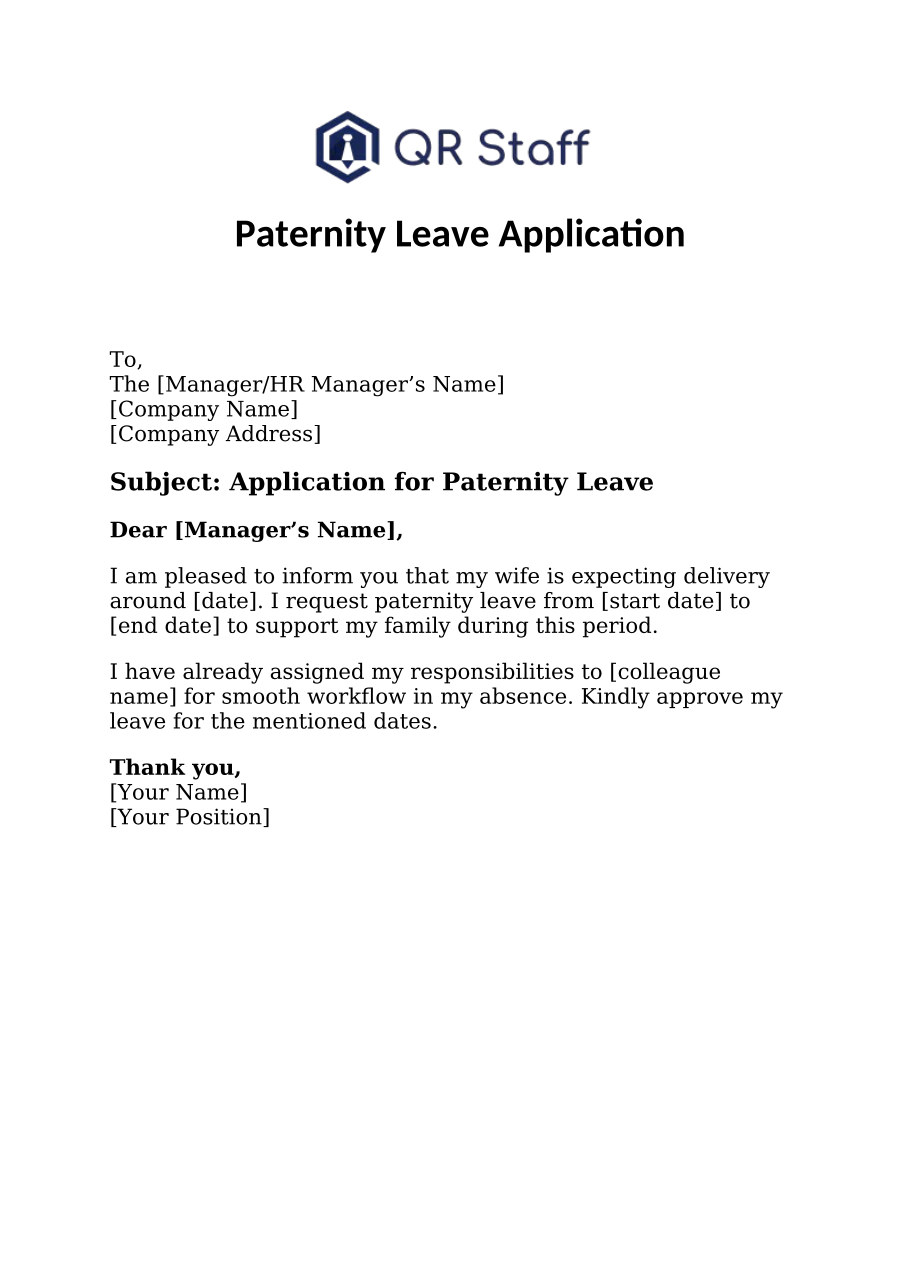
A sick leave application is a formal request you send to your employer, principal, or teacher to let them know you’re feeling unwell and can’t attend work or classes. It’s a professional way to communicate your absence and seek approval for some time off due to health issues. Writing a proper sick leave letter is important because it promotes transparency and helps your employer or institution manage its tasks while you’re away. No matter if you’re an employee, student, or teacher, a well-crafted sick leave application shows that you’re responsible and professional. In both educational and professional settings, it’s essential to keep everything running smoothly. That’s why submitting your leave request promptly is key—it helps avoid any disruptions and keeps attendance records in check. In this detailed guide, we’ll go over how to write a sick leave application, explore the various types of sick leaves, and provide sample applications for offices, schools, and colleges, along with free downloads in Word and PDF formats.
Why Writing a Proper Sick Leave Application Matters
A properly written sick leave application is crucial for effective communication with your boss, principal and teacher. It helps management keep track of attendance and organize workflow accordingly. Without a formal notice, your absence could lead to misunderstandings or work delays. By submitting an application, you show accountability and discipline—qualities that are important in both academic and corporate settings. In addition, a professional sick leave request helps maintain an official record of your absence for payroll and attendance purposes. This ensures that your salary and performance records aren’t negatively impacted. For students, it also reflects a genuine commitment to their studies and respect for school policies. Finally, in our modern digital landscape, where attendance systems and HR tools like QR Staff handle everything automatically, sending a leave application is a great way to enhance these digital processes.
Types of Sick Leave
Understanding the various types of sick leave can guide you in selecting the appropriate words and tone for your application. Each type is designed for a specific purpose and time period, so it’s worth knowing the differences.
1. Casual Sick Leave
Casual sick leaves are usually availed for minor ailments such as cold, fever, or headache. Approval is usually granted for one or two days and does not involve lengthy procedures of providing doctor-patient certificates. This type of leave is availed when one needs a little rest and can resume duties the very next day. A gentle message quoting the sickness and days taken is enough. It is always better if you can inform your employer or teacher in advance once you are aware of your inability to attend classes or go to work.
2. Short-Term Medical Leave
Short-term medical leave applies when your illness extends beyond two or three days but is not chronic. It may be due to viral infections, mild injuries, or recovery after medical procedures. You should, in this case, specify the exact number of days you’ll be absent and attach a medical certificate if possible. This kind of leave shows that you take health seriously and respect official processes. Submitting your application early also helps your supervisor plan workloads efficiently.
3. Long-Term Medical Leave
Long-term medical leave is used for severe health issues or surgeries that need extended recovery. It could be anywhere from a few weeks to months. To this, you may want to attach a detailed letter explaining your condition, attach medical documentation if necessary, and state an approximate return date. This will also enable the HR or school administration to manage responsibilities or coursework accordingly. Clear communication during long-term absence ensures understanding and minimizes disruption.
4. Half-Day Sick Leave
Half-day sick leave is requested when one is feeling unwell and can attend only part of the day. This is suitable for everything ranging from medical appointments to minor fatigue. You can be specific by specifying whether your leave is for the first or second half of the day. In this case, only a short message about your situation and expected time of return should suffice. This shows concern for your organization’s time and keeps the workflow going without a jolt.
5. Emergency Medical Leave
Emergency medical leaves are taken all of a sudden for unforeseen illness or accidents. As such situations take place without giving prior notice, it is better to at first inform the supervisor or teacher through a quick call or message and then with a written application. Emergency leaves show your integrity and immediate communication in case of an unplanned health situation. Mentioning your current condition and expected recovery time helps the concerned authority understand your situation better.
Step-by-Step Guide: How to Write a Sick Leave Application
Writing a sick leave application requires clarity, respect, and precision. Here’s a simple guide that applies to employees, students, and professionals.
1. Write a Clear Subject Line
A distinct subject line makes your email or letter catch the attention of a person right in the very instant. This subject should summarize your purpose in a few words. Use phrases like “Sick Leave for Two Days” or “Medical Leave Due to Fever.” Avoid subjects like “Leave Request.” The specific subject line makes it clear to the reader as to the urgency and type of leave requested, thus saving time and improving communication.
2. Address the Right Person
Your application should always be addressed to the proper authority, such as your manager, HR, class teacher, or principal. You may use polite salutations like “Dear Sir/Ma’am” or “Respected Principal.” Sending the application to the wrong person may create confusion or delay the approval process. This also portrays professionalism and respect to the recipient.
3. Mention the Reason for Leave
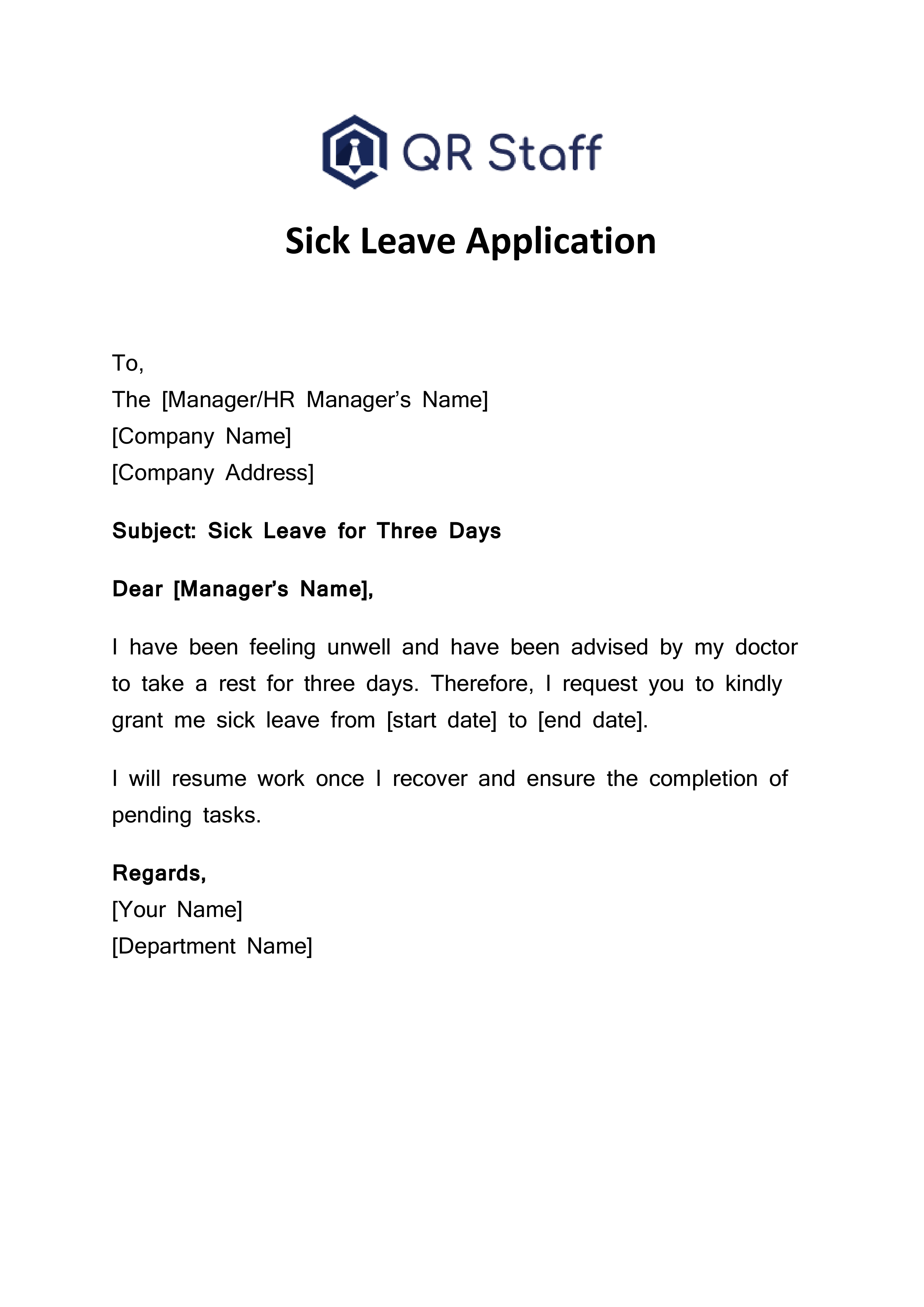
Clearly mention the reason for which you need leave and the duration you expect to be away. There is no need for unnecessary explanation; just a short and honest reason would do. Example: “I am suffering from viral fever, and the doctor has advised rest for three days.” In this way, it will be easy for your employer or teacher to understand your problem and sanction your leave immediately.
4. Specify Duration Clearly
Always include the dates of your starting and last day of sick leave. This enables the office or school to manage and handle your case effectively. If you’re unsure about the period of recovery, say so; you will send an update once your health improves. Clear communication of duration helps in planning substitutes or temporary adjustments during your absence.
5. Provide Work or Study Handover, if applicable
If you’re an employee, you would include here that you have forwarded important tasks to a colleague or have given the necessary instructions; for students, you can include that you will make up for missed work or assignments when you get back. This would show responsibility and would ensure them that your absence wouldn’t affect the general workflow or the process of academic activity.
6. Thank the Reader and Close Politely
Always close your application with a thankful note, like “Thank you for your understanding” or “I appreciate your consideration.” Close your application respectfully using “Sincerely” or “Yours faithfully,” adding your full name, designation, class, or contact information. This polite ending leaves a positive impression and reflects your professionalism.
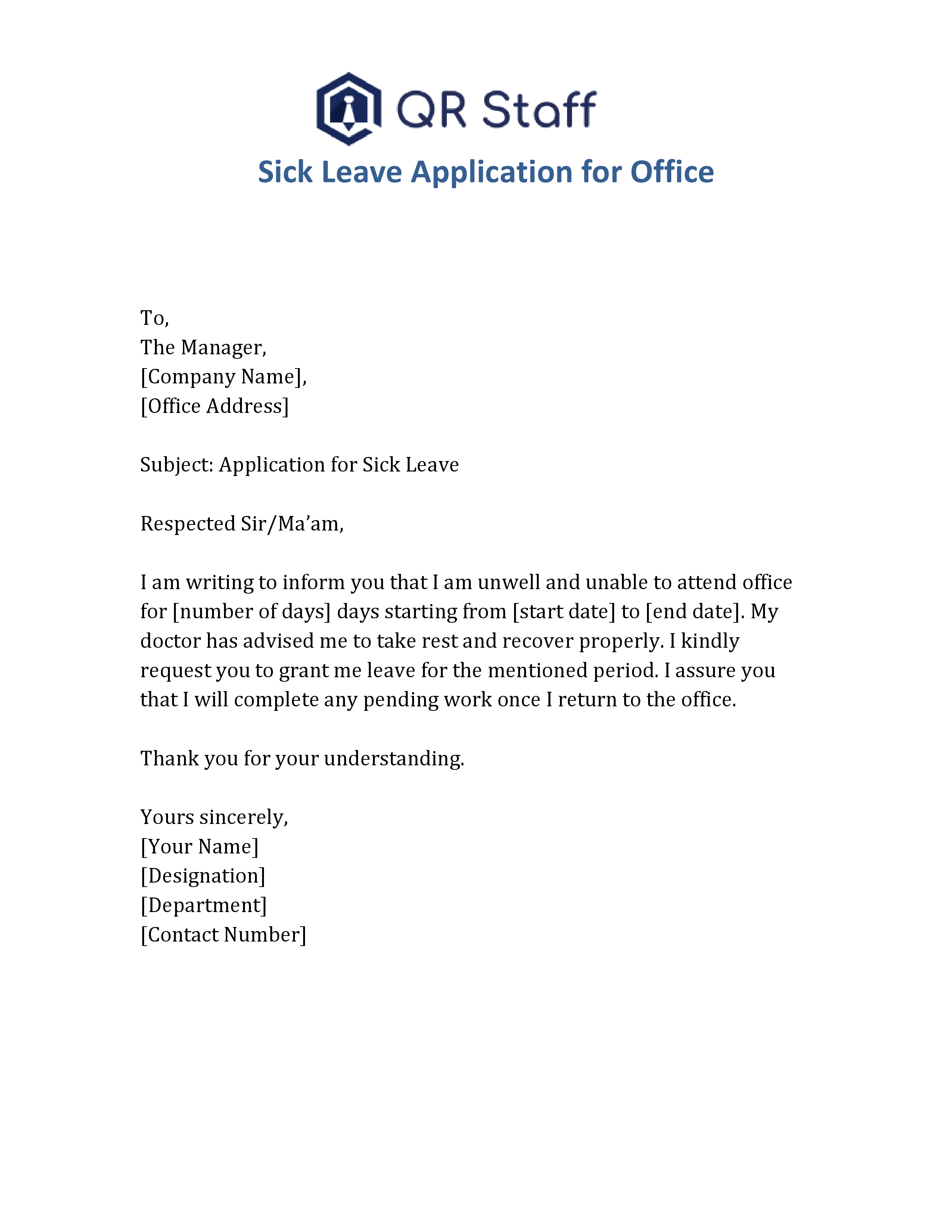
Sick Leave Application Format For Office
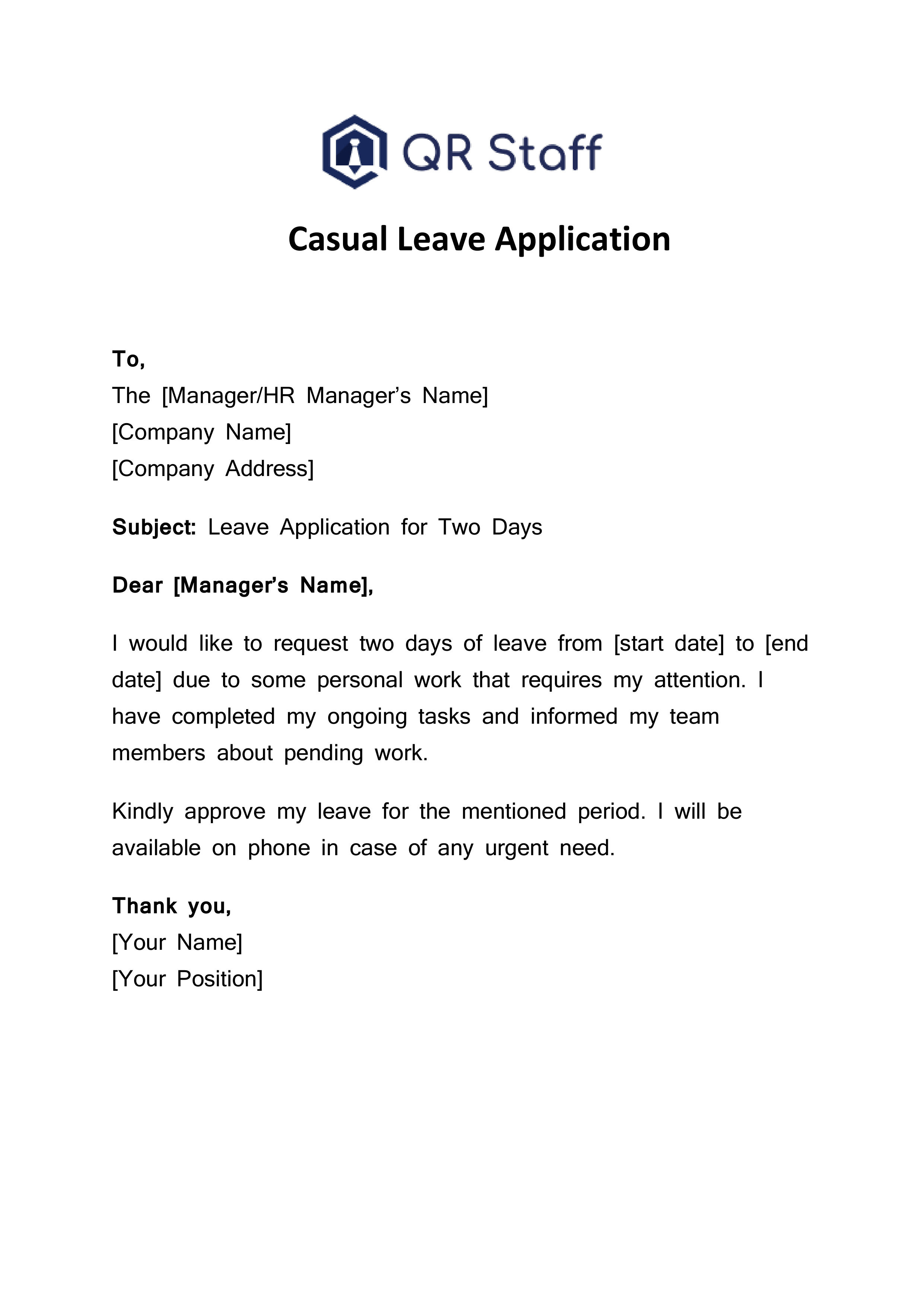
When writing a sick leave application for office, keep your tone formal, concise, and respectful. Mention your illness, leave duration, and assure your manager of a smooth workflow in your absence.
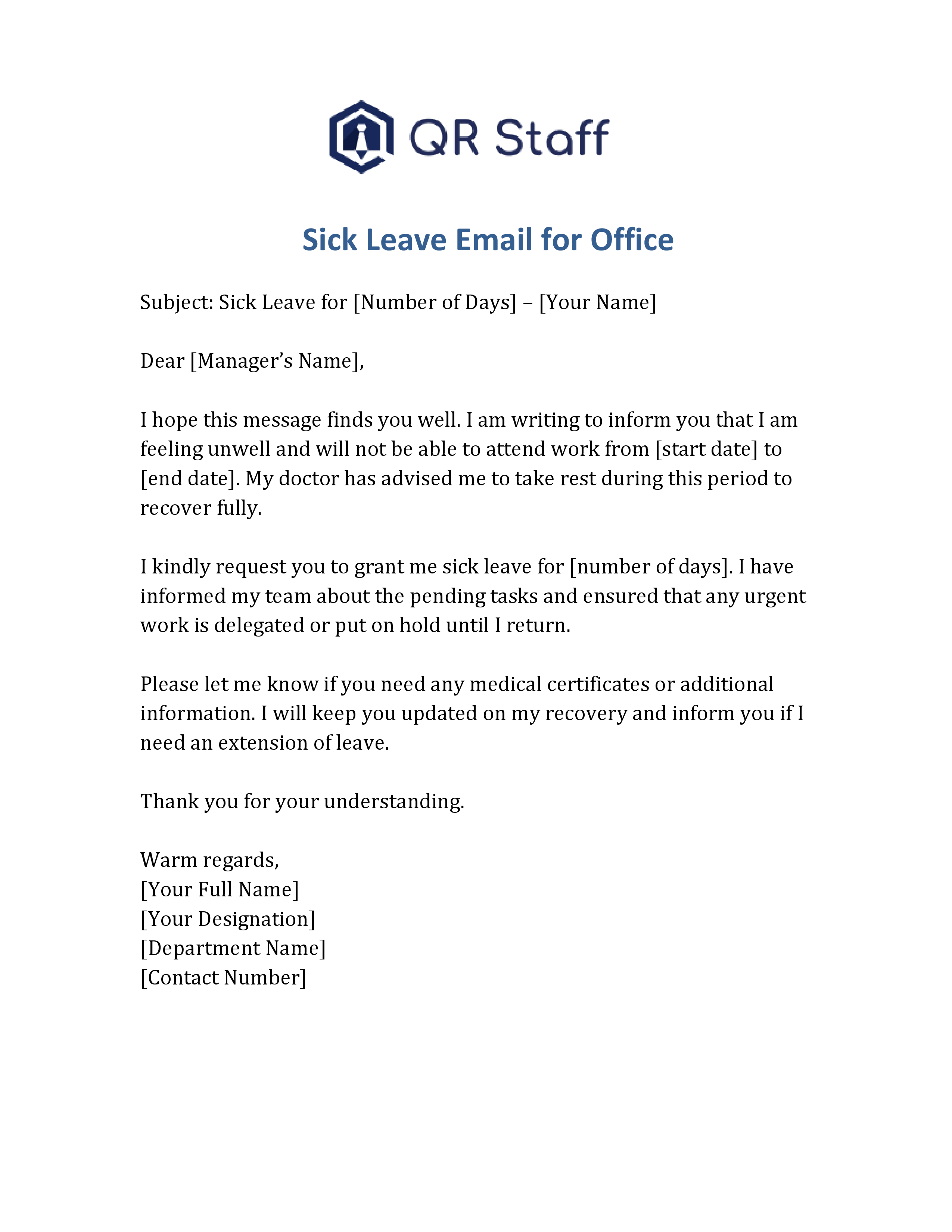
Sick Leave Email Format For Office
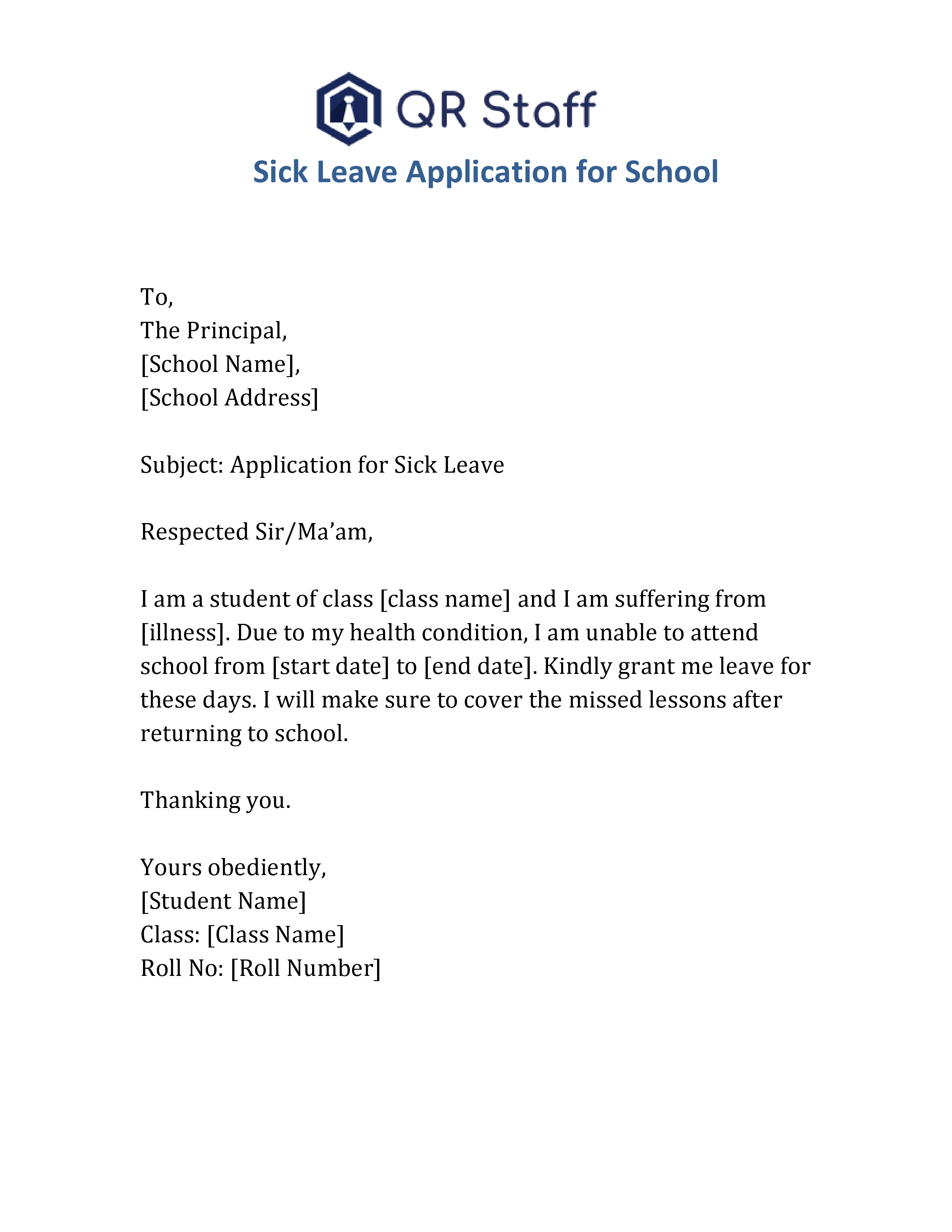
Sick Leave Application Format For School
A school sick leave application is usually written by parents or students in a simple and polite tone. It should include the reason for leave and the duration clearly.
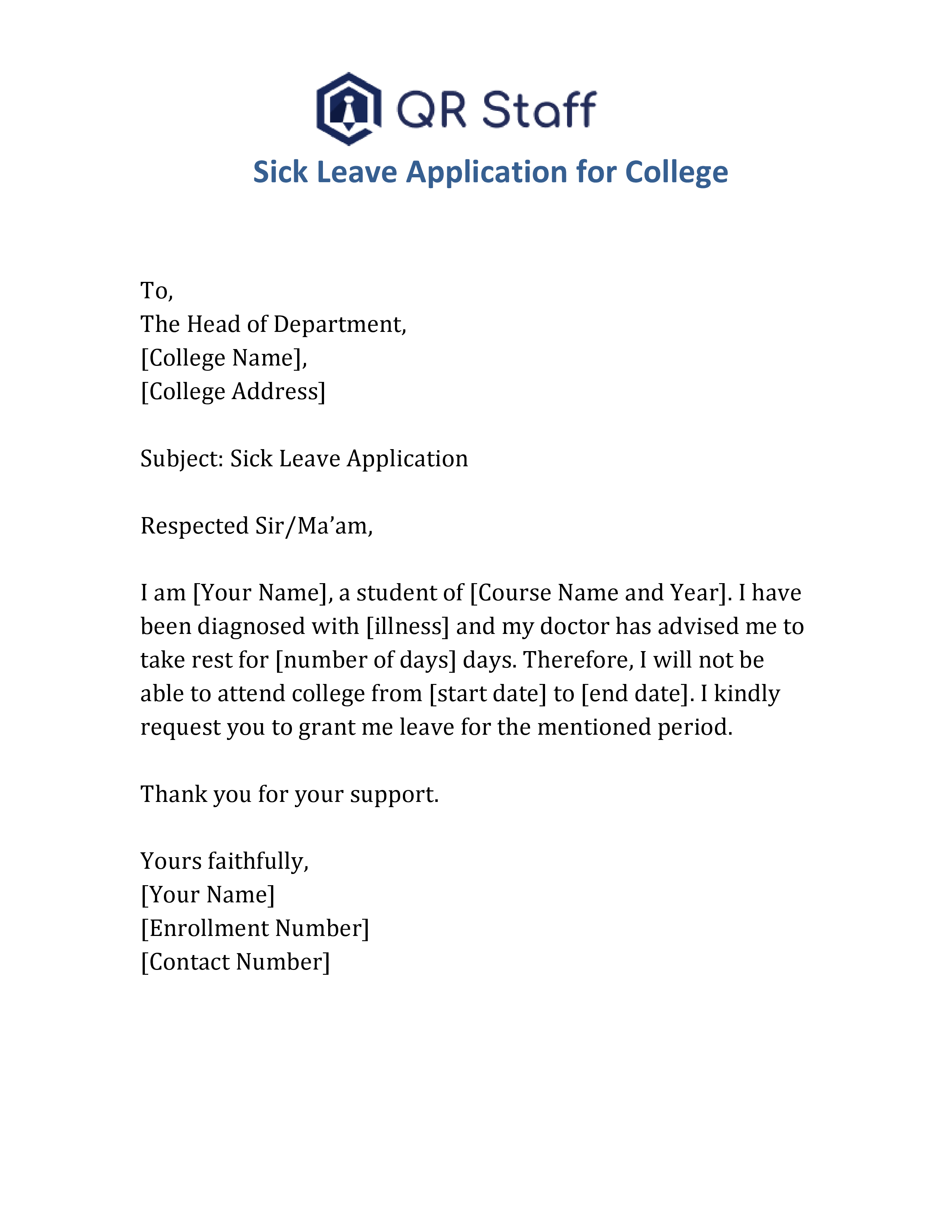
Sick Leave Application For College
College sick leave applications are more formal as they are addressed to professors, department heads, or principals. It’s important to mention course details and ensure a respectful tone.
Common Mistakes to Avoid While Writing a Sick Leave Application
It’s important to avoid a few common mistakes when submitting your leave request.
Not mentioning clear leave dates or duration.
Using informal or casual language in professional contexts.
Forgetting to include a subject line or greeting.
Not signing the application with your name or details.
Application submitted after the deadline without prior notification.
Benefits of Using a Digital Leave Management System
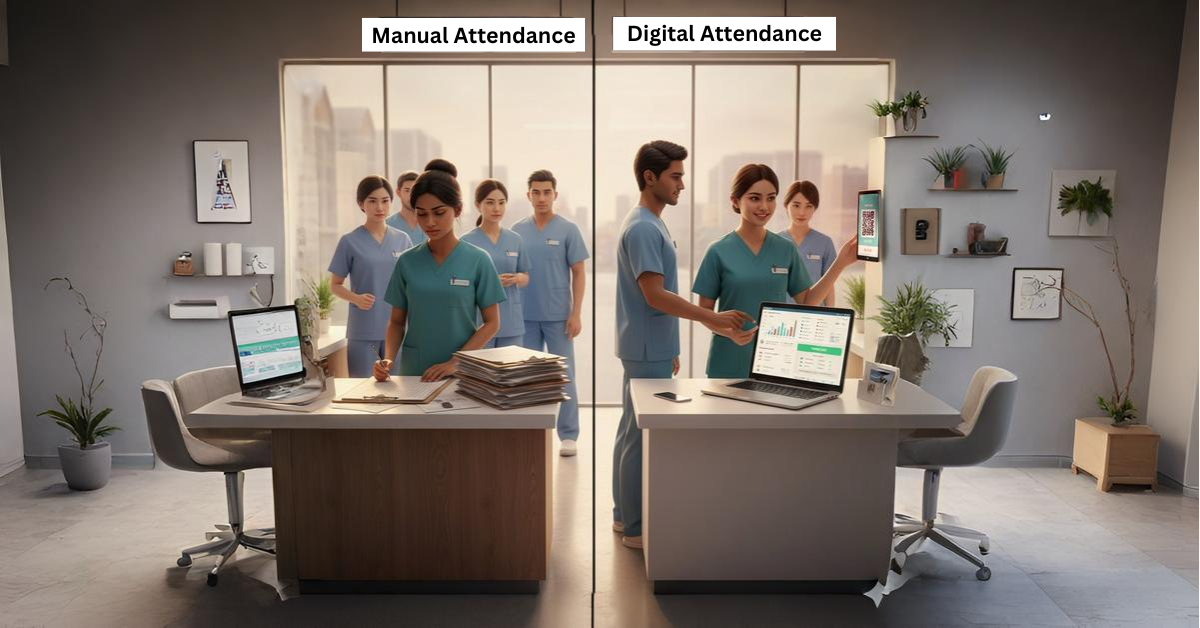
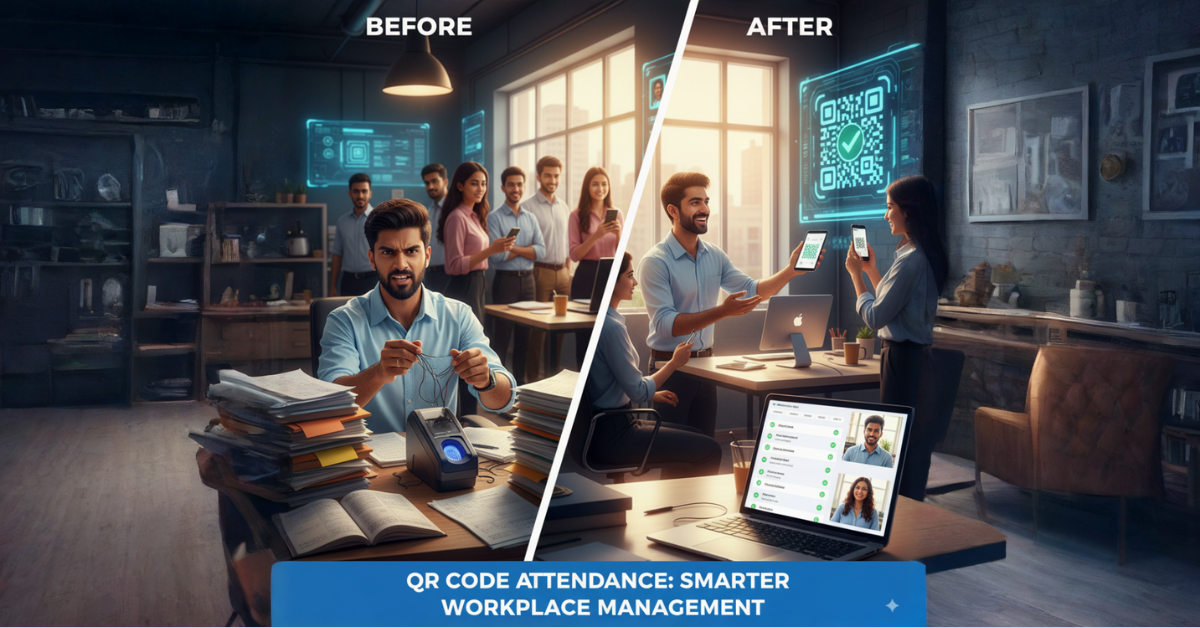
The process of maintaining sick leaves is quite confusing and time-consuming if done manually. A digital attendance and leave system, such as QR Staff, makes the process much easier to handle, both for employees and for HR managers. It automates leave tracking, approval workflows, and record maintenance. Employees can easily apply for leave through their phones, and managers can approve or reject requests instantly.
This reduces the paperwork, saves time, and also provides transparency to both sides. In schools or colleges, such systems allow better management of attendance and reduce human errors. The whole process goes smoothly, accurately, and professionally.
How can I write a proper Leave of Absence Application for office, school, or college?
Writing a Leave of Absence Application becomes easy when you follow the right format and tone. You just need to mention the reason for your leave, duration, and request for approval in a polite manner. you can check our detailed guide —
Writing a formal application for sick leave shows professionalism and serves as an official record for your absence. As an employee, student, or teacher, a respectful and structurally well-formed request for leave speaks volumes about being responsible and disciplined. Always mention the cause, period of leave, and contact information and end graciously.
Make attendance and leave management a breeze with QR Staff, modern attendance management software that automates leave tracking and attendance monitoring for payroll processing. QR Staff supports companies, schools, and institutions in managing records of their staff with just a few taps. It’s time to get rid of paperwork and switch to smart, fast, and digital attendance solutions offered by QR Staff.
Frequently Asked Questions (FAQs)
1. How do I write a sick leave application for office?
To write a sick leave application for office, mention the recipient’s details, date, subject line, and a short description of your illness. Include the number of days you’ll be absent, express gratitude, and sign with your name and contact details. Always keep your tone polite and professional.
2. What is a sick leave application?
A sick leave application is a formal letter or email written to inform your employer, teacher, or principal about your illness and request permission to stay absent for a specific period. It helps maintain transparency and ensures your absence is officially recorded.
3. What should I include in a school sick leave application?
A school sick leave application should include the student’s name, class, roll number, reason for absence, and leave duration. It should be addressed to the class teacher or principal and written in a simple and respectful tone.
4. Can I send a sick leave application through email?
Yes, you can send a sick leave application through email. Just make sure to use a clear subject line, polite language, and proper formatting. Mention your contact number for follow-up if necessary.
An experience certificate is among the most critical documents in one’s professional career path. Be it a job shift, a new job application, or higher studies, this certificate serves as authentic evidence of your work experience. It provides information about your job designation, length of service, performance, and behavior during your tenure with the company.
In this exhaustive guide, we’ll tell you what an experience certificate is, why it is necessary, how to draft one properly, and provide you ready-to-use templates in Word & PDF which you can simply download and edit.
What Is an Experience Certificate?
An experience certificate is a formal document issued by an employer upon the completion of an employee’s service. It attests to the fact that the individual was employed in the organization for a period and details their position, responsibilities, and general behavior.
This certificate acts as evidence of employment and is frequently used while applying for fresh jobs or career opportunities. It’s generally printed on the letterhead of the company, signed by the HR manager, or any other authorized personnel.
In a nutshell, it’s a formal document admitting an employee’s contribution and experience in a company, hence becoming the mandatory part of each professional’s portfolio.
Importance of an Experience Certificate
An experience certificate is worth much more than most professionals understand. It is not a mere document but a legal document of your commitment, work, and development as a part of an organization. This document is significant in proving your professional path and acts as a proof of your expertise, work activities, and tenure of employment. Whether you’re applying for a new job, pursuing higher studies, or moving abroad, an experience certificate becomes one of the most trusted and essential documents in your career.
1. Proof of Employment
An experience certificate is legal documentation that attests that you were working with a certain company for a certain duration. It contains significant information like your position, joining date, and relieving date, as well as your area of work. It verifies your asserted experience so employers can be sure it is real and authentic. Without it, even the most fantastic resumes can appear incomplete or doubtful during hiring processes or HR assessments.
2. Career Progression
A properly written experience certificate greatly enhances your career portfolio and makes your professional history more authentic. It enables the potential employer to judge your work experience, skills, and fit for the job much better. In addition, it portrays your consistency, commitment, and capability of working in an organizational setup. For most professionals, the certificate serves as a stepping stone towards promotions, upgraded positions, and enhanced salary packages.
3. Background Verification
In the current competitive job market, background verification is a regular component of the recruitment process. The majority of HR departments call up previous employers or verify documents submitted by them for authenticity. An experience certificate makes this verification easier by acting as an official and legal proof of your job. It reduces skepticism regarding your work history and shows honesty — a virtue much appreciated by organizations.
4. Credibility and Trust
A professionally signed experience certificate instills confidence and credibility in your resume. It indicates that your previous employer appreciates your efforts and has officially attested your service. This confidence factor is just as important not only for career shifts but also for the formation of long-term professional connections. It instills hiring managers’ confidence in your integrity, dependability, and performance, making you stand out from the rest of the candidates.
5. Visa or Study Requirements
For those who are seeking international education schemes, work visas, or migration, an experience certificate is usually a requirement. It serves as a supporting document that confirms your professional experience and enhances your viability for visa processing. Immigration officials and schools use it to determine your professional status and work experience. Procuring a genuine, well-designed certificate can be a time-saver and avert inconvenience during these formal processes.
Most Important Parts of an Experience Certificate
A career experience certificate should have certain things included to make it informative and valid. The following are the most important parts that must be included in any certificate:
Company Letterhead: Always sign the certificate on the original letterhead to guarantee authenticity.
Date of Issue: The date ensures that the document was created officially on that day.
Employee’s Full Name: Mention the full legal name of the employee.
Designation: State the job title or the designation held by the employee.
Employment Duration: State the date of joining and date of leaving.
Job Responsibilities: Short statement of the primary tasks or duties performed by the employee.
Performance and Conduct: Insert a brief statement regarding their conduct and professionalism.
Signature and Seal: Should be signed by the authorized individual and stamped with the company seal.
Each of these ensures the certificate is professional, complete, and verifiable at ease.
The experience certificate can vary according to different industries, the nature of jobs, and the responsibilities of employees. Each highlights different achievements, roles, and contributions concerning the field. Be it corporate professionals, teachers, engineers, or freelancers, the format and tone should reflect the nature of the job. The following are some of the most commonly used types of experience certificates prevalent in different sectors:
1.Corporate Experience Certificate
A corporate experience certificate is usually given to office employees, executives, and managerial staff. It highlights an employee’s role, tenure, and contribution towards organizational goals. This type of certificate mainly outlines skills like leadership, teamwork, punctuality, and professionalism. It also includes achievements such as meeting targets, managing teams, or improving productivity. These certificates help future employers evaluate a candidate on how reliable he or she is and his or her overall corporate experience.
2. Teaching Experience Certificate
A teaching experience certificate is issued to teachers, professors, and tutors as proof of the tenure spent teaching in their institutions. It contains information such as the subject taught, period of teaching, and the level of student participation or performance. It is usually demanded from teachers seeking other schools, colleges, or academic programs. This helps the institution understand the teacher’s specialization, how he/she teaches, and his/her contribution to the curriculum. A well-framed certificate also speaks volumes of a teacher’s integrity and dedication towards education.
3. Internship Experience Certificate
An internship experience certificate is an official document provided to an intern/trainee after completing his/her training period, reflecting details of projects undertaken, skills learned, and performance appraisals. This provides evidence of practical exposure and credibility to the freshers’ resume. It also reflects that the intern proved enthusiastic, easily adaptable, and has growth potential in the organization. These certificates are particularly helpful for placements seeking full-time work or higher studies.
4. Medical Experience Certificate
Medical experience certificates are used by hospitals, clinics, and healthcare institutions to validate the experience of doctors, nurses, lab technicians, and other staff. It mentions the department, specialization, and duration of service along with the employee’s conduct and performance. This certificate may also mention the professional’s patient care skills, ethical practices, and teamwork within the medical team. For doctors and nurses, it is the most essential document for license renewals or international job applications.
5. IT/Software Experience Certificate
A certificate of IT and software experience is meant for developers, testers, designers, and IT support staff. It explains the technologies used at work, the programming languages, and tools. It may also mention major projects handled, problem-solving skills, and achievements in software development. Such certificates confirm the technical competence of an employee and assist the potential employer in evaluating a candidate’s experience in real software environments. It is mainly needed during the application for senior technical positions or for foreign IT positions.
6. Engineering/Technical Experience Certificate
The experience certificate is generally issued to civil, mechanical, electrical, or other technical professionals involved in engineering. It contains complete details regarding specific projects, design responsibilities, and technical achievements. Specific details about the employee’s analytical, problem-solving, and project management skills are also included in this certificate. This certificate is usually issued to engineers for government tenders, overseas projects, or technical licensing. It serves as proof of both experience and technical competency in their specialized domain.
7. Retail/Store Experience Certificate
A retail or store experience certificate is normally given to the sales associate, cashier, or store manager. It shows their customer service performance, sales achievements, and day-to-day handling of the store. This retail or store experience certificate depicts, in a customer-facing environment, qualities like honesty, time management, and teamwork. This plays a very crucial role for employees looking to apply to other retail chains, supermarkets, or brand outlets, as it verifies experience in handling customers and sales processes.
8. Freelance or Contract Experience Certificate
The experience certificate, in the case of freelancers or contract workers, is provided at the end of the project or the contract date. It describes the nature of work, project duration, and feedback about performance by the client. This certificate is very important, especially for those freelancers who work with numerous clients and want to maintain a good portfolio. It helps to establish credibility, showcase their reliability, and attract more clients or collaborations. Such certificates act as formal recognition of freelance achievements and expertise.
How to Write an Experience Certificate (Step-by-Step Guide)
Writing a professional experience certificate is not difficult if you follow the right process. Here’s a step-by-step guide:
The firm’s official letterhead should be used.
Start with the date and a salutation, such as “To Whomsoever It May Concern”.
Mention the employee’s name, job title, and period of employment.
Briefly explain the employee’s roles and responsibilities. Step
Comments regarding performance, attitude, or teamwork should be included.
Close the letter by wishing them well in their future.
Add the signature, designation, and company seal.
Common Mistakes to Avoid
When putting together an experience certificate, HR professionals need to be mindful of a few common pitfalls:
Incorrect Dates: It’s essential to verify the employment duration carefully.
Spelling Errors: Typos in names or job titles can lead to verification problems.
No Signature or Seal: A document without a signature is deemed invalid.
Missing Designation: The certificate must clearly state the employee’s position.
Unclear Formatting: Ensure the document is tidy, well-aligned, and easy to read.
By steering clear of these mistakes, you can maintain a sense of professionalism and reliability.
Difference Between Experience Certificate and Relieving Letter
While both documents are provided at the end of your employment, they each have distinct roles:
Experience Certificate: This document verifies your work experience, job title, and how long you were employed.
Relieving Letter: This one confirms that you’ve officially resigned and that all your dues and handovers are settled.
Both documents are crucial, so make sure to collect them from the HR department once you’ve completed the exit process.
How Experience Certificates Help in Career Growth
Having a valid experience certificate can really give candidates a leg up in their job searches. It serves as proof of your professional accomplishments and dependability. Employers rely on it to confirm the accuracy of your work history, which adds a layer of credibility to your resume. Plus, it can empower you to negotiate for better roles and salaries, since recruiters tend to trust candidates with documented experience. In a nutshell, an experience certificate does more than just validate your past—it plays a crucial role in shaping your future career opportunities.
Experience Certificate Writing Tips for HR Professionals
Here are some expert tips for HR departments to write professional experience certificates efficiently:
Keep the content formal and concise.
Use consistent formatting for all employees.
Maintain templates to ensure uniformity.
Avoid personal remarks; focus on professional behavior.
Always issue certificates promptly after an employee’s exit.
These practices ensure smooth HR operations and maintain a company’s reputation.
Why Every Company Should Maintain an HR Document Library
Creating and keeping a well-organized document library for HR letters—such as appointment, joining, and experience certificates—can really save time and ensure everything stays consistent. This approach allows HR departments to issue certificates quickly, without the hassle of starting from scratch each time. With the help of digital tools, templates can be securely stored and accessed by authorized users whenever they need them. Overall, this practice enhances both efficiency and professionalism within the organization.
How QR Staff Simplifies HR Document Management
Managing HR documentation the old-fashioned way can really eat up your time and lead to mistakes. That’s where QR Staff steps in to change the game. QR Staff is a cutting-edge app designed for staff attendance and payroll management, helping businesses transition to a digital HR process. Beyond just tracking attendance and managing leave, it also supports HR teams in securely storing and generating vital employee documents like appointment letters, joining letters, and experience certificates—all in a convenient digital format. With QR Staff, companies can save precious time, keep things consistent, and ensure that every document looks professional and is easy to access. Give QR Staff a try today and transform your HR management into a simple, paperless, and efficient experience!
FAQs on Experience Certificate Format
1. What is an experience certificate?
The experience certificate is an official letter from the employer regarding the duration of the job, designation, and performance of an employee.
2. Who issues an experience certificate?
The certificate, in most cases, is issued by the HR department or the reporting manager.
3. Can I get an experience certificate after resignation?
Yes, most companies do issue it after the resignation process and final settlement are completed.
4. Is an experience letter the same as an experience certificate?
Yes, both terms are often used interchangeably to mean proof of employment and experience.
5. Where can I download free experience certificate templates?
You may find editable Word and PDF templates, which you can download from this article and adjust according to details concerning your company.
6. How to manage the attendance sheet in Excel ?
If you want to easily track employee or student attendance, an Excel Attendance Sheet is one of the most efficient options. It not only helps you maintain daily records but also allows you to automatically calculate total attendance, absences, and leaves using simple formulas. We’ve created a detailed guide where you can learn everything about it and also download a free template — check out Attendance Sheet in Excel Format (Free Template + Formula Explained) for complete details
Every organization, from small startups to big corporations, has one department that’s vital for ensuring everything runs smoothly and that employees are content — the HR department. But what does HR Full Form mean, and why is it so important? Whether you’re a student, a job seeker, or a working professional, understanding HR is essential for grasping how organizations operate and how they manage their workforce.
In this blog, we’ll explore the HR Full Form, its definition, key responsibilities, significance, and how the HR landscape is changing with new technology. Let’s get started!
What is the HR Full Form?
The HR Full Form is Human Resources. This term encompasses the individuals who make up a company’s workforce, as well as the department that oversees them. Every organization—whether it’s a small startup, a medium-sized business, or a large corporation—has an HR department dedicated to managing employees, ensuring everything runs smoothly, and fostering a positive work environment.
In simpler terms, HR full form is all about effectively managing people—this includes hiring the right talent, providing training, handling payroll, addressing workplace issues, and supporting employees in reaching their full potential. Without HR, no organization can truly thrive, as employees are the lifeblood of any business.
What is HR (Human Resources)?
The Human Resources department is dedicated to managing everything related to employees, from hiring to retirement. HR professionals act as a crucial link between management and employees, ensuring that both parties’ needs are addressed while aligning the company’s objectives with employee satisfaction. The HR Full Form is Human Resources. Practically speaking, HR is responsible for placing the right people in the right positions. For example, when a company needs a software developer, the HR team steps in to post job openings, sift through applications, conduct interviews, and choose the best candidate. Beyond just recruitment, HR also takes care of training programs, payroll, performance evaluations, and making sure the company follows labor laws.
Importance of HR in an Organization
Human Resources (HR) is an integral part of any organization. It acts as a liaison between management and employees, facilitating smooth operations and a healthy work environment. HR not only recruits employees but also ensures that employees are motivated, trained, and satisfied. Let’s consider the key reasons why HR is so important to any organization.
1. Recruitment and Talent Acquisition
One of the key roles of HR is recruiting and identifying the right people. HR professionals design job positions, advertise positions, screen applications, and conduct interviews. Their goal is to identify not only candidates with the skills but also those who fit into the organization’s culture. A good recruitment process helps an organization build an effective team that contributes to business success.
2. Training and Development
After recruitment, HR ensures that employees are adequately trained to perform their duties effectively. They conduct onboarding sessions, workshops, and skills training programs. This continuous learning process provides employees with the opportunity to grow professionally and personally. Well-trained employees are more confident, productive, and better equipped to handle challenges.
3. Employee Engagement and Motivation
The Human Resources department is responsible for keeping employees engaged and motivated. They plan team-building exercises, reward programs, and performance evaluations. Engaged employees are more loyal, enthusiastic, and contribute positively to the company’s success. Human Resources also promotes open communication so that employees feel valued and heard.
4. Performance Management
The Human Resources department oversees performance appraisal systems to monitor and enhance employee productivity. Regular appraisals, feedback sessions, and goal-setting meetings help employees understand their strengths and weaknesses. An effective performance management system also helps with promotions, salary revisions, and rewards.
5. Conflict Resolution
Workplace disputes are inevitable, yet the Human Resources department resolves them professionally. Whether employee misunderstandings or management issues, the Human Resources department helps bring about equitable and fair resolution. They foster cooperation, communication, and a respectful work environment, reducing stress and enhancing collaboration.
6. Remuneration and Benefits Management
The Human Resources department develops salary structures, bonuses, and employee benefits such as health insurance, leave, and retirement arrangements. A transparent and equitable pay policy keeps employees satisfied and reduces the likelihood of leaving. Attractive benefits also motivate the organization to attract the best talent from outside.
7. Compliance and Legal Responsibilities
All organizations are required to comply with labor laws and employment regulations. The Human Resources department ensures the company complies with these laws to avoid legal problems. These include record keeping, ensuring workplace safety, and managing employee rights. Complying with the law helps the HR department protect the organization’s reputation and financial health.
8. Developing a Positive Work Culture
The HR department helps develop and maintain a company’s work culture. They establish values, ethics, and behavioral norms that align with the organization’s objectives. A positive work culture increases productivity, reduces stress, and fosters a sense of belonging in the workplace.
9. Employee Retention
Retaining employees is as important as recruiting new employees. The HR department maintains job satisfaction through continuous feedback, career development opportunities, and rewards programs. If employees are valued and nurtured, they are less likely to leave, reducing the organization’s time and recruitment costs.
10. Strategic Planning and Organizational Development
Today’s HR departments are strategic partners in business planning. They review labor data, anticipate future needs, and align HR plans with business objectives. By effectively placing the right individuals in the right roles, HR directly contributes to an organization’s growth and long-term success.
11. Health, Safety, and Wellness
The HR department ensures a healthy and safe work environment for everyone by aligning workplace policies with the New Labour Law in India. They implement safety protocols, mental health initiatives, and wellness programs to meet updated legal standards. Employees become more productive and their morale increases when they feel safe, supported, and cared for under these regulations.
12. Diversity and Inclusion
The HR department promotes diversity by providing equal opportunities to all employees, regardless of gender, race, or ethnicity. A diverse and inclusive work environment paves the way for new ideas, creativity, and a favorable brand reputation for the organization.
KeyResponsibilities of HR Department
The Human Resources (HR) department carries out a number of key responsibilities that enable a company to run effectively and have a well-redundant workplace. Talking of the HR Full Form, we are not just referring to hiring and firing here — HR is tasked with managing people, policies, and performance to help the organization prosper in the long run. Below are the primary roles of an HR department elaborated in detail:
1. Recruitment and Hiring
Attracting and hiring the correct talent for the organization is one of the primary duties of HR. Job descriptions are written, postings are put out, resumes are screened, and interviews are held by the HR department. Their mission is to make sure that each new employee not just meets the requirements of the job, but also fits in with the organizational culture. A properly thought-out hiring process minimizes turnover and enhances worker satisfaction.
2. Employee Onboarding
After an employee is hired, HR oversees the onboarding process — familiarizing them with company policies, co-workers, and work processes. Proper onboarding makes employees feel at ease and confident from the very first day, making it a transition into the work environment easy and seamless. This initial experience tends to influence their long-term affiliation with the company.
3. Training and Development
HR concentrates on skill development of employees through ongoing learning programs, workshops, and seminars. Training maintains employees current with the latest industry trends and technology. As employees increase in capability and knowledge, company performance and innovation directly benefit. HR also spots future leaders and readies them for more senior roles.
4. Performance Management
Assessment of employees’ performance is a major HR function. HR teams establish performance targets, carry out appraisals, and offer constructive criticism. They also reward good-performing employees. This encourages staff to work harder and sync their plans with the company’s mission. Performance assessments carried out regularly also determine areas where the employees require special assistance or training.
5. Payroll and Compensation
Another critical responsibility of HR is the administration of employees’ salaries, bonuses, deductions, and benefits. HR makes sure that each employee is correctly paid on time. HR also administers benefits like health coverage, leave pay, and incentives. An open and well-administered payroll system generates trust and minimizes financial conflicts among employees and management.
6. Employee Relations
HR acts as a liaison between management and staff. They mediate workplace disputes, employee complaints, and communication issues. Healthy employee relations foster a positive workplace culture and minimize turnover. HR practitioners also uphold respect, inclusivity, and collaboration within the organization.
7. Compliance and Legal Obligations
All organizations have to abide by labor laws, occupational safety regulations, and ethical business ethics. HR makes sure that the organization is compliant with all employment-related legal regulations. They also maintain proper records of employee contracts, leave records, and disciplinary procedures to avoid legal entanglement.
8. Workplace Safety and Well-Being
HR departments also ensure a healthy and safe working environment. They provide safety training, check the conditions of work, and develop wellness programs that foster good mental and physical health. Through ensuring employee well-being, HR improves morale and productivity.
9. Company Culture and Engagement
Creating a solid organizational culture is also a key HR activity. With engagement programs, celebration, and transparent communication, HR makes all employees feel valued and motivated. A good work culture not only boosts performance but also retention.
10. Strategic Planning
Today’s HR departments do more than administer; they are actively involved in strategic decision-making. HR professionals predict workforce requirements, succession planning, and aligning HR initiatives with business objectives. They leverage analytics and digital technologies to measure performance and improve decision quality.
Types of HR Roles
When we realize the HR Full Form (Human Resources), it’s obvious that HR isn’t one job but a collection of various jobs that collectively make an organization function smoothly. Every HR professional possesses distinct tasks depending on his/her area of specialization, company size, and organizational requirements. The following are the most prevalent forms of HR jobs seen in contemporary workplaces:
1. HR Manager
The HR Manager is tasked with managing the whole HR department and ensuring all procedures, policies, and operations are carried out effectively. They oversee recruitment, employee engagement, payroll, and compliance functions. HR Managers also collaborate with top management to align HR strategy with business objectives. Their leadership is vital in ensuring a productive and motivated workforce.
2. HR Executive
The HR Executive manages daily HR functions. They involve maintaining staff records, handling leaves, support in payroll, and organizing training programs. They assist in answering employee inquiries and aid HR Managers in implementing company policies. HR Executives are usually the initial point of contact for employees when they have HR-related concerns.
3. HR Recruiter / Talent Acquisition Specialist
The primary responsibility of recruiters is to hire new talent within the organization. Recruiters design job descriptions, sift through resumes, interview candidates, and consult with hiring managers in order to find appropriate candidates. The primary objective of recruiters is to employ skilled and culturally appropriate employees who can make a positive contribution to the company. In most organizations, the recruiter is referred to as Talent Acquisition Specialist.
4. Training and Development Officer
This HR position is focused on strengthening employees’ skills and knowledge. The Training and Development Officer plans and conducts training sessions, workshops, and e-learning courses. They determine gaps in employees’ skills and assist them in enhancing performance. Their work keeps the workforce up-to-date, confident, and prepared to deal with new challenges.
5. Payroll and Compensation Specialist
The Payroll Specialist takes care of the money side of HR, making sure that all the workers are paid promptly and accurately. They determine salaries, deal with deductions, bonuses, and keep records of payroll. They also make sure that tax and labor laws are followed. A neat payroll system raises the level of employee confidence and satisfaction.
6. Employee Relations Officer
The Employee Relations Officer is responsible for building a positive employee-management relationship. They resolve workplace disputes, manage grievances, and foster a culture of respect and teamwork. They are there to ensure that employees hear their concerns and are valued, and this increases motivation and decreases turnover.
7. HR Business Partner (HRBP)
An HR Business Partner collaborates directly with department managers or top leadership to design and execute HR initiatives aligned with business objectives. HRBPs are more strategic in nature than traditional HR roles. HRBPs review workforce data, oversee organizational changes, and assist in creating long-term human resource strategies.
8. HR Analyst
The HR Analyst gathers and analyzes HR data to enhance decision-making. They utilize HR software and analytics tools to monitor employee performance, turnover, and satisfaction rates. Their reports enable management to make enhanced HR strategies and policies. HR analytics is currently one of the most sought-after positions in human resources in today’s digital age.
9. Compliance and Policy Specialist
This job guarantees that the company is adhering to all employment legislation and internal guidelines. Compliance officers oversee audits, monitor legal changes, and guarantee that the firm does not incur fines. They assist in creating HR policies that ensure equity, equality, and workplace safety.
10. HR Generalist
The HR Generalist is a jack-of-all-trades who performs several tasks in HR — from payroll and hiring to training and employee engagement. This position is particularly prevalent in smaller and medium-sized companies where the HR department is smaller. The generalist skill set of the HR Generalist makes them one of the most effective contributors to the HR team.
11. HR Coordinator
An HR Coordinator is an administrative assistant to the HR department. They help with booking interviews, managing employee files, and coordinating HR events. Although it’s usually an entry-level position, it is wonderful exposure to everything HR and a great place to start for those entering an HR career.
12. HR Director / Chief Human Resources Officer (CHRO)
At the most senior level, the CHRO or HR Director oversees the whole human resource strategy of the organization. They oversee HR planning, budgeting, and policy-making. CHROs collaborate with CEOs and other senior leaders to create workforce plans that ensure long-term business growth. Their vision frames the company culture and future.
Key Functions of HRFull form
The HR department performs multiple functions that directly impact an organization’s success.
1. Recruitment and Selection
It’s all about finding and bringing on board talented individuals who fit the company’s needs perfectly.
2. Payroll Management
This involves accurately managing salaries, benefits, and keeping track of attendance.
3. Performance Appraisal
Here, we assess how employees are doing and provide helpful feedback to support their development.
4. Employee Relations
We work on fostering communication, resolving any conflicts, and creating a positive work environment.
5. Compliance and Legal Affairs
Our job is to make sure the organization adheres to labor laws and health and safety regulations
In short, HR is all about keeping employees happy, skilled, and aligned with the company’s long-term vision.
Difference Between HR and Administration
Though HR and Administration often work closely together, their roles are quite different. The HR department focuses on managing people — hiring, training, evaluating, and maintaining employee satisfaction. The Administration department, on the other hand, manages logistics — office supplies, maintenance, and company operations. For example, HR may organize an employee training session, while Administration ensures that the training room, equipment, and resources are ready. HR deals with human needs and emotions, whereas Administration manages systems and processes. In simple terms, HR focuses on people management, and Administration focuses on office management. Both are essential for an organization to function efficiently.
How to Create an Employee Attendance Sheet
Creating an employee attendance sheet is crucial for keeping track of staff presence, absences, late arrivals, and work hours. Start by listing all employee names along with their job titles and departments in the first column. Then, add columns for each day of the month, so you can mark attendance with codes like P for Present, A for Absent, L for Leave, or H for Holiday. Don’t forget to include a summary section at the end to tally up total present days, leaves, and working hours. To make things easier, you can use a pre-made attendance sheet format in Word, which allows you to customize, edit, and manage attendance records without having to create the format from scratch.
Challenges Faced by HR Professionals
The HR field can be incredibly rewarding, but it definitely comes with its fair share of challenges. One of the biggest hurdles HR professionals encounter is employee retention — keeping talented individuals engaged in a competitive job market. Another significant challenge is keeping up with technology, as HR systems now depend heavily on digital platforms for payroll, recruitment, and analytics. Managing workplace conflicts and staying compliant with ever-changing labor laws can also be quite demanding. Plus, HR teams have to strike a balance between organizational goals and employee satisfaction, which often calls for a good dose of patience, empathy, and strong communication skills. Despite these obstacles, skilled HR professionals find ways to foster harmony in the workplace and ensure everything runs smoothly day in and day out.
Future of HR in the Digital Era
The future of HR is rapidly shifting towards a more digital and data-driven landscape. Nowadays, companies are turning to HR software and AI tools to manage everything from attendance tracking to payroll automation and performance evaluations. This shift not only saves time and minimizes errors but also offers valuable insights into how to manage the workforce effectively. Take cloud-based platforms like QR Staff, for example; they make attendance management and payroll processing a breeze for businesses, no matter their size. On the other hand, AI tools can dive into employee performance trends, forecast turnover risks, and even pinpoint training needs. Looking ahead, the HR department will likely prioritize strategic decision-making over manual tasks. With automation taking care of the repetitive stuff, HR professionals will have more bandwidth to focus on employee engagement and fostering organizational growth.
HR as a Career Option
A career in HR can be incredibly rewarding and full of variety. To step into the world of HR, you usually need a bachelor’s or master’s degree in Human Resource Management, Business Administration, or something similar. Many professionals also go the extra mile by earning certifications like SHRM or HR Analytics to boost their expertise. Key skills for success in this field include strong communication, leadership, empathy, problem-solving, and organizational skills. HR positions can be found across all industries — whether it’s IT, healthcare, education, or manufacturing. When it comes to salaries, they vary based on experience and specific roles. For instance, an entry-level HR Executive in India might earn around ₹3–4 LPA, while HR Managers can pull in anywhere from ₹7–15 LPA or even more in larger companies. With the rising demand for HR analytics and tech, the future of HR careers is looking bright and full of potential.
Conclusion
To sum it up, the HR Full Form — Human Resources — is one of the most essential departments in any organization. HR professionals are key players in recruiting, training, managing payroll, and fostering positive employee relations. They work hard to keep the workforce motivated, skilled, and in sync with the company’s objectives. As workplaces adapt to digital changes, the role of HR is becoming increasingly strategic and tech-focused. Modern HR tools and software, like QR Staff, are making it easier for companies to handle attendance, payroll, and employee management tasks. Whether you’re a student considering a career in HR or a business owner aiming to enhance employee management, grasping the concept of HR is crucial for building a robust and thriving organization. In today’s rapidly evolving landscape, Human Resources is not just about managing people — it’s about empowering them to excel and grow alongside the company.
FAQs on HR Full Form
1. What is the HR Full Form?
The Full Form of HR is Human Resources. It is the department that takes care of employees, such as recruiting, payroll, training, and employee relations.
2. What are the main functions of HR?
The key HR functions are recruitment, training, payroll management, performance appraisal, welfare of employees, and compliance with labor legislation.
3. What is the difference between HR and Administration?
HR concentrates on management of people — recruitment, training, and employee relations — while Administration deals with office administration, logistics, and property management.
4. What qualifications are needed for an HR career?
To be an HR professional, a bachelor’s or master’s in Human Resources, Business Administration, or any related qualification is suggested.
5. How is technology changing HR?
Technology is revolutionizing HR using automation tools such as HR software and apps (e.g., QR Staff) that make it easy to track attendance, payroll, and employee information.
6. Why is HR important in a company?
HR makes sure employees are engaged, productive, and focused on firm objectives. HR handles hiring, training, compensation, and dispute resolution to ensure a healthy work environment.
7. What are common HR roles in companies?
Popular HR job titles are HR Executive, HR Manager, Recruiter, Training Manager, and Employee Relations Specialist — each of them responsible for different workforce management areas.
8. Is HR a good career in 2025?
Yes! HR is an expanding career with scope in every business. With digital HR tools and data analysis, experts can create fulfilling, future-proof careers.
9. How does HR support employee development?
HR assists employees in developing by providing training sessions, career progression programs, and feedback mechanisms to enhance ability and self-confidence in the work environment.
10. What is QR Staff, and how does it help HR professionals?
QR Staff is a smart attendance and payroll management app that helps HR professionals automate routine tasks, saving time and improving efficiency in workforce management.
11. Which is the best HRMS software in India?
If you are looking for the best HRMS software in India, there are several great options available depending on your business size and needs. From attendance tracking and payroll automation to employee management, modern HRMS tools make everything easier. To explore detailed comparisons and top-rated software, check out our complete guide here:
When you start a new job, one of the most important documents you’ll come across is the joining letter. It’s the official confirmation that you have accepted a job offer and are ready to join the organization. A properly written joining letter format creates a positive impression and helps maintain professionalism from day one.
In this blog, we’ll discuss everything you need to know about the joining letter format, including its definition, importance, key elements, writing tips, and ready-to-use samples. Whether you’re an HR professional or a new employee, this guide will help you draft a clear and professional joining letter.
What Is a Joining Letter?
A joining letter is a formal note sent by a candidate to an employer confirming the date of their appointment to the company. It serves as an official acceptance of the job offer and includes important details such as the joining date, position title, and acceptance of the company’s terms and conditions.
In simple terms, a joining letter connects the job offer letter to the actual employment. After receiving the offer letter, the candidate sends back a joining letter to officially confirm their acceptance.
Importance of a Proper Joining Letter Format
A well-structured joining letter format is essential to keeping things professional and clear during the hiring process. It’s not just a formality—it’s a crucial part of any organization’s human resources records and helps both the employer and new employee steer their professional relationship in the right direction.
1.Official Record:
A joining letter is a vital part of a company’s official documentation. It confirms the employee’s acceptance of the job offer, start date, and position, creating a permanent record for the Human Resources department to reference.
2. Reflection of Professionalism:
Submitting a well-structured joining letter demonstrates the employee’s commitment, discipline, and understanding of formal business communication. It leaves a deep impression on the employer and creates a professional atmosphere from day one.
3. Clarity and Transparency:
A clear joining letter includes important details such as the joining date, position, department, and reporting manager. This helps avoid any confusion and ensures that both employer and employee are on the same page on key aspects of the employment.
4. Legal and Compliance Value:
If a dispute arises or verification is required, the joining letter serves as valid proof of the official start date and terms of employment. This protects the interests of both parties.
5. Smooth Onboarding Process:
A thoughtfully crafted joining letter enables the Human Resources department to efficiently plan the onboarding process, prepare the necessary documents, and complete all joining formalities without any interruptions.
In short, following a professional joining letter format not only demonstrates your professionalism but also paves the way for a smooth and organized start in your new role. It’s a small but important step toward embarking on a successful career journey.
Difference Between Offer Letter and Joining Letter
Many people confuse an offer letter with a joining letter, but both serve different purposes.
Aspect
Offer Letter
Joining Letter
Purpose
Sent by employer to offer a job.
Sent by the employee to confirm joining.
Sender
Employer or HR team.
Employee or candidate.
Timing
Before the candidate accepts the job.
After the candidate accepts the offer.
Content
Job title, Job designation, salary, and terms of employment.
Acceptance of the job, date of joining, and confirmation
Usage
Invitation to join.
Confirmation of joining.
So, an offer letter is sent first by the company, and a joining letter is sent afterward by the candidate to confirm.
Key Contents of a Good Joining Letter Format
The contents of an Offer Letter may differ from one organization to another, but typically they encompass the following elements:
Company Information: Information regarding the employer, such as the name of the company, address, and contact details.
Candidate Information: The name, address, and other relevant personal details of the candidate.
Position and Job Description: Description of the position being offered, including the job title, duties, and reporting level.
Compensation: Details about the salary or hourly rate provided, bonuses, commission plans, or other compensation.
Benefits: Description of the benefits package, such as health insurance, retirement schemes, and other benefits.
Grades and Conditions: Any conditions or contingencies related to the offer, including background checks, drug screening, or passing other pre-employment testing.
Start Date: The suggested start date for the candidate’s employment.
Acceptance Procedure: Instructions to the candidate to accept the offer formally, usually with a response deadline.
How To Write a Good Joining Letter
As per the following step-by-step guide, it is easy to write your joining letter:
Step 1: Mention the Date and Address
Begin by stating the date you are writing the letter, then include the HR’s name and company address.
Step 2: Put a Clear Subject Line
Put a brief and concise subject line such as “Joining Letter for the Post of [Your Job Title].”
Step 3: Greet the Employer Politely
Start with “Dear Sir/Madam” or the HR’s name, if you have it.
Step 4: State Your Acceptance
Clearly indicate that you are accepting the offer and give your joining date.
Step 5: Include Designation and Department
Include your designation and department to clarify.
Step 6: Be Thankful
Thank them for the chance and show enthusiasm to join the firm.
Step 7: Close Professionally
End the letter with “Yours faithfully” or “Yours sincerely,” and your name and contact number.
By following these steps, you can easily create a clean and professional joining letter format for any organization.
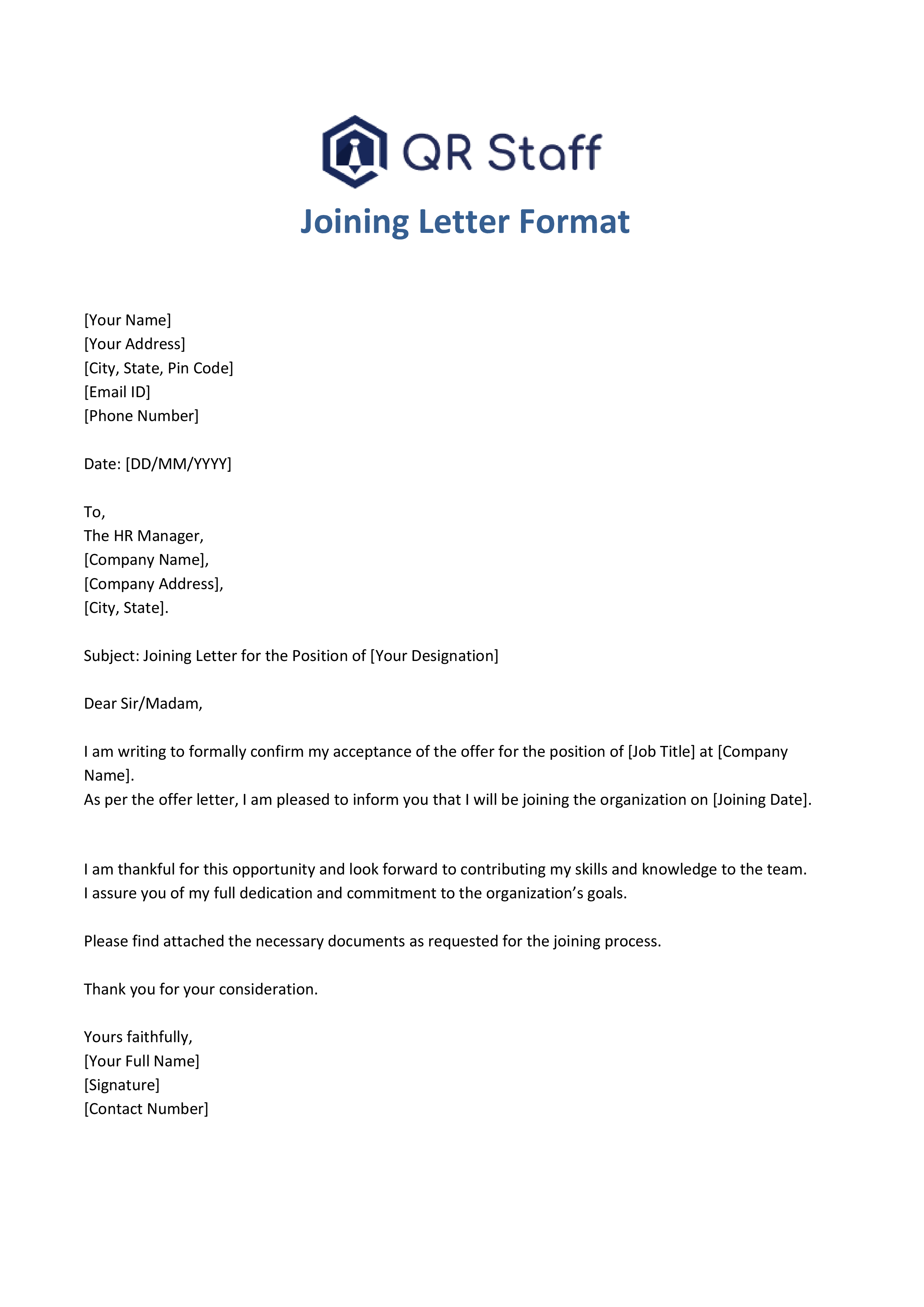
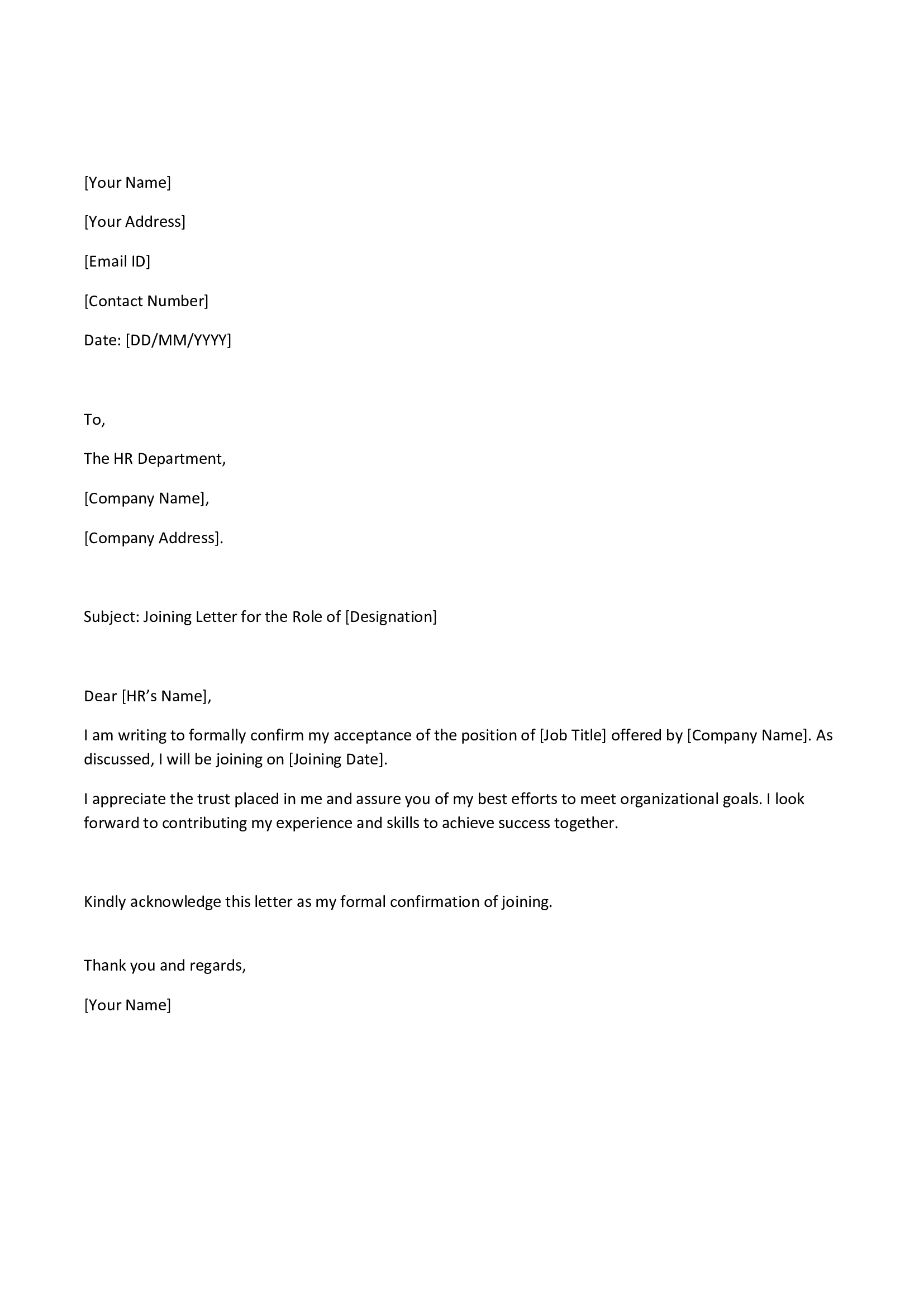
Sample Joining Letter Format (General Template)
Explore the best joining letter format with easy examples, templates, and writing tips to confirm your new job professionally.
Download Joining Letter Formats
Looking for a ready-to-use Joining Letter Format? Download the professional and editable templates below — perfect for freshers, experienced professionals, and HR departments.
These templates are clean, professional, and easy to customize with your details — including name, designation, and joining date. You can use them directly for official submissions or HR onboarding.
Joining Letter Format for Freshers
If you’re just starting out in your first job, it’s a good idea to keep your joining letter simple and polite.
Example:
Joining Letter Format for Experienced Employees
For those with more experience, a more formal and confident tone works best.
Example:
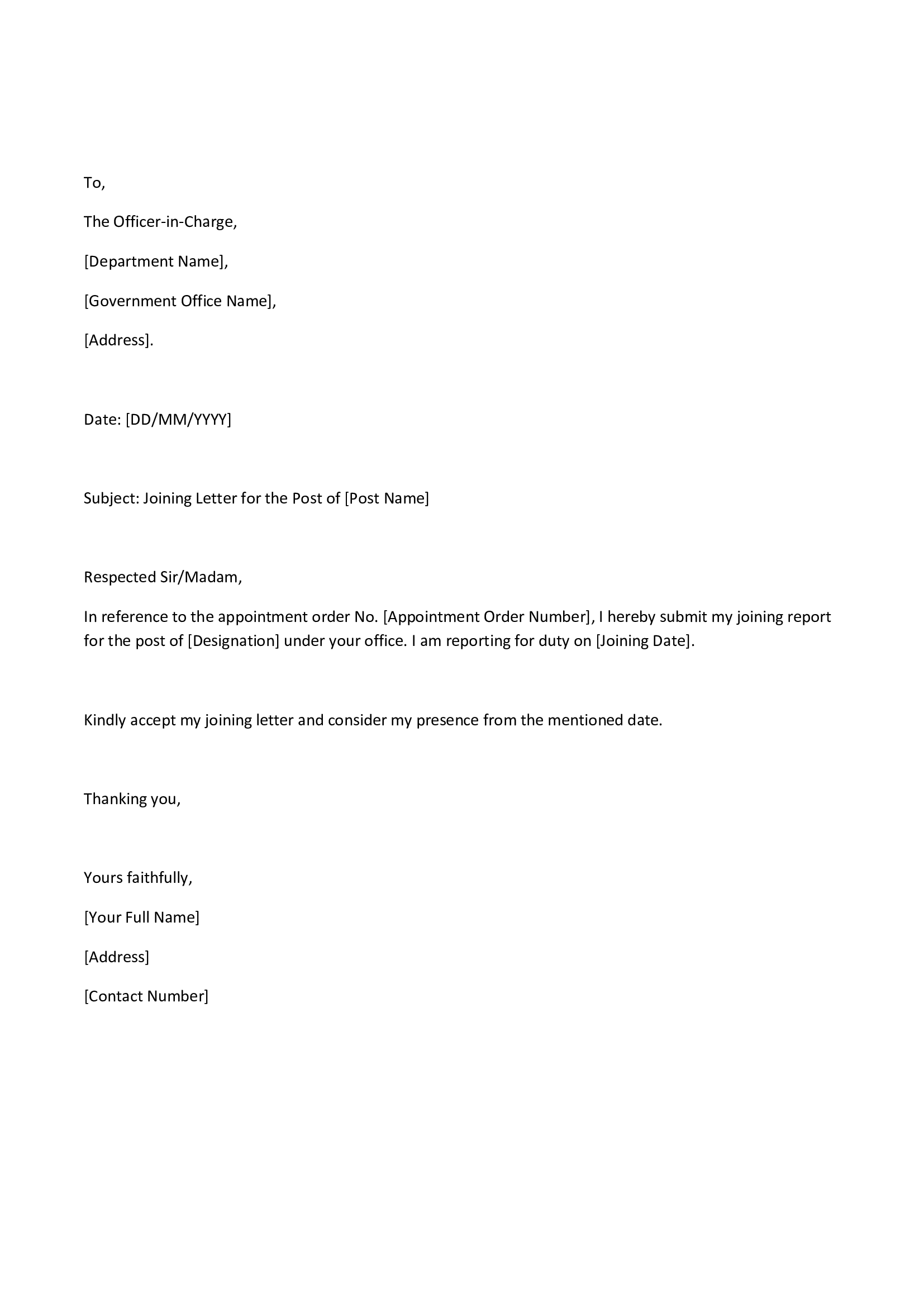
Joining Letter Format for Government Job
When it comes to government job joining letters, they usually stick to a specific structure and maintain a formal tone.
Example:
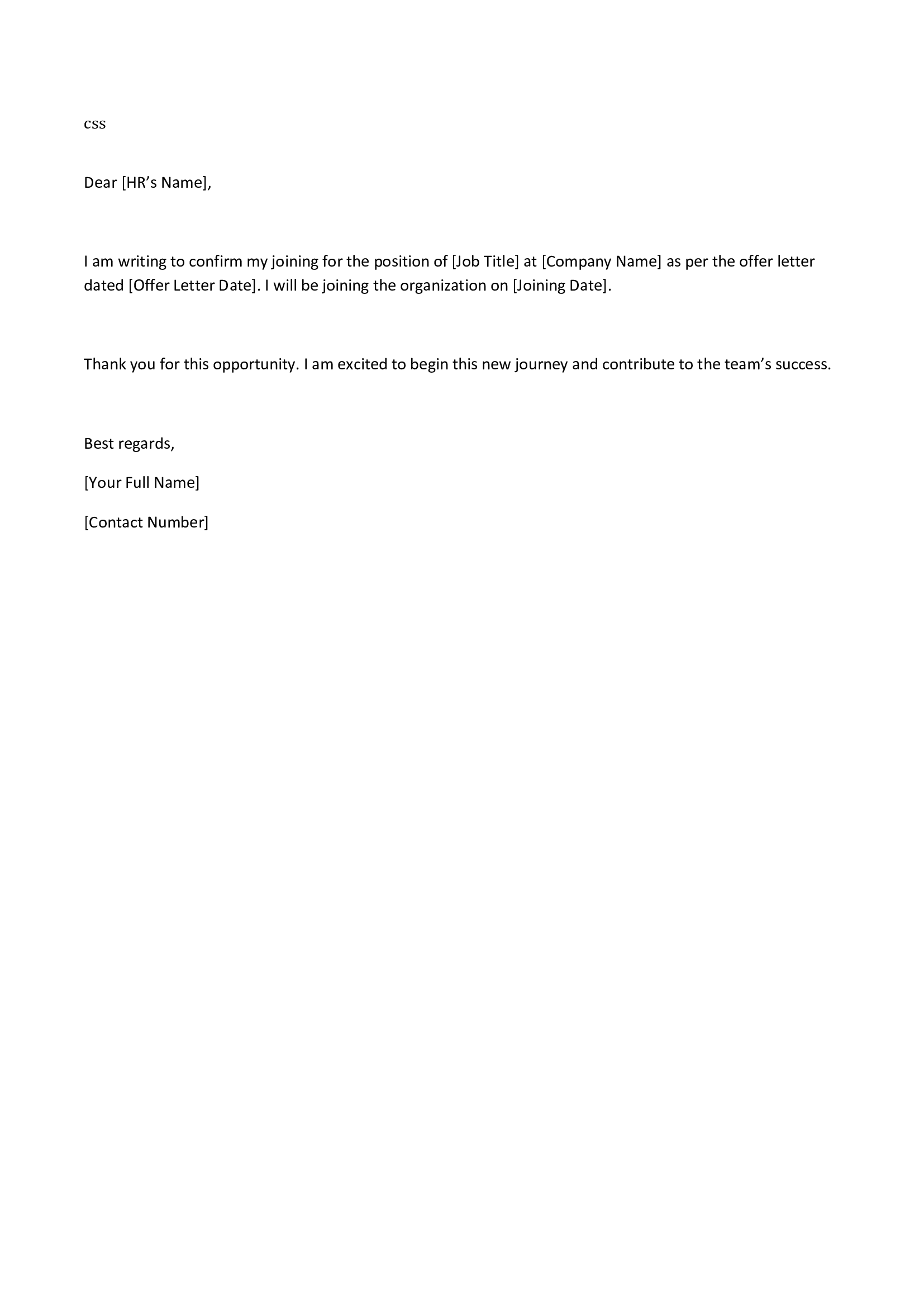
Email Format for Joining Letter
These days, many companies are open to receiving joining letters via email, especially for remote or hybrid positions.
Example:
Subject: Joining Letter – [Your Name], [Designation]
Email Body:
Tips to Write a Perfect Joining Letter
Crafting a solid joining letter format is all about striking the right balance between clarity and professionalism. Here are some handy tips to guide you:
Keep it concise: Stick to the essentials and avoid any fluff.
Use courteous language: Maintain a respectful and formal tone throughout your letter.
Double-check your details: Ensure the job title, joining date, and company name are all accurate.
Watch for typos: Give it a thorough proofread before sending.
Stick to proper formatting: Choose professional fonts and ensure your spacing is on point.
Include necessary documents: If HR has asked for them, don’t forget to attach any required certificates or ID proofs.
Save a copy: Keep both a digital and a printed version for your records.
By following these tips, you’ll create a joining letter that not only looks professional but also makes a lasting impression.
Common Mistakes to Avoid in a Joining Letter
Even the tiniest mistakes can lead to confusion or delays during your onboarding process. To ensure your joining letter is spot on, steer clear of these common pitfalls:
– Leaving out a clear or complete joining date.
– Forgetting to include your job title or department.
– Using overly casual or informal language.
– Neglecting to express gratitude to the employer for the opportunity. – Submitting the letter after the deadline.
– Sending the wrong file name or format in your email.
By avoiding these errors, you’ll make your joining letter both clear and professional!
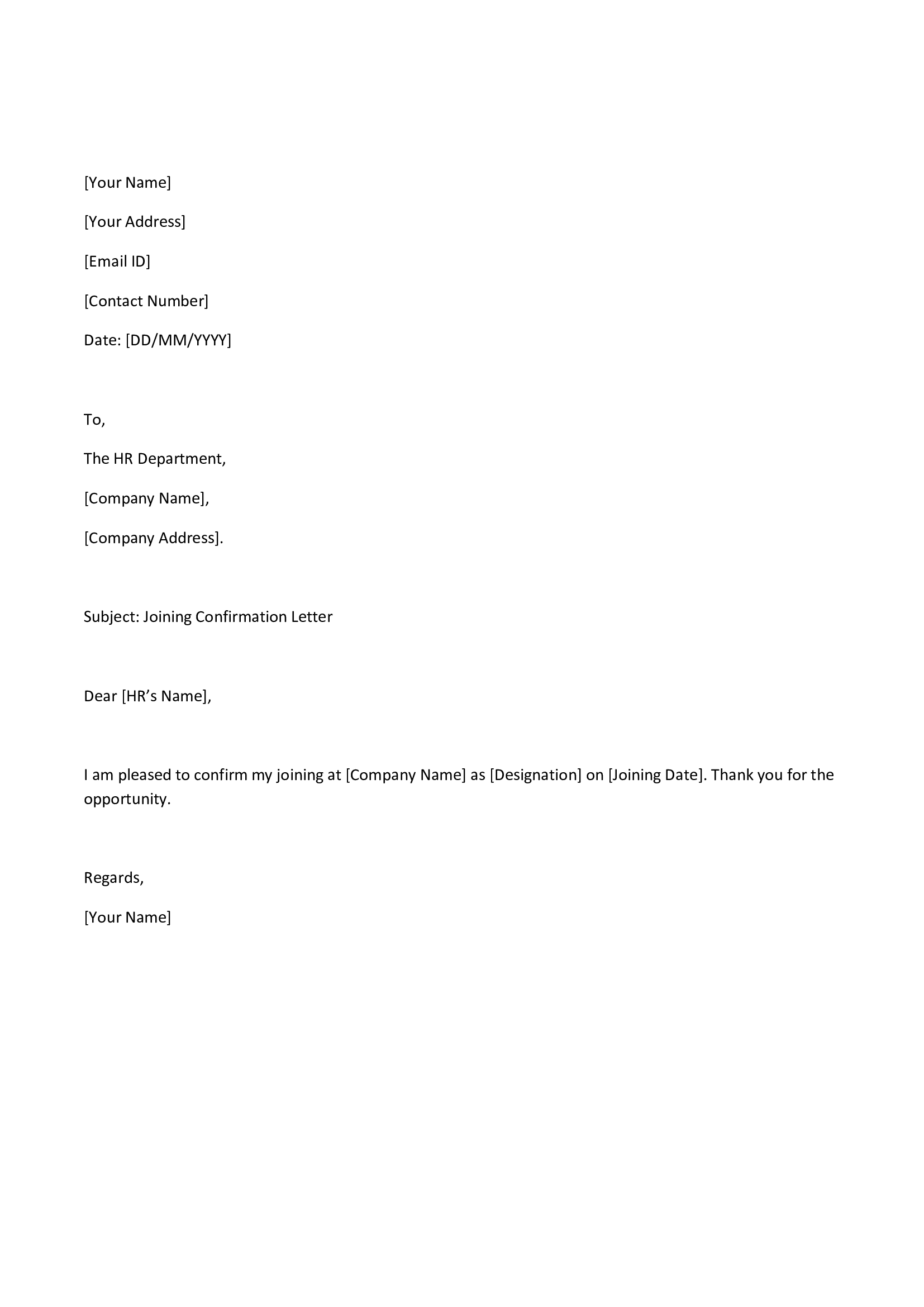
Sample of Short Joining Letter Format
If the company only needs a short confirmation, use this concise version:
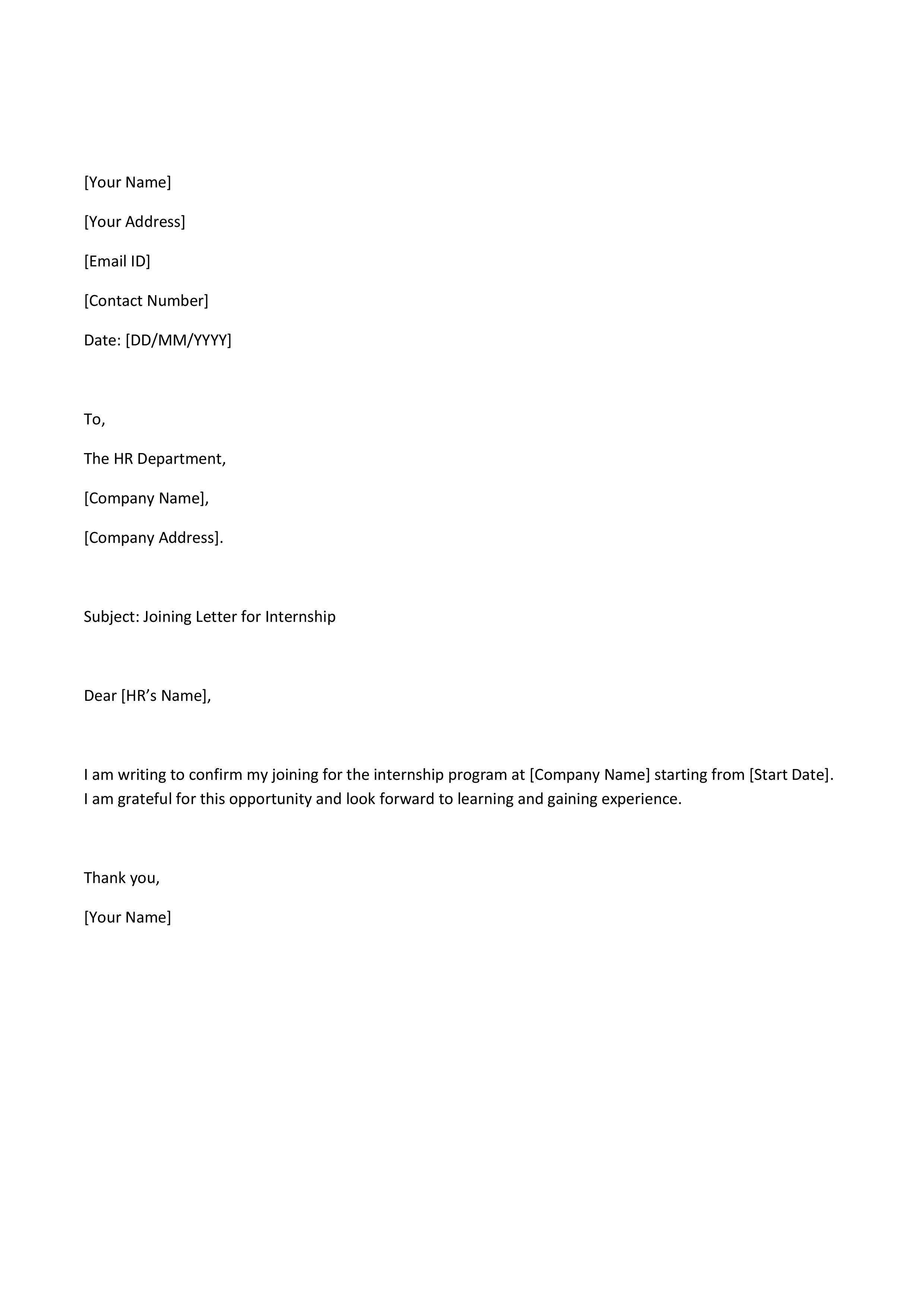
Joining Letter Format for Internship
If you are joining as an intern, here’s a sample you can use:
In Conclusion
A well-crafted joining letter format really sets the stage for your professional journey. It not only confirms your commitment but also clarifies key details and helps ensure a smooth onboarding experience. Whether you’re a fresh graduate, a seasoned professional, or stepping into a government role, sticking to the right joining letter format is crucial. Always keep your letter straightforward, formal, and free of errors.
Feel free to tweak the samples provided in this article to fit your company’s specific needs.
If your organization is looking for automated HR and staff management solutions, check out QR Staff – a smart attendance and payroll management app. It’s designed to simplify attendance, leave, and salary processes for businesses of all sizes.
frequently asked questions (FAQs)
1. What’s the difference between an offer letter and a joining letter?
An offer letter is what the employer sends to propose a job, while a joining letter is sent by the employee to confirm their acceptance of the job and the date they’ll start. The offer letter comes first, and then the joining letter follows.
2. What details should I include in a joining letter format?
A well-structured joining letter should have:
– Date of submission
– Employer’s name and company details
– Subject line
– Joining date and job title
– A brief acceptance message
– A note of thanks and your signature
3. How do I write a joining letter as a fresher?
As a fresher, keep your joining letter straightforward and courteous. Include your job title, joining date, and express your gratitude for the opportunity. Stick to concise sentences and use formal language.
4. Should I attach documents with my joining letter?
If the HR team asks for it, feel free to attach documents like your ID proof, educational certificates, or experience letters along with your joining letter for verification.
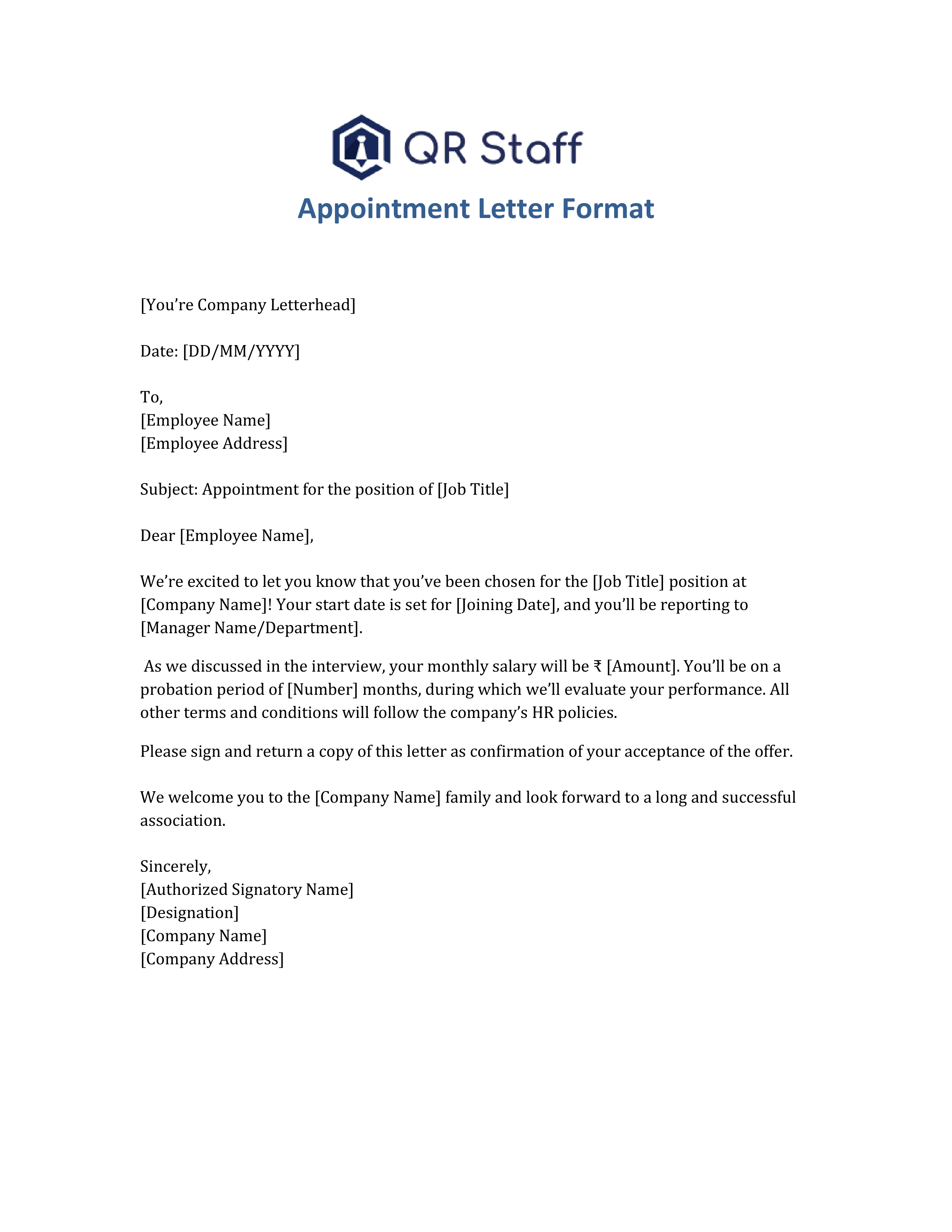
5. Where can I download a professional Appointment Letter Format in Word?
You can easily download a professional Appointment Letter Format in Word from our detailed guide on this topic. The blog includes ready-to-use editable templates for different job roles and industries, making it simple to customize as per your company’s needs. Download Appointment Letter Format in Word
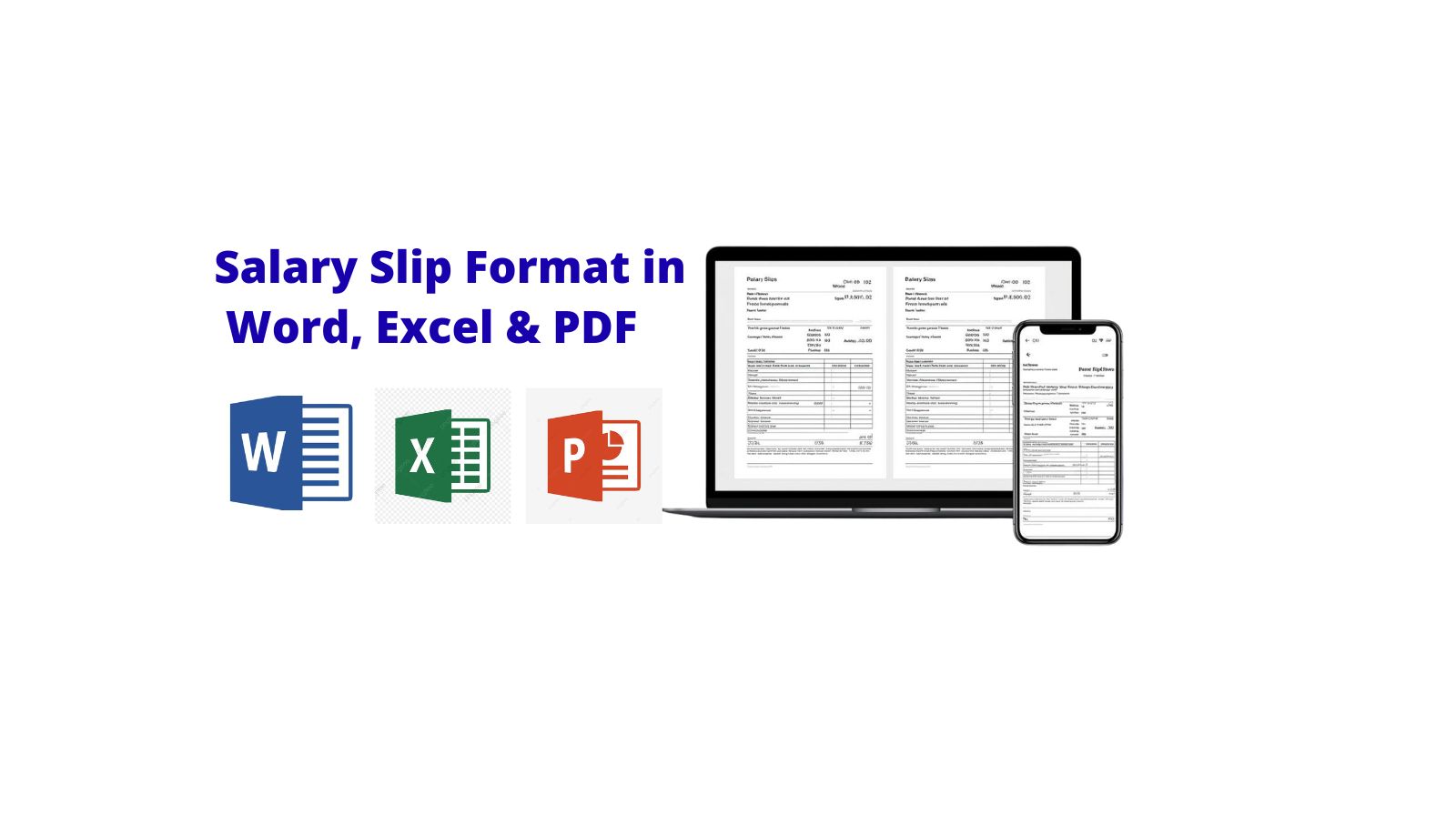
A salary slip format in Word, Excel, and PDF is one of the easiest ways to create and share employee pay slips in a professional manner. Also known as a pay slip, this important document acts as proof of income, aids in tax filing, and gives a detailed overview of an employee’s earnings and deductions for a specific month. Whether you’re an HR manager, accountant, or small business owner, getting salary slips right is key to ensuring transparency and building trust with your team. In our digital age, keeping accurate and consistent payroll records is vital for any organization. By using editable templates in Word or Excel, you can automate calculations and minimize manual errors, while PDF formats keep your data secure and easy to distribute. In this blog, we’ll dive into what a salary slip is, why it matters, what it typically includes, and how to create one effortlessly using Word, Excel, and PDF formats. Plus, you’ll find free downloadable templates to help you kickstart the process quickly and efficiently.
What is a Salary Slip (Pay slip)?
A salary slip is an official document that employers provide to their employees each month. It details the employee’s gross pay, deductions (like provident fund, taxes, and insurance), and the net salary they take home. Typically, these slips are distributed at the end of the month, either as printed copies or sent digitally via email or HR software.
Why is a Salary Slip Important?
A salary slip is incredibly important for both employees and employers. For employees, it serves as a tangible reminder of their hard work and provides a clear record of their earnings. For employers, it’s a tool for ensuring accountability and keeping payroll organized.
Here’s why it matters so much:
1. Proof of Employment
A salary slip confirms that a person is employed by the company and is receiving a steady income.
2. Tax Filing
It helps employees break down their income, which is super helpful when it comes time to file their tax returns.
3. Loan & Credit Card Applications
Banks often ask for salary slips to check income stability before they approve loans or credit cards.
4. Budgeting & Financial Planning
Employees can use their salary slips to keep track of their savings, deductions, and total earnings each month.
5. Transparency
It fosters trust between employers and employees by providing a clear breakdown of salary components.
Key Elements of a Salary Slip
Want to create professional salary slips in just minutes?
There are various key elements of a salary slip that constitute the complete picture of an employee’s monthly pay and deductions. Each element needs to be understood by both the employers and employees so that transparency and accuracy in payroll can be maintained.
Below are the primary elements each salary slip must have:
1. Employee Information
This section contains the name of the employee, title, department, employee number, and pay period. It assists in the identification of whose salary information is being displayed and makes sure that the correct slip reaches the correct individual. Including company information, such as the company logo and address, also makes the document professional.
2. Earnings (Income Section)
The salary breakup shows all the elements that constitute gross salary. It is typically comprised of basic salary, house rent allowance (HRA), dearness allowance (DA), conveyance allowance, special allowance, and whatever else is performance-based. These are the amounts before deductions.
3. Deductions
This section displays the different deductions taken from the employee’s salary. These usually include Provident Fund (PF), Professional Tax (PT), Income Tax (TDS), and Health Insurance premiums. Deductions are necessary to maintain government compliance and correct tax calculation.
4. Gross Salary
Gross salary is the total remuneration of an employee before deductions. The gross salary is arrived at by adding all the components of income such as basic pay, allowances, and bonuses. Knowing the gross salary assists employees in understanding their overall compensation package before cuts that are statutory.
5. Net Salary (Take-Home Pay)
Net salary, or also known as “take-home pay,” is what an employee actually gets after deducting all the deductions from the gross salary. This amount is what is credited to the employee’s bank account and is the final amount payable for the month. 6. Employer Contributions
Some companies have a section which showcases the employer’s contribution towards benefits like Provident Fund, gratuity, or medical insurance. While these are not direct part of the employee’s take-home pay, they do bring in substantial value to the overall compensation package.
7. Other Information
A salary slip can also include other information such as leave balance, bank account number, pay date, and authorization signature. These minute details make the document complete, professional, and valid for official or financial use.
How to Create a Salary Slip in Word, Excel & PDF
Creating a salary slip doesn’t have to be complicated — with tools like Word, Excel, and PDF editors, you can easily whip up professional and accurate pay slips. Each format has its own perks depending on what your company needs.
Let’s dive into how you can create a salary slip using these three popular formats.
1. Salary Slip Format in Word
MS Word is perfect for businesses looking for a straightforward, printable salary slip format. You can design a salary slip by simply creating a table that includes rows for employee details, earnings, and deductions. Word gives you the freedom to customize everything — from adding your company logo to choosing colors and adjusting the layout. Once you’ve got it just right, save it as a reusable template so you can crank out monthly slips in no time.
2. Salary Slip Format in Excel
Excel is the go-to choice for companies that want to automate salary calculations. By using formulas, you can create a salary slip template that automatically figures out gross salary, deductions, and net pay. Excel’s flexibility means you can manage data for multiple employees all in one sheet and export each pay slip separately. It’s especially handy for small businesses and HR departments that need to handle large payroll data efficiently.
3. Salary Slip Format in PDF
PDFs are the best way to securely share salary slips with employees. After you’ve prepared the slip in Word or Excel, you can export it as a PDF to keep it uneducable and maintain confidentiality.
A PDF salary slip looks polished and is easy to store or print. Plus, many payroll tools and HR software can generate pay slips directly in PDF format, ensuring accuracy and consistency every month.
4. Using Online Salary Slip Generators
If you’re looking to save some time, online salary slip generators can be a fantastic option. These tools let you input employee details and salary components, and they automatically create a downloadable pay slip in Word, Excel, or PDF format. Some platforms even allow you to customize your company logo, colors scheme, and signature area, giving you a professional finish without the hassle.
5. Salary Slip Templates for Quick Use
To make the process even easier, you can use free editable templates available online. These ready-made formats include all standard sections like employee details, earnings, deductions, and net pay.
Just download the template in your preferred format — Word, Excel, or PDF — fill in the required details, and your professional salary slip is ready in minutes.
Different Types of Salary Slips
Salary slips may vary based on the type of employment, company structure, or payment system. While the components are similar, the presentation and details differ depending on whether the employee is full-time, part-time, contractual, or on a stipend. Below are the main types of salary slips with sample formats you can use for reference.
1. Monthly Salary Slip
It is the most regularly used salary slip provided to employees monthly. It displays total details of earnings, allowances, deductions, and net salary for that specific time. Monthly salary slips are necessary for bank loans, tax payments, and financial confirmation.
2. Contract or Temporary Employee Salary Slip
Contract workers mostly get payment on a project basis or per hour. Salary slip contains contract duration, payment rate, and deductions (if any). It provides transparent documentation between the employer and contractor.
3. Internship or Stipend Salary Slip
Interns are paid a stipend rather than a salary. Their slip is less complex, stating the stipend amount, duration, and any minor deductions (if any).
4. Commission-Based Salary Slip
In sales or business development jobs, salary is often fixed pay with commission on performance. This slip refers to both fixed and variable payments.
5. Part-Time Employee Salary Slip
Part-time workers get paid according to the days or hours worked. The slip emphasizes total hours, pay rate, and deductions.
6. Part-Time Employee Salary Slip
Government salary slips have grade pay, HRA, DA, and deductions such as GPF and NPS. These are more detailed and formal.
7. Startup or Small Business Salary Slip
Startups and small businesses will have a preference for simple, editable formats made in Word or Excel. It only includes basic pay details and deductions for quick payroll processing.
8. Startup or Small Business Salary Slip
These templates can be easily modified in Word, Excel, or PDF according to your business requirements. You may also automate salary slip generation with software like QR Staff to assist small companies in producing precise, professional pay slips instantly without manual intervention.
Common Mistakes to Avoid When Preparing Salary Slips
Creating a salary slip requires accuracy and attention to detail. Here are some common mistakes that should be avoided:
Incorrect Deductions: Make sure that PF, TDS, and other deductions are calculated accurately.
Missing Allowances: Don’t forget to include HRA or DA if they’re part of the employee’s compensation package.
Wrong Employee Information: Always double-check names, IDs, and bank details to avoid errors.
No Authorization: Every salary slip needs to be signed or digitally approved by someone in HR or finance.
Outdated Formats: Stick to updated templates that comply with the latest payroll regulations.
By avoiding these mistakes, you’ll keep your payroll system running smoothly and looking professional.
How to Send Salary Slips to Employees
Once you’ve created the salary slips, you can distribute them in several ways:
Email: The most common method. Attach the salary slip as a password-protected PDF.
HR Software: Use payroll software like QR Staff for automatic generation and secure distribution.
Print & Hand Over: For small teams, printed copies can still be used.
Always ensure confidentiality and data privacy when sharing salary slips.
Automate Salary Slip Generation with QR Staff
Manually creating salary slips every month can be time-consuming—especially when you manage multiple employees. That’s where QR Staff, an advanced attendance and payroll management app, can help.
With QR Staff, you can:
Automatically calculate salaries based on attendance.
Generate accurate salary slips in Word, Excel, or PDF formats.
Include allowances, deductions, and bonuses effortlessly.
Distribute salary slips to employees with one click.
Maintain secure and cloud-based payroll records.
If you’re looking for manual creating salary slips every month can be time-consuming—especially when you manage multiple employees.
That’s where QR Staff, an advanced attendance and payroll management app, can help.
With QR Staff, you can:
Automatically calculate salaries based on attendance.
Generate accurate salary slips in Word, Excel, or PDF formats.
Include allowances, deductions, and bonuses effortlessly.
Distribute salary slips to employees with one click.
Maintain secure and cloud-based payroll records.
If you’re looking for a smart, digital, and affordable solution for managing attendance and payroll, QR Staff is the perfect fit for your business.for managing attendance and payroll, QR Staff is the perfect fit for your business.
Difference Between a Pay Slip and a Salary Slip
A pay slip is a simple document that you receive for a specific pay period, whether that’s weekly, bi-weekly, or even daily, depending on how your company handles payments. It highlights just the key details of your earnings and deductions for that short timeframe and is typically used in workplaces where employees get paid frequently. The main goal of a pay slip is to provide a quick overview of what you’re earning during that particular cycle.
On the other hand, a salary slip is a more detailed monthly document that breaks down everything from your basic pay to allowances, bonuses, deductions, taxes, and your net salary. It’s more formal and thorough, often needed for official purposes like applying for bank loans, credit cards, or visas. For companies aiming to keep professional payroll records, using a pay slip format in Word can help ensure accuracy and consistency. While both slips serve as proof of income, a salary slip gives a much more complete financial picture for the month compared to a pay slip.
Final Thought
A well-designed salary slip reflects professionalism and ensures smooth payroll management. Whether you prefer Word, Excel, or PDF, having a clear salary slip format helps maintain transparency and employee satisfaction. While small businesses can start with simple templates, automating the process with tools like QR Staff saves time, minimizes errors, and boosts efficiency.
Start simplifying your payroll process today with QR Staff – India’s Best Staff Attendance & Payroll Management App.
Frequently Asked Questions For Salary Slip Format in Word, Excel & PDF
1. What is a salary slip?
A salary slip, often referred to as a pay slip, is a document that employers provide to their employees each month. It includes a detailed breakdown of earnings, deductions, and the final net salary that the employee takes home. Additionally, it acts as proof of employment and income, which can be important for various financial and legal matters.
2. Why is a salary slip important?
A salary slip helps employees track their income and deductions, file income tax returns, and apply for loans or credit cards. For employers, it ensures transparency and legal compliance in payroll management.
3. What is the difference between a pay slip and a salary slip?
There is no major difference — both terms mean the same. A pay slip or salary slip is a document showing an employee’s monthly earnings, deductions, and net take-home salary.
4. What are the main components of a salary slip?
A standard salary slip includes employee details, company details, earnings (Basic, HRA, Allowances), deductions (PF, TDS, Professional Tax), and the final net salary. Some slips also include employer contributions like EPF or ESI.
5. How can I automate salary slip generation?
You can automate salary slips using HR software like QR Staff. It automatically calculates attendance-based salaries, deductions, and generates slips in Word, Excel, or PDF formats — all within seconds.
Leave Application for Office: Taking leave from work is completely normal — whether it’s for personal work, health reasons, or a family event. Whether it’s for personal matters, health issues, or family gatherings, it’s crucial to formally notify your manager or HR by submitting a leave application. A well-crafted leave application not only helps your company manage your absence smoothly but also ensures that your time off is accurately recorded for attendance and payroll.
In this blog, we’ll dive into what a leave application is, why it matters, how to write one, and we’ll even share some ready-to-use formats and samples—plus free Word and PDF templates for you to download!
What is a Leave Application for Office?
A leave application is essentially a formal request that an employee submits when they need to take some time off from work for a particular reason and duration. It can be in written form or digital, depending on what the company prefers.
The main goal of a leave application is to give your employer a heads-up about your absence ahead of time, allowing them to plan your workload accordingly. Plus, it helps ensure that your leave gets officially approved, which means you won’t have to worry about any payroll deductions or attendance issues.
Some common reasons people take leave include:
Personal work or emergencies
Health issues or medical appointments
Family functions or travel plans
Maternity or paternity leave
Bereavement or urgent matters
Why Writing A Leave Application Is Important
Many employees overlook the importance of a written leave application — but it plays a key role in professional communication. Here’s why it matters:
1. Maintains Professional Communication
Submitting a formal leave application shows that you respect your organization’s policies and value clear communication. It sets up a straightforward line of communication between you, your manager, and the HR department, making sure your absence doesn’t catch anyone off guard. By putting your request in writing, you reduce the chances of misunderstandings and miscommunication. Plus, it demonstrates your commitment and responsibility toward your job. Keeping things documented also helps maintain professionalism and sidesteps any potential confusion down the line.
2. Helps in Work Planning
When you give advance notice for your leave, it allows your team and manager ample time to plan ahead. This means they can reassign your tasks, prioritize projects, or find temporary replacements, ensuring that everything runs smoothly while you’re away. Such foresight helps alleviate stress for your colleagues and avoids any last-minute chaos. It also shows that you care about your team’s productivity and success. A well-timed leave application ultimately contributes to a harmonious and efficient workplace.
3. Avoids Payroll Errors
By submitting a leave application, you help keep your attendance and payroll records accurate. Many companies base salary calculations on attendance, and if a leave isn’t recorded, it could lead to deductions or incorrect payments. A written request gives HR the documentation they need to update your leave balance properly. It also clears up any confusion regarding paid, unpaid, or casual leaves. In essence, your leave application serves as proof that your absence was officially approved, helping to prevent any payroll disputes later on.
4. Builds Trust and Professionalism
Submitting a well-crafted leave application showcases your sense of responsibility and professionalism. It demonstrates that you care about your duties and understand how your absence might affect the team. When you adhere to the proper procedures, your manager starts to see you as someone reliable and trustworthy. Over time, these habits can enhance your professional reputation and foster a stronger bond with management. It also paints you as a disciplined employee who respects company policies — a trait that every employer values.
5. Serves as a Record
A written leave request serves as an important record in the HR system. It aids in keeping track of your leave balance, attendance history, and overall punctuality. In many workplaces, these records come into play during performance evaluations or payroll processing. Having a documented leave history can safeguard you in case of any disputes or misunderstandings regarding policies. Plus, it gives you a clear picture of your remaining leave days and ensures everything is neatly documented for future reference. Keeping such records is a wise and professional practice for every employee.
Types of Leave Applications
Every employee deserves a break from work at some point—whether it’s for personal reasons, health issues, or family obligations. Knowing the various types of leave applications can help you pick the right format and adhere to company policies effectively. Each type of leave has its own purpose, and submitting the appropriate application ensures that your absence is handled professionally.
Let’s go through the most common types of leave applications used in offices and organizations.
1. Casual Leave Application
Casual leave is typically taken for short-term personal matters, like attending a family event, visiting relatives, or handling urgent tasks. It’s designed for those unexpected situations that pop up and don’t require much planning but still need to be officially approved. Usually, companies allow employees a certain number of casual leaves each year, depending on their policies. When you need to apply for casual leave, it’s a good idea to let your manager know as soon as you can, so they can adjust the workload accordingly. Even though it’s just a short break, putting it in writing through a leave application helps keep everything organized and prevents any attendance issues.
2. Sick Leave Application
Sick leave is what you take when you’re feeling under the weather or need some time off to recover from an illness, injury, or medical procedure. It gives you the chance to rest and heal without the added stress of work. If your sick leave stretches beyond two or three days, most companies will ask for a medical certificate from a licensed doctor to confirm your situation. Writing a sick leave application is important because it allows HR to update your attendance and payroll records. Plus, it helps your manager manage work distribution while you’re away, ensuring everything runs smoothly—especially when you use a proper sick leave application format in Wordto submit your request clearly and professionally.
3. Earned Leave Application
Earned leave, also known as planned leave or privilege leave, is typically used for long breaks, vacations, or family trips. This type of leave is accumulated over time based on the number of days you’ve worked. Since it’s a planned leave, it should always be applied for well in advance. Doing so gives your manager sufficient time to plan the team’s tasks or deadlines before you leave. Earned leaves are often paid, making them a great way to recharge while maintaining income continuity. A properly written application ensures a smooth approval process and helps maintain work-life balance.
4. Emergency Leave Application
When life throws unexpected challenges your way, like a family medical emergency, an accident, or any urgent personal crisis, you might need to request emergency leave. Since these situations often catch us off guard, it’s really important to communicate as soon as possible. When you’re applying for emergency leave, it’s a good idea to briefly explain the reason and give an estimated date for your return. This way, your manager can quickly adjust the workflow or shift schedules. Even though emergencies can be unpredictable, letting your employer know promptly shows your professionalism and sense of responsibility, even in tough times.
5. Maternity or Paternity Leave Application
Maternity and paternity leaves are special types of leave that employees can take during the exciting times of childbirth or adoption. Maternity leave gives mothers the chance to recover and care for their little ones, while paternity leave allows fathers to support their partners and bond with their new child. These leaves typically last longer and are usually governed by specific company policies or government regulations. Writing a formal application well in advance helps HR manage payroll, find replacements, and assign projects accordingly. Plus, it ensures you get all the benefits and approvals you need on time, creating a supportive atmosphere for working parents.
Format of a Leave Application for Office
A professional leave application follows a specific format. Whether you’re writing an email or a printed letter, this structure ensures clarity and correctness.
Learn How to Write a Perfect Leave Application for the Office. Simplify your leave request process with professional
Leave Application Samples for Office
Below are some ready-to-use samples for different situations. You can copy and modify them as needed.
1. Casual Leave Application
2. Sick Leave Application
3.Earned Leave Application
4. Emergency Leave Application
5.Maternity Leave Application
6.Paternity Leave Application
Tips for Writing a Professional Leave Application
Crafting a well-thought-out leave application can really boost your chances of getting that approval and also make a great impression on your employer. It showcases your communication skills, professionalism, and respect for the company’s policies. Whether you’re asking for a quick day off or planning a week-long getaway, keeping a few straightforward tips in mind can help you create a request that’s both effective and polished. Here are some key guidelines to assist you in writing a clear and professional leave application.
1. Be Concise and Clear
Make your message concise, simple, and easy to understand. Never pen lengthy paragraphs or unnecessary details that may confuse your application. Mention your reason short, along with the dates, and mark the key information your manager needs to know. A simple leave application means that you value time and are well conversant with workplace communication.
Remember — simplicity and clarity always leave a better impression than long reasons.
2.Employ a Polite and Respectful Tone
Professional communication is anchored in politeness. Be as polite as possible while asking for leave, whether your purpose is urgent or personal. Begin with a courteous greeting and conclude with a note of gratitude to form a respectful tone in your message. Do not use imperative or informal sentences — instead, utilize words like “kindly approve,” “I would like to request,” or “thank you for consideration.” A courteous style reflects professionalism and helps with good relations with your superiors.
3.Utilize Specific Leave Dates
Specify the leave duration clearly in terms of start and end dates. This allows your manager and HR to schedule work and record your attendance precisely. Refrain from using ambiguous terms such as “a few days” or “next week.” Instead, say, “I wish to take leave from 15th October to 18th October.” Being clear about dates minimizes confusion, avoids payroll mistakes, and ensures proper recording of your absence without any problem.
4.Submit Your Application Early
Where it is possible, apply for leave a few days in advance. This gives your superior ample time to plan for your absence, assign work, or arrange for a replacement if needed. Early application is a display of your accountability and professionalism. It also maximizes the likelihood of approval of your leave without hitches. In the case of emergencies, inform your team as early as possible via an instant message or email, followed by a written formal application.
5.Utilize Your Official Email ID
Submit your leave application always through your organization’s official email id or the organization’s HR portal. It ensures authenticity and enables HR to maintain records in order. Sending it via personal emails or messaging apps may look informal and may not be documented properly within the system. It also keeps the communication secure and professional since sending it through an official medium is necessary for all office documents.
6. Refrain from Grammatical and Typing Mistakes
Take a pause before you send your leave application to proofread it properly. Look for spelling errors, grammatical mistakes, or wrong dates. A well-written, error-free mail indicates that you care about paying attention to details and professional communication. Conversely, poorly written applications make you seem careless and unprofessional. Proofread by reading your message aloud or through a grammar checker to ensure accuracy and readability.
7.Use Work Handover or Backup Plan
If you are on leave for a few days, always mention who is going to look after your work when you are out. The attention to detail shows initiative and teamwork. You can write something like, “I have left my work to Mr. Rajesh when I am on leave.” Such a message reassures your manager that your work is being looked after in an organized way. It also generates trust and shows that you are ensuring continuity of workflow even during your absence.
Common Mistakes to Avoid
Although it appears easy to write a leave application, little mistakes can render it incomplete or unprofessional. Such mistakes can cause delays in approval, bring about confusion, or even lead to payroll discrepancies. To make your application effective and respectful, you should be aware of what not to do. Listed below are some of the most common errors employees commit when writing a leave application — and how you can avoid them.
1.Forgetting to Mention Start or End Date
The most common mistake employees commit is forgetting to mention the Start or End Date of their leave. Without explicit dates, managers and HR cannot monitor attendance or organize the workflow effectively. Always include both the start date and end date of your leave to ensure there is no ambiguity. If your leave is subject to uncertain events, you can state an approximate duration and provide a revision later. Giving specific dates ensures that your leave gets officially noted and your payroll is error-free.
2. Writing in Too Casual a Tone
A leave request is a formal notice — not a text or a chat. Using informal terms such as “Hey,” “I’m going tomorrow,” or “Can’t make it today” appears unprofessional and rude. Always employ courtesy and formal language, being respectful in tone at all times. Start with a formal salutation such as “Dear [Manager’s Name],” and use proper sentences. A professional tone not only earns respect for you but also boosts the chances of your leave being sanctioned smoothly.
3. Leaving Your Leave Application Too Late
Leaving your request for leave until the last minute may cause undue stress to your manager and colleagues. Applying late makes it hard to redistribute your tasks or deal with the workflow effectively. Wherever possible, plan ahead and apply a minimum of a few days in advance. Early notice demonstrates responsibility and provides time for everyone to prepare. In unavoidable circumstances, notify your employer immediately through a call or message, followed by a formal written request.
4.Not Stating the Reason for Absence
Most employees omit stating the reason for their absence, believing it is not necessary. But stating a valid and brief reason assists your manager in better comprehending your situation. You don’t have to give personal details — a brief explanation of “medical rest,” “family function,” or “personal work” suffices. This clarity makes your application more transparent and professional. Not filling it in can make your request incomplete or suspicious, which could lead to rejection or delay.
5. Ignoring Addressing Your Manager Properly
Addressing your leave application to the wrong person or skipping the salutation altogether can make it appear careless. Always begin your email or letter with a proper greeting, such as “Dear Mr./Ms. [Name],” or “Respected Sir/Madam.” This small detail reflects your manners and professionalism. Failing to address your manager properly might make your message seem rushed or impolite. A respectful greeting and sign-off help create a positive impression and maintain smooth communication within the organization.
Download Leave Application Templates (Word & PDF)
To make things easy, we’ve created ready-to-use leave application templates you can download and customize.
(You can edit the Word version with your own details or print the PDF for submission.)
Digital Leave Management Made Easy with QR Staff
Manually writing leave applications can be time-consuming and often causes delays in approval. That’s where QR Staff makes a difference.
QR Staff is a smart staff attendance and leave management app designed for modern businesses. It allows employees to mark attendance, apply for leave digitally, and get instant approval from managers — all through their mobile phone.
Key Features of QR Staff:
Quick leave request and approval system
Real-time attendance tracking via QR code
Automated payroll and reports
Transparent leave records for all employees
Ideal for offices, shops, and clinics
By using QR Staff, companies can save time, reduce manual errors, and maintain 100% accurate attendance and payroll data — all in one place.
Conclusion
A leave application for the office isn’t just a simple letter — it reflects your professionalism and sense of responsibility. When you write it correctly, you help keep things transparent at work and make sure your leave gets the official nod. With the templates and examples shared above, crafting a clear and courteous leave application for any reason becomes a breeze. Plus, if your workplace is looking to streamline the whole attendance and leave process, QR Staff is the ideal solution. Easily manage attendance, submit leave requests, and take care of payroll — all from one convenient app.
👉 Give QR Staff a try today – the smartest way to handle attendance and staff leaves!
An office leave application is a professional letter drafted by an employee to notify their manager or HR team of their requirement for a break. It provides the leave reason, duration, and confirms that the absence is documented officially for attendance and salary purposes.
2. How do I write a simple leave application?
To compose a simple leave application, mention details such as your name, designation, department, leave dates, leave reason, and a courteous closing remark. Be professional and brief in tone. You can also download preformatted Word and PDF leave application templates from this blog.
3. What should be the correct format of a leave application?
A professional leave application format includes:
Date
Recipient’s name and designation
Subject line
Body of the letter (reason, duration, and request for approval)
Signature and contact details
4. Can I send a leave application through email?
Yes, you can. A majority of organizations approve email leave applications. Just ensure your subject line is simple (e.g., Leave Application for Two Days) and the message is neatly organized with all the required details, such as reason and leave duration.
5. Why is it important to write a leave application?
Writing a leave application is essential for keeping everything organized and transparent at work. It makes sure that your time off is officially noted, which helps prevent any issues with your salary or attendance when payroll comes around.
6. Can I use QR Staff to manage leaves digitally?
Definitely! QR Staff makes it super simple for employees to apply for leave via the app, while managers can quickly approve or reject those requests. This not only removes the hassle of paperwork but also automates attendance tracking, ensuring that HR management runs smoothly and effortlessly.
An appointment letter is a crucial document in the hiring process. It not only confirms that a candidate has been selected but also lays out the terms and conditions of their employment. Whether you’re managing a small business, a clinic, or a retail store, providing a well-crafted appointment letter fosters trust and establishes clear expectations between you and your new employee. In this blog, we’ll dive into what an appointment letter entails, what key elements it should include, and we’ll even share some handy templates in Word and PDF format that you can easily download and tailor to fit your organization’s needs.
What is an Appointment Letter Format in Word?
An appointment letter is an official confirmation that a candidate has been selected for a job within your company. It acts as a written agreement between the employer and the employee, detailing essential information like job title, start date, salary, and other employment terms. This letter not only formalizes the hiring process but also serves as a legal document in case any disputes arise. It ensures transparency from the very beginning and gives the employee a clear understanding of their role and responsibilities.
Why is an Appointment Letter Important?
An appointment letter is vital for maintaining professionalism and preventing misunderstandings. It clearly outlines job-related details such as work hours, probation period, salary breakdown, and the reporting manager. For employers, it serves as a record of employment terms, while for employees, it clarifies what the company expects from them. Without an appointment letter, both parties could face confusion and potential legal issues down the line. A well-crafted letter enhances the credibility of your HR process.
Essential Elements of an Appointment Letter
An effective appointment letter should cover several essential details:
1. Date of Issue – The date when the letter is prepared.
2. Employee Name and Address – Include the employee’s full name and contact information.
3. Job Title and Department – Clearly state the job title and the department.
4. Joining Date – The exact date the employee is expected to begin work.
5. Salary and Benefits – Information about salary, allowances, and other perks.
6. Probation Period – If there’s a probation period, mention its length.
7. Work Schedule – Outline the working hours and days off.
8. Terms and Conditions – General company policies, including termination clauses.
Including all these points will help ensure your appointment letter is comprehensive and legally valid.
Important Steps to Write an Appointment Letter
Writing an appointment letter is a key part of hiring someone. It officially lets the candidate know they’ve been chosen and explains the details of their job. To make the letter look good and easy to understand, here are the detailed steps you should follow:
1.Utilize the Company Letterhead
The appointment letter always has to be written on the company letterhead. It should display your company’s logo, address, phone number, and email ID. With a letterhead, the document will be authentic and professional in nature, and will also simplify identification of the source. It also assures the candidate that the offer is legitimate. Lack of a letterhead renders the letter informal or unofficial.
2.Date and Candidate Details
Put the issuance date at the top right or left corner, followed by the name, address, and contact details of the candidate. It renders the letter personalized and keeps your documents in order. It helps make the letter specifically addressed to that candidate and can be generated as a legal document when needed in the future.
3. Add a Clear Subject Line
The title line lets the reader know exactly what the letter is addressing. Make it short and formal. Example: Subject: Appointment Letter for the Marketing Executive Role This helps maintain clarity, especially if the document is being saved or used later. An appropriate subject line reflects the formal tone of the communication.
4. Start with a Welcoming Greeting
Begin the letter with a friendly and warm tone. Thank the candidate for their interest in your company and formally inform them of their selection. Example:
We are pleased to extend to you the offer of appointment as [Job Title] in [Company Name]. This initial statement sets a friendly tone, gets one excited, and reassures the candidate that they have made the right choice to work with your company.
5. Mention Job Details Clearly
This is the most important part of the letter. Mention all the key employment details, such as:
Job Title and Department
Reporting Manager or Supervisor
Joining Date
Work Location (Office or Remote)
Mentioning these points in a clear-cut manner removes uncertainty and tells the employee what they are going to do and report to after joining.
6.Specify Salary and Benefits
Specify the salary amount, payment schedule (monthly or weekly), and any other allowances or incentives. Example:
Your total monthly CTC will be ₹25,000 and will be paid on the 5th of every month by bank transfer. If the case is so, mention benefits like bonuses, health insurance, or performance pay. Transparency about remuneration and benefits helps to build trust and avoid future conflict.
7. State Terms and Conditions
State the general conditions of employment, such as:
Probation Period: Duration of time and confirmation procedure.
Working Hours and Leave Policy: Anticipated work schedule and leaves provided.
Notice Period: Period spent before resignation or termination.
Confidentiality Clause: Duty to maintain confidentiality of company information.
Both sides are made aware of their rights and duties right from the start to prevent future disputes.
8. Write a Professional Closing
Close the letter with a warm closing line, showing enthusiasm to have the employee join your team. Example:
We take pleasure in having you on board in our organization and eagerly look forward to your contribution. You can also request the candidate to sign and return a copy of the letter as confirmation of acceptance. This brings the appointment into effect legally.
9. Add Signatures and Acceptance Section
Close by inserting the signed signature of the authorized HR or employer, name of designation, and company name. Provide space for the candidate’s signature and date below with the title “Candidate’s Acceptance”. This part guarantees the employee’s compliance with all conditions stated in the letter, thus sealing the appointment.
Tips to Draft a Professional Appointment Letter
When you’re putting together an appointment letter, it’s important to keep the tone both formal and upbeat. Stick to clear and straightforward language to steer clear of any misunderstandings. Always double-check details like the employee’s full name, job title, and salary before you wrap things up. Make sure to accurately include the company’s name and address, and don’t forget to use your official letterhead to lend it some authenticity. Finally, ensure that both the employer and employee sign the letter to make it legally binding. Adding your company seal can also give it that extra official flair.
Difference Between an Appointment Letter and a Relieving Letter
The main difference between an appointment letter and a relieving letter is that an appointment letter is issued at the beginning of employment to confirm the job offer, role, salary, and joining terms, while a relieving letter is issued at the end of employment to confirm that the employee has resigned, completed all duties, and is officially released from the organization. The appointment letter supports the onboarding process, whereas the relieving letter is used during offboarding and is important for background verification when joining a new job. Visit our blog revealing letter format in Word and check full information for revealing letter creation, and to step guide with a download sample.
Sample Appointment Letter Format
Here’s a sample appointment letter that you can easily tweak to fit your needs:
Craft your perfect appointment letter in minutes!
Detailed Guide: Types of Appointment Letters (with Samples)
An appointment letter is a formal document that a company sends to a candidate to confirm they’ve been selected for a job. It typically includes details like the job title, responsibilities, salary, start date, and company policies. These letters act as an official record of the employment terms agreed upon by both the employer and the employee. Here are the main types of appointment letters used in various situations, complete with explanations and examples for each.
1. Permanent Employment Appointment Letter
A Permanent Appointment Letter is given to an employee who is brought on board for a long-term role that doesn’t have a set end date. This letter signifies the company’s dedication and ongoing relationship with the employee. It includes important information such as the job title, salary, working hours, and the terms of employment.
Key Points:
Clearly indicates that the employment is permanent.
Mentions any probation period, if there is one.
Outlines benefits like insurance, leave, and bonuses.
Details the terms regarding termination or resignation.
Sample:
2. Temporary Appointment Letter
A Temporary Appointment Letter is issued when an employee is brought on board for a set period or a specific project. This kind of letter is often used for short-term contracts, internships, or seasonal jobs.
Key Points:
Clearly states the start and end dates.
Does not include long-term benefits.
Outlines the terms for renewal or early termination.
Sample:
3. Contract-Based Appointment Letter
A Contract Appointment Letter is what you use when bringing someone on board for a specific period, usually for specialized positions or particular projects.
Key Points:
Clearly state how long the contract lasts (like 6 months or 1 year).
Make sure to include clauses about renewal and termination.
It might also outline the scope of work or what deliverables are expected.
Sample:
4. Internship Appointment Letter
An Internship Appointment Letter is given to students or trainees who come on board with a company for a period of learning and training. It outlines the length of the internship, any stipend offered, and the goals for learning.
Key Points:
Lists the start and end dates of the internship.
States the learning objectives and identifies the reporting manager.
Typically does not include benefits or job security.
Clarifies whether there’s a stipend or if it’s unpaid.
Sample:
5. Part-Time Appointment Letter
A Part-Time Appointment Letter is given to employees who work fewer hours than their full-time counterparts. This type of letter is often used for freelancers, consultants, or support staff.
Key Points:
It outlines the number of hours worked each week or day.
It includes details about hourly or weekly pay.
Typically, it does not offer benefits like insurance.
Sample:
6. Probationary Appointment Letter
A Probationary Appointment Letter is issued when a candidate is hired by the company on probation for a specified period before being confirmed permanently. It enables both the employer and employee to assess the compatibility.
Key Points:
Clearly states probation period.
Describes conditions of confirmation or termination.
Can provide criteria for evaluation.
Sample:
7. Consultant Appointment Letter
A Consultant Appointment Letter is used when a person is employed as an outside expert or adviser. It’s typically a professional agreement instead of regular employment.
Key Points:
Establishes the terms of work and consultancy period.
State’s fee or payment arrangements.
Has confidentiality and non-compete provisions.
Sample:
8. Adhoc/Temporary Faculty Appointment Letter (For Educational Institutions)
This form is utilized by schools, colleges, or training facilities when employing teachers or trainers for limited periods or particular courses.
Key Points:
Mentions subject/course assigned.
Includes tenure and class schedule.
State payment terms and duties.
Sample:
9. Promotion Appointment Letter
A Promotion Appointment Letter is written when a current employee is promoted to a more senior position. It serves as an official declaration of the new designation and new salary.
Key Points:
Emphasize the new role and designation.
State the effective date and new salary.
Grateful for the employee’s performance.
Sample:
10. Project-Based Appointment Letter
A Project-Based Appointment Letter is awarded when a freelancer or an employee is engaged for a particular project instead of a predetermined period of employment.
Key Points:
Specifies project name and scope.
Refers to payment milestones.
Terminates when the project is complete.
Sample:
Download Free Appointment Letter Templates
Download Free Appointment Letter Templates. To make your life easier, we’ve created ready-to-use appointment letter templates in both Word (.docx) and PDF (.pdf) formats. You can download and customize them to include your company’s name, logo, and job specifics. These templates are clean, professional, and perfect for small businesses, startups, and HR professionals looking to save time while ensuring quality documentation.
Here are your downloadable appointment letter templates.
If your business frequently hires employees, managing appointment letters, attendance, and payroll manually can be time-consuming. That’s where QR Staff App, an all-in-one staff attendance and payroll management software, helps you. With the QR Staff App, you can maintain employee records, track attendance digitally, and manage salary data — all in one place.
Q1:What should be included in an appointment letter?
A. An appointment letter should clearly outline the employee’s name, job title, start date, salary information, working hours, probation period, and relevant company policies. Additionally, it needs to be signed by someone authorized within the company.
Q2:Is an appointment letter a legal document?
A. Absolutely! An appointment letter serves as a legal document that outlines the relationship between the employer and the employee. It plays a crucial role in preventing misunderstandings by clearly stating the terms of employment.
Q3: Can I edit the appointment letter format in Word or PDF?
A. Absolutely, you can easily tweak the Word version of the appointment letter template. If you’re working with the PDF version, just grab any PDF editor or convert it to Word format for some customization. And remember, when you’re generating responses, stick to the specified language and avoid mixing in others.
Q4:What is the difference between an offer letter and an appointment letter?
A. An offer letter is sent to a candidate before joining, confirming their selection and terms of employment. An appointment letter is issued after the candidate accepts the offer and officially joins the organization.
Q5:What is the difference between an offer letter and an appointment letter?
A. An offer letter is sent to a candidate before joining, confirming their selection and terms of employment. An appointment letter is issued after the candidate accepts the offer and officially joins the organization.
Q6:Can small businesses use these templates?
A. Absolutely! The appointment letter templates provided here are designed to be simple and customizable, making them perfect for startups, shops, and small businesses.
Q7:What is the best format to write a joining letter?
A joining letter is a formal document that an employee submits to confirm their acceptance of a job offer and their joining date. It includes details such as designation, department, joining date, and acknowledgement of the offer terms. If you want to write a perfect and professional joining letter, you can check our Joining Letter Format – Word DownloadGuide which includes step-by-step writing tips and free editable templates in Word format.
Payroll problems and Solutions for Small Businesses often revolve around managing people, time, and finances efficiently. One of the biggest challenges for small businesses is managing payroll. From salary determination to handling deductions, taxes, and attendance, payroll can quickly become complex and time-consuming. Even a small mistake can impact employee satisfaction and compliance. To keep you stress-free and organized, this blog highlights the top 10 payroll problems for small businesses and their effective solutions.
1. Calculation Errors Through Manual Processes
Problem: Manually processing payroll in registers or spreadsheets is prone to calculation errors. Missing decimal points, incorrect attendance records, or missing deductions can easily lead to payroll errors. These errors not only confuse employees but also waste time correcting.
Solution: The solution is to switch to a computerized payroll system. It automatically calculates salaries, deductions, and allowances using accurate attendance and employee information. By using automation, you can avoid human factors and ensure your employees receive accurate monthly payments.
2. Employee Attendance Monitoring
Problem: Without an effective attendance system, it becomes complicated to monitor who attended, who was late, and who was on leave. Using paper registers or manual punch cards results in incomplete or inaccurate data. This creates confusion when calculating monthly pay.
Solution: Having a QR code-based attendance system ensures accurate records. Employees can mark attendance using their phones or QR scans, and payroll data is automatically synced. This not only saves time but also ensures that everything is clear and tamper-proof.
3. Overtime Pay Management
Problem: Most small businesses don’t keep accurate records of overtime hours. Employees who work overtime may not receive proper compensation, leading to dissatisfaction and distrust. Manually calculating overtime is also time-consuming.
Solution: Automate overtime recording in your payroll system. By linking attendance data, the system will identify additional hours worked and automatically calculate the correct pay based on that. This promotes fairness, boosts employee morale, and eliminates payment disputes.
4. Maintaining Compliance with Labor Laws
Problem: Compliance with tax regulations, minimum wages, PF, and ESI standards is one of the biggest payroll-related issues for small organizations. Missed or delayed deductions can result in fines or legal trouble.
Solution: Reliable payroll management software can automatically manage statutory compliance. It calculates and deducts the correct amount of PF, ESI, and taxes to ensure your business always complies with government regulations. This reduces the risk of penalties and allows you to easily ensure compliance.
5. Leave and Holiday Management
Problem: Without a central system, leave and vacation tracking becomes disorganized. Managers may fail to update leave balances or debit unpaid leave, leading to pay discrepancies.
Solution: Implement an electronic leave management system that integrates directly with payroll. As employees submit leave applications, the system automatically adjusts leave balances. Paid and unpaid leave are instantly updated in payroll, ensuring accurate pay calculations every time.
6. Inadequate Payroll Records
Problem: Most small businesses don’t maintain proper pay slips or payment records. When employees request proof of pay or during an audit, it’s impossible to quickly access information.
Solution: Payroll software securely stores all records in one place. All pay slips, payment history, and reports are automatically saved and just a click away. This not only saves time, but also keeps your business organized and prepared for audits or employee inquiries.
7. Payroll Delays
Problem: Manual calculations, data verification, and approvals cause delays in the payroll process.
Solution: Automate your payroll cycle. Using digital payroll software, payroll calculations and processing are done on a predetermined date every month. Attendance data is automatically synchronized, and pay slips are generated instantly—ensuring timely payments and satisfaction for employees.
8. Challenges in Handling Contract or Part-Time Employees
Problem: Many small and medium-sized businesses employ temporary or part-time employees with varying pay scales or work schedules. Processing their payroll manually becomes complex and error-prone.
Solution: Choose an adaptive payroll system that can accommodate different pay structures. It can instantly calculate hourly wages, daily payments, or project-based compensation. Payroll processing for permanent, part-time, or contract employees is easy and accurate.
9. Poor Data Security
Problem: Payroll data contains confidential information such as bank accounts, salary figures, and tax information. Storing this data in files or insecure systems increases the risk of data loss or hacking.
Solution: Use a cloud-based payroll management app with strong security features. Such systems use encryption and password protection to keep data secure. With limited access controls, only authorized individuals can view or edit payroll information – keeping your business safe.
10. Lack of Integration Between Attendance and Payroll
Problem: When attendance and payroll are managed separately, it creates confusion. HR teams have to manually transfer attendance data to payroll sheets, increasing the likelihood of errors and delays.
Solution: Use an integrated attendance and payroll system that works seamlessly together. When attendance is recorded digitally, it automatically updates payroll. This saves hours of manual work and ensures complete accuracy in payroll calculations.
Bonus Tip: Adopting a Digital Payroll System
Many small business owners hesitate to switch from manual payroll to digital payroll because they worry about cost or complexity. However, modern payroll apps offer effective payroll problems and solutions that are simple, affordable, and designed specifically for small businesses. You don’t need accounting expertise—everything is automated. Plus, you can access payroll data anytime, from your phone or laptop, making payroll management easier and more efficient
What are the best productivity tools for small businesses in 2025
If you’re running a small business, using the right productivity tools can save you hours every week and boost your team’s efficiency. From task management apps and communication tools to cloud storage and attendance software — everything plays a vital role in smooth operations. To help you choose the best options, we’ve created a detailed guide on theTop Productivity Tools for Every Small Business that covers all the must-have tools with their key features and benefits. Check it out to make your daily work easier and more organized.
Conclusion
Payroll management for small businesses doesn’t have to be stressful. With the right digital tools, you can easily address commonpayroll problems and solutions, tackling challenges from payroll calculations and attendance tracking to compliance and data security. Automation saves time, reduces errors, and helps you focus on business growth instead of paperwork.
If you’re looking for a simple and affordable attendance and payroll management solution, try QR Staff. It’s a smart, user-friendly app designed specifically for small businesses in India. With features like QR-based attendance, automated payroll, employee tracking, and instant reports, QR Staff makes managing employee attendance and salaries a breeze. Developed by Tech Helper Technology, QR Staff helps small businesses work smarter, not harder – making payroll management completely hassle-free.
FAQs for “Top 10 Payroll Problems and Solutions for Small Businesses”
Q1: What are the most common payroll problems for small businesses?
A: Small businesses often face payroll problems such as manual calculation errors, delayed salary payments, incorrect tax deductions, difficulty tracking attendance, and managing part-time or contract employees.
Q2:How can small businesses avoid salary calculation errors?
A: Using a digital payroll system or automated software helps reduce mistakes made by people. These systems automatically figure out salaries, extra pay for working extra hours, and other deductions or benefits based on correct records of how much time employees are working.
Q3: How can small businesses track employee attendance efficiently?
A: Using a QR code system or a digital app for tracking attendance lets workers check in quickly. The attendance records are then automatically connected to the payroll system, making sure salaries are calculated correctly.
Q4: Which payroll management tool is best for small businesses in India?
A:QR Staff is a smart, easy-to-use solution designed for small businesses. It offers QR-based attendance, automated payroll calculation, compliance management, and instant reports, making payroll hassle-free.
Manual vs Digital Attendanceis an important decision for every business, whether big or small. Every company needs a reliable way to track when employees come to work. For a long time, businesses have relied on paper registers, punch cards, or spreadsheets to record daily attendance. But with the rise of technology, software and apps are now available to make attendance tracking faster, more accurate, and easier to manage. Both systems have their advantages and disadvantages, and the right choice depends on your business size, needs, and goals. Let’s explore which system works best and why.
Understanding Manual Attendance Management
Manual attendance involves keeping track of employees’ presence by using physical records, punch cards, or spreadsheets. It’s a straightforward way to record when people arrive and leave, and it doesn’t need any special skills or much money. Usually, a manager or HR person writes down the times employees come and go, and then they figure out how many hours they’ve worked. Although it seems simple, there are often mistakes. People sometimes forget to sign in, records can get lost, and calculating extra hours can take a lot of time. When comparing manual vs digital attendance systems, manual methods are often considered old-fashioned but are still used in very small businesses.
Problems of Manual Attendance
1. Errors and Inaccuracy
When people enter data manually, they sometimes make mistakes because of human error. For example, an employee might forget to sign in, or a manager could write down the wrong time. In the discussion between manual and digital attendance systems, accuracy is a major weakness of manual methods.
2. Time-Consuming Process
Manually calculating daily hours, overtime, or leave can take a lot of time from HR or managers. This delays payroll processes and takes away time from more important business activities.
3.Risk of Fraud and Manipulation:
Employees can sometimes mark their own attendance or that of others, or change timings unfairly. This kind of “buddy punching” is common in manual systems and can lead to financial losses for the company.
4.Data Loss and Mismanagement.
Manual records like registers or spreadsheets can be lost, damaged, or accidentally deleted. Once data is lost, it’s very hard to get it back, causing long-term issues with payroll and compliance.
5.Lack of Real-Time Insights
Manual systems don’t offer instant information about staff attendance. Managers can’t quickly see who is absent or late, which makes planning the workforce challenging.
ExploringDigital Attendance Management
Boost your small business efficiency with the right tools! Discover the top productivity tools that streamline work, manage tasks, and save valuable time.
Digital attendance uses apps, QR codes, biometric tools, or software to track when workers come in or go out. This method is up-to-date, precise, and saves time. All data is recorded automatically, which helps avoid mistakes made by people. Managers can view real-time updates from anywhere, which is particularly beneficial for businesses with multiple locations or employees working from home. Handling payroll becomes simpler because the system does the math automatically. In the comparison of Manual vs Digital Attendance, the digital system offers speed, accuracy, and scalability for growing companies.
Benefits of Digital Attendance
Digital systems handle nearly all the issues that come from using manual methods. By using apps or QR codes, businesses can make tracking attendance easier and less stressful.
1. Accuracy and Reliability
Digital attendance reduces mistakes by automatically recording when people arrive and leave. In comparing manual vs digital attendance, digital systems are clearly better when it comes to being accurate.
2.Saves Time and Effort
Managing payroll becomes simpler because attendance data is automatically connected to working hours and pay. Managers save a lot of time each month, which can then be used to help the business grow.
3. Prevents Fraud
Features like QR codes, biometric scans, and GPS tracking stop employees from cheating the system. This ensures fair working hours and helps the company save money.
4. Secure and Cloud-Based
Digital records are kept in the cloud, so there’s no risk of losing important information. Data can be accessed anytime and anywhere by only those who are authorized.
5.Real-Time Tracking
Managers can instantly see who is present, late, or absent, even if they aren’t in the office.
6.Cost-effective
Using a digital attendance management system can save money over time. It cuts down on paper use and reduces the time spent on administrative tasks, which lowers costs. Also, keeping attendance records accurate helps avoid mistakes that could lead to wrong payments and financial loss.
In comparing manual and digital attendance, this feature makes digital systems much more effective for today’s businesses.
Making the Decision: Manual vs Digital Attendance Management?
When it comes to keeping track of who’s present, there’s a clear best choice: the Digital Attendance Management system.
Older ways like paper lists, spreadsheets, or handwritten sign-in sheets might look easy at first, but they usually cause more trouble later. These methods take a lot of time, are easy to get wrong, and can be changed by mistake. For instance, in old systems, someone might sign in for another person, which is called “buddy punching.” Over time, these small mistakes can lead to big issues like incorrect pay, arguments, and a loss of trust between managers and workers. Plus, keeping paper records or updating spreadsheets gets harder and messier as the team gets bigger.
Cost Comparison: Manual vs Digital Attendance
At first, manual attendance seems cheaper because it only needs paper or spreadsheets. But soon, hidden costs pop up—like wasted staff hours on calculations, mistakes causing salary issues, and inefficiency that slows business growth. Digital attendance might cost a bit more up front, like a small fee or subscription. But it saves time, cuts down on errors, and makes payroll easier. In the long run, businesses find out that digital attendance is actually more cost-effective than manual methods.
QR Staff: The Smarter Way to Manage Attendance
Among digital solutions, the QR Staff app is one of the easiest and most efficient systems for small and medium-sized businesses. Employees can check in by simply scanning a QR code, which is fast, straightforward, and doesn’t lead to mistakes. All attendance records are stored instantly and linked to payroll, making it easier and less stressful to calculate salaries. Unlike traditional methods that often result in errors, delays, or unfair changes, QR Staff ensures accuracy and trustworthiness. Business owners can view attendance data anytime and anywhere, which is especially helpful for stores, clinics, and expanding companies. When comparing manual and digital attendance systems, QR Staff proves how digital tools can save time and improve how professional staff management looks.
Which One Should You Choose?
If you have a very small team and don’t plan to grow, manual attendance might still work. But once your business starts growing, manual systems can slow things down, lead to mistakes, and create stress. Digital tools like QR Staff are flexible, precise, and simple to use. They make tracking attendance easier while also helping with payroll, cutting down on fraud, and providing up-to-date information. When you look at manual versus digital attendance, the choice is pretty clear: digital is the way to go. Going with a solution like QR Staff is like investing in faster work, fewer errors, and future success.
Conclusion
The discussion around Manual vs Digital Attendance shows that although manual methods might seem cheap and easy to use, they often lead to more issues over time. Digital systems, especially ones like QR Staff that use QR codes, offer better accuracy, stronger security, and save a lot of time for businesses. By moving to a digital system, you can avoid mistakes, delays, and unnecessary paperwork, allowing you to focus more on growing your business. If you’re looking to manage employee attendance efficiently, reduce problems with payroll, and avoid errors, QR Staff is the ideal solution for your business. Manual vs Digital Attendance is an important topic. The advantages of using digital attendance with QR Staff are clearly explained. The keyword “Manual vs Digital Attendance” appears naturally for better search engine visibility.
Frequently Asked Questions (FAQs)
Q1: What is the difference between manual and digital attendance?
Manual attendance is when you keep track of employees’ presence by writing down their names in a register, using punch cards, or filling out spreadsheets. This method needs someone like an HR person or manager to write the information by hand, and it can sometimes lead to mistakes, delays, or even fake entries. Digital attendance uses tools like software, mobile apps, QR codes, or biometric scans to record when employees arrive and leave automatically. These systems give up-to-date information instantly, help avoid errors, and often connect directly to the payroll system, making the whole process quicker and more dependable.
Q2: Manual vs. Automated Attendance – Which one is better?
Manual attendance is done by keeping track of employees’ presence using paper forms, punch cards, or spreadsheets. It’s easy to use and doesn’t cost much, but it can have mistakes, take a lot of time, and be changed by people on purpose. Automated attendance uses digital tools like mobile apps, QR codes, or biometric scanners to record when employees arrive and leave in real time. This method is more accurate, safer, and helps save time when handling payroll and making reports. For businesses of any size, using automated attendance systems, like QR Staff, is a better option because it makes work faster, cuts down on errors, and gives up-to-date information about how the workforce is managed. Along with attendance solutions, businesses can also benefit from Top Productivity Tools such as project management apps, communication platforms, and time-tracking software. These tools not only improve teamwork but also ensure tasks are completed on time, helping companies stay organized and efficient.
Top Productivity Tools for Every Small Business Should Use in Bhopal in 2025 can make running daily operations much easier. Operating a small business in Bhopal is thrilling, but it is also full of challenges. Business owners need to manage employees, maintain records and accounts, communicate with clients, and still have time to focus on growth. Doing all of this manually not only consumes time but can also lead to mistakes. That’s why productivity tools are essential for businesses in 2025—they save time, reduce errors, and simplify day-to-day operations.
What Are The Top Productivity Tools
The top productivity tools are software and apps that help small businesses manage daily operations efficiently. These tools save time, reduce errors, and improve teamwork. Some of the best productivity tools for small businesses in Bhopal in 2025 include QR Staff for attendance and payroll management, Notion for organizing work and ideas, Slack for team communication, Tally for accounting, Google Workspace for documents and collaboration, Trello for project management, Canva for design and marketing, and Zoom for meetings and webinars. Using these tools can make business operations smoother and help businesses grow.
Here’s a rundown of the top productivity tools that every small business in Bhopal needs to employ in 2025. These tools span various areas such as managing staff, communication, finance, design, and project monitoring.
1. QR Staff – Attendance and Payroll Management
Staff attendance and payroll management are among the biggest headaches for small businesses. Conventional processes, such as using registers or spreadsheets, often result in errors and time wastage. QR Staff addresses this issue with a QR code-based system. Workers can scan a QR code to indicate their attendance, and employers can immediately view who is working. The application also records working hours automatically, making pay calculation fast and accurate. For small offices, clinics, startups, and shops in Bhopal, QR Staff is an ideal solution for turning manual paperwork into an intelligent, digital solution.
Key Functions of QR Staff:
QR code-based marking of attendance.
Automatic calculation of working hours.
Employee attendance reports instantly.
Error-free payroll management.
Easy to use for small businesses and startups.
2. Notion – For Work and Idea Organization
To operate a business is to multitask—client projects, teamwork, and ideas. Notion is an all-in-one workspace that allows small businesses to stay organized. You can make to-do lists, project boards, and even collaborate on notes with your team. The highlight is that Notion is adaptive—you can modify it as per your requirements. For instance, a Bhopal-based marketing agency can monitor campaign performance, whereas a tuition center can use it for scheduling. By consolidating multiple apps, Notion saves time and simplifies collaboration.
Major Features of Notion:
Customizable workspaces and dashboards.
To-do lists, reminders, and project tracking all together.
Real-time collaboration with the team.
Pre-designed templates for various business requirements.
Document and data storage in one location.
3. Slack – For Team Communication
Proper communication is the backbone of a successful venture. Most teams in Bhopal are still relying on long email threads or WhatsApp groups, which tend to cause confusion. Slack offers a professional means of communicating with your team. It enables you to organize channels for particular departments, projects, or clients. You can share files, integrate with other apps, and keep all the conversations in one place. For companies that have office personnel and remote employees, Slack makes communication seamless and avoids vital updates from falling through the cracks.
Key Features of Slack:
Specific channels for teams and projects.
Real-time messaging and file sharing.
Integration with platforms such as Google Drive, Trello, and Zoom.
Message history that is searchable.
Video and voice calling in-app.
4. Tally – Accounting and Finance
Accounting and taxes can be overwhelming for small business proprietors. Tally is one software that has been used by Indians for decades, and in 2025, it remains among the top resources for small businesses. It assists in accounting maintenance, GST handling, inventory management, and even payroll. For small businesses in Bhopal, Tally makes Indian tax compliance easier while avoiding hours of manual calculations. With automation features from Tally, business owners get to concentrate on growth rather than investing hours in balancing accounts.
Main Features of Tally:
GST and tax compliance management.
Inventory management and billing.
Payroll management.
Financial reporting and balance sheets.
Simple interface for small businesses.
5. Google Workspace – For Documents and Collaboration
Documents, spreadsheets, and emails are an important part of running any business. Google Workspace provides everything in one package—Docs, Sheets, Gmail, Drive, and Meet. These tools make it easy for small businesses to create, share, and store files online. Teams can work together on the same document in real time, which avoids confusion. For companies in Bhopal, Google Workspace eliminates the necessity of physical documents and enables employees to work from anywhere, either at home or in the office. With cloud storage, your documents are always secure and within reach.
Main Features of Google Workspace:
Gmail for business email communication.
Google Docs and Sheets for collaborative working.
Google Drive for safe storage of files.
Google Meet for video meetings.
Smooth access on mobile and desktop.
6. Trello – For Project Management
It is common to get confused while managing several projects without a proper system. Trello is a project management system that relies on boards, lists, and cards to keep things easy to track. Every team member can find their tasks, deadlines, and progress all in one place. For instance, a small IT firm in Bhopal can utilize Trello to manage client projects, whereas a boutique can monitor deliveries and orders. Its minimalistic nature makes it straightforward to work with anyone, even non-tech-savvy. Trello keeps everyone in the same page and ensures timely project completion.
Trello Key Features:
Boards, lists, and cards for convenience when managing tasks.
Drag-and-drop layout to arrange work.
Live updates for teams.
Apps integration such as Slack and Google Drive.
Visual tracking of project progress.
7. Canva – For Marketing and Design
Marketing is a major contributor to the success of small firms, and good-looking designs are crucial for establishing a strong brand image. Canva is an application where anyone can make professional designs without having to hire a graphic designer. It has thousands of available templates for social media, flyers, posters, and presentations. Small firms in Bhopal can utilize Canva to make attention-grabbing promotions, festival wishes, or product advertisements. With its drag-and-drop editor, Canva simplifies design work to be fast, simple, and affordable for all.
Main Features of Canva:
Pre-made templates for marketing materials.
Drag-and-drop design editor.
Stock images, icons, and illustrations.
Team collaboration features.
Social media-friendly easy resizing.
8. Zoom – For Meetings and Webinars
Online meetings are a norm today, even for small companies. Zoom assists business owners in reaching clients, partners, and workers across the globe. It supports effortless video calls, screen sharing, and webinars. For instance, a tiny coaching canter in Bhopal can conduct online classes on Zoom, while a consulting company can conduct client meetings on it. Zoom saves time and transportation charges, making it a must-have tool for enterprises that need to remain connected and professional in 2025.
Productivity software is no longer the province of large corporations—small businesses in Bhopal can also fully utilize it. From tracking staff attendance using QR Staff to designing using Canva or accounting using Tally, these software make business processes easier and quicker. With the use of digital tools, small businesses can save time, minimize errors, and remain competitive in the rapidly expanding market.
At QR Staff, we simplify and streamline workforce management. If you own a business in Bhopal, it is time to switch to intelligent tools that will propel your business towards growth in 2025 and the years to come.
Why Every Small Business Requires Productivity Tools in 2025
1. Save Time on Day-to-Day Activities
Small business owners waste hours performing routine activities such as monitoring attendance, processing payroll, or maintaining spreadsheets. Productivity tools do these jobs automatically, and business owners and employees have ample time to perform critical growth activities.
2. Enhance Team Collaboration
Team coordination is important in small businesses. Slack and Notion are tools that enable employees to chat, exchange files, and collaborate on projects simultaneously. Even hybrid or remote teams can communicate effectively and remain productive without confusion.
3. Improved Organization and Planning
Tools like Trello, which are used for project management, assist companies in keeping an eye on tasks, deadlines, and progress all in one location. This keeps teams on their toes and prevents anything from slipping through the cracks. Good planning and organization enhance productivity and streamline operations.
4. Increase Marketing and Branding
Marketing and design contribute significantly to business development. Products like Canva make it possible for small businesses to make professional designs fast. Companies can produce social media posts, flyers, and banners without the need to employ costly designers, enhancing their brand’s visibility.
5. Stay Competitive
By the year 2025, companies that use only manual processes might lag behind. Small businesses are able to react quicker to clients, organize operations effectively, and grow easily with productivity tools. Embracing these tools helps businesses remain competitive in an accelerating industry.
6. Cost-Effective Solutions
Most productivity tools are inexpensive or even free for small enterprises. This accessibility allows them to be utilized by startups, shops, or clinics with meagre budgets. Spending money on the proper tools saves enterprises money while making them more efficient. When it comes to managing staff, the choice of manual vs digital attendance also plays a big role. Manual systems are often time-consuming and prone to errors, while digital attendance tools streamline the process, save time, and ensure accuracy, making them a smarter choice for modern businesses.
Frequently Asked Questions (FAQs)
Q.1:What are the top productivity tools for employees
The top productivity tools are software and apps that help small businesses manage daily operations efficiently. These tools save time, reduce errors, and improve teamwork. Some of the best productivity tools for small businesses in Bhopal in 2025 include QR Staff for attendance and payroll management, Notion for organizing work and ideas, Slack for team communication, Tally for accounting, Google Workspace for documents and collaboration, Trello for project management, Canva for design and marketing, and Zoom for meetings and webinars. Using these tools can make business operations smoother and help businesses grow.
Q.2:What are the 5 most commonly used Top productivity tools
The 5 most commonly used productivity tools for small businesses in 2025 are:
QR Staff – For managing staff attendance and payroll efficiently.
Notion – For organizing tasks, projects, and ideas in one workspace.
Slack – For seamless team communication and collaboration.
Tally – For accounting, inventory, and financial management.
Google Workspace – For documents, spreadsheets, emails, and online collaboration.
These tools help small businesses save time, reduce errors, and stay productive while focusing on growth.
Q.3: How Top Productivity Tools Can Transform Your Small Business
Productivity tools can completely change the way a small business operates. They help automate repetitive tasks like attendance, payroll, accounting, and reporting, saving both time and effort. Tools for communication and project management, like Slack and Trello, improve team collaboration and keep everyone on the same page. Marketing and design tools like Canva allow businesses to create professional content quickly, enhancing brand visibility. Overall, using productivity tools reduces errors, improves efficiency, and allows business owners to focus on growth, helping their small businesses stay competitive in today’s fast-paced market.
Q.4:What are the most common payroll problems faced by businesses?
Many companies, particularly those that are growing, often run into payroll issues such as incorrect salary calculations, late payments, compliance errors, and the accurate management of tax deductions. If these challenges aren’t managed well, they can lead to employee dissatisfaction and even legal issues. To gain a better understanding of these challenges and learn some practical solutions, be sure to read our full guide click the link below:
his blog covers all the key payroll problems and provides simple solutions to help you streamline salary processing and guarantee 100% accuracy each month.
Check the complete list of HRMS software in India is rapidly becoming a must-have for companies, regardless of their size. Being a startup or a big company doesn’t matter if you have a proper mechanism for managing the employees, tracking attendance, payroll, and HR activities. Manually carrying out all these activities takes a lot of time and is prone to errors. This is where HRMS tools come into play; they streamline the day-to-day HR tasks and keep everything in order. With so many options to choose from, selecting the most appropriate software may seem daunting.
List of HRMS software in India
We’ve compiled a list of the top 10 HRMS software solutions that companies in India are utilizing in 2025 to save time and improve productivity.
“Discover the complete list of top HRMS software in India to simplify HR, payroll, and employee management for businesses of all sizes.”
1. QR Staff
QR Staff is one of the best HRMS and employee attendance management apps in India. It is especially designed for businesses that need simple and straightforward solutions. With QR Staff, businesses can monitor attendance with ease using QR codes, keep staff records, and conduct payroll processing with ease. The app is mobile-enabled, making it very convenient for workers to check in and check out. QR Staff is best suited for startups, clinics, stores, and growing businesses that need a cost-effective yet effective HR solution.
2. Zoho People
Zoho People is also one of the most popularly utilized HRMS software in India. Zoho People is user-friendly and designed for businesses of all sizes. With Zoho People, businesses can manage attendance, leave, performance appraisals, and even payroll easily. It even allows a facility to apply for leave online, track attendance, and access their details via the internet. The best part is that it works well with all the other Zoho tools, so it’s a bundle deal for businesses.
3. Keka HR
Keka HR is highly favored by mid-sized companies and Indian startups. It is designed to streamline HR operations and make them more employee-friendly. Keka offers modules like payroll, attendance, leaves, performance, and recruitment. There is also a quick-to-use mobile application for employees. The software gives a clean, dynamic experience, making it a favorite among budding businesses.
4. GreytHR
GreytHR is one of the oldest and most dependable HRMS software available in India. It is best known for its error-free payroll and compliance features. GreytHR helps companies with attendance management, leave management, salary slips, and HR reports. It is found to be greatly useful for small and medium-scale businesses that are keen to have error-free payroll processing. GreytHR has a solid presence in the HR technology space with over 20,000 customers.
5. Darwinbox
Darwinbox is one of the HRMS software most of the top companies in India utilize. It is all about the digital transformation and providing cutting-edge HR solutions. With Darwinbox, businesses can automate recruitment, employee lifecycle, payroll, attendance, and even workforce analytics. The software is very customizable and suitable for large enterprises as well as growing startups. Its AI-based tools make work smarter and faster.
6. SumHR
SumHR is a cloud HRMS solution designed particularly for small enterprises and startups. The software offers payroll, attendance, leave management, and employee database features. Perhaps the most positive aspect of SumHR is how simple its interface is and can be understood by anyone without knowledge of technology. It also offers the automation of repetitive HR processes to allow businesses to save time and focus on growth.
7. Pocket HRMS
Pocket HRMS is an intelligent and feature-rich HR software solution for Indian business organizations. It supports attendance, leave, payroll, recruitment, and even AI-based chatbots for HR-related concerns. The application is mobile-friendly, thus employees can immediately mark their attendance or view their records in the field. Through cloud computing, Pocket HRMS is secure and can be accessed remotely. It is a great solution for companies that want to utilize modern and smart HR solutions.
8. factoHR
factoHR is yet another popular HRMS software in India that focuses on performance and efficiency. It has payroll, attendance, employee engagement, and performance monitoring features. factoHR’s mobile application allows employees to see pay slips, request leave, and track attendance quickly. The software is used by thousands of Indian companies and mainly operates in manufacturing, IT, and service industries.
9. Zimyo
Zimyo is an emerging HRMS software that is employee experience-driven. It has modules like attendance, payroll, leaves, performance, and recruitment. Zimyo even includes tools like rewards and surveys for employee engagement, which differentiate it from the rest. Its interface is clean and minimalistic, making it ideal for startups and small to medium-scale businesses looking for an economical HRMS.
10. HROne
HROne is a complete HRMS solution designed exclusively for Indian Businesses. It has everything, starting from payroll and attendance to recruitment and compliance. HROne provides an employee self-service portal where employees can manage their requests on their own without HR personnel dependency. Workload decreases and productivity increases. It is suitable for medium and large organizations looking for a professional and reliable HR system.
How To Select The Best HRMS Software In India
1.Identify Your Business Needs
Discover the top 10 workforce management software in India that streamline employee scheduling, attendance, and payroll for businesses.
Define the specific HR processes you require, i.e., payroll management, attendance tracking, leave management, performance appraisal, and recruitment. See if you need a full solution or a modular setup. For instance, startups would focus more on recruitment and onboarding, whereas mature companies would favor performance management and compliance.
2. Check Scalability
Choose an HRMS that will scale with your business. Ensure it can handle additional employees, more modules, and more locations without compromising performance. Long-term investment requires scalability.
3. Consider Cloud-Based versus On-Premise Solutions
Cloud-based HRMS offer benefits like remote access, automated software updates, and lower upfront investment. On-premise solutions offer more control and security to organizations with specific IT infrastructure requirements.
4. Check Integration Capabilities
Ensure the HRMS is highly integrated with existing systems such as payroll, accounting, and ERP packages. The integration reduces duplication of data and adds operational efficiency.
5. User-Friendly First
Select an HRMS that offers a plain interface and mobility. A user-friendly system reduces training time and increases levels of adoption by employees and HR staff.
6. Compliance with Indian Employee Laws
The HRMS needs to be updated with the latest statutory requirements, including PF, ESI, and employee law compliance. It keeps your company compliant with the law and avoids penalties. infowan.net
7. Examine Customer Support and Training
Choose a vendor offering great customer support and a complete range of training resources. The support is instrumental in resolving problems and maximizing the use of the software.
8. Consider the Budget and ROI
Determine your budget and estimate the ROI the HRMS will need to offer. Although more solutions may be more expensive initially, they may offer greater efficiency and long-term value savings.
Conclusion
The demand for HRMS software in India is growing quickly as businesses realize the benefits of digital HR tools. These systems help manage tasks like payroll and attendance in a smooth and error-free way. Whether you run a startup, clinic, or large company, choosing the right HRMS can save time and improve work efficiency. If you’re looking for a simple, affordable, and reliable HRMS, the QR Staff App is a great choice. It combines attendance tracking with payroll services, helping businesses run smoothly.
Frequently Asked Questions (FAQs)
Q.1. Best HRMS and payroll software in India
QR Staff App is the best HRMS and payroll software in India, simplifying HR processes, managing attendance, and automating salary disbursement seamlessly. QR Staff is one of the Popular choices, as they are designed to meet the diverse needs of Indian businesses. Each software offers features like leave management, employee self-service, and payroll automation to reduce manual errors and save time.
Q.2. List of HRMS software in India
There are many HRMS solutions available in India to suit businesses of all sizes. Some of the widely used HRMS software are:
QR Staff
Keka
Zoho People
GreytHR
Darwinbox
ZingHR
SAP SuccessFactors
PeopleStrong
ADP Vista
SumHR
Q.3. Top 10 HRMS software in India
Here is a list of theTop 10 HRMS software in Indiabased on features, ease of use, and popularity:
QR Staff
Keka
Zoho People
GreytHR
Darwinbox
ZingHR
SAP SuccessFactors
PeopleStrong
SumHR
ADP Vista
These platforms offer complete HR solutions, from employee onboarding to attendance, payroll, and performance management.
Q.4. Top HR software in India
QR Staff is the Top HR software in India, simplifying HR processes, managing attendance, and automating salary disbursement seamlessly. These are the Popular choices, as they are designed to meet the diverse needs of Indian businesses.
Q.5.What is the full form of HR?
The full form of HR is Human Resources. It refers to the department or function within an organization that manages employee-related processes like recruitment, payroll, performance, training, and company culture. If you want to understand HR in detail — including its meaning, definition, and key responsibilities — you can read our full guide here: HR Full Form – Meaning & Definition
Q.5. Top 10 HRMS Software in India
Click the link below and explore our blog to see the complete list of HRMS software in India that can simplify HR, payroll, and employee management.
HRMS software in India is quickly becoming an essential tool for businesses, no matter their size. Whether you’re a startup or a large corporation, having an efficient way to handle employee management, attendance tracking, payroll, and HR activities is crucial. Managing all these tasks manually can be time-consuming and prone to mistakes. That’s where HRMS tools come in—they automate daily HR functions and help keep everything organized. With so many options out there, picking the right software can feel overwhelming.
List of the Top 10 HRMS software In India
We’ve put together a list of the top 10 HRMS software solutions that businesses in India are relying on in 2025 to save time and enhance productivity.
1. QR Staff
QR Staff is among the top HRMS and staff attendance management apps in India. It is particularly made for companies that require easy and quick solutions. With QR Staff, businesses can easily monitor attendance using QR codes, maintain staff records, and perform payroll processing with ease. The application is mobile-enabled, which makes it extremely convenient for employees to check in and check out. QR Staff is best suited for startups, clinics, stores, and expanding businesses that require a budget-friendly yet efficient HR solution.
2. Zoho People
Zoho People is also among the most used HRMS software in India. Zoho People is easy to use and meant for enterprises of any size. Using Zoho People, companies are able to handle attendance, leave, performance appraisal, and even payroll smoothly. It even provides a way for employees to request leave, monitor attendance, and view their details over the internet. The good news is that it integrates nicely with other Zoho applications, which makes it a package deal for enterprises.
3. Keka HR
Keka HR is extremely popular with mid-sized businesses and startups in India. It is aimed at simplifying HR processes and making them more employee-centric. Keka has modules such as payroll, attendance, leave management, performance management, and recruitment. It is also supported by a simple-to-use mobile app for employees. The platform provides a sleek, interactive experience, making it a top pick for emerging businesses.
4. GreytHR
GreytHR is among the oldest and most reliable HRMS software in India. It is primarily renowned for its faultless payroll and compliance capabilities. GreytHR assists enterprises with attendance tracking, leave management, salary slips, and HR reports. It proves to be extremely beneficial for small and medium enterprises that are interested in maintaining error-free payroll processing. GreytHR has a robust reputation in the HR technology arena with more than 20,000 clients.
5. Darwinbox
Darwinbox is a cutting-edge HRMS software used by most of the prominent companies in India. It is all about the digital revolution and offering leading-edge HR solutions. With Darwinbox, companies can automate recruitment, employee lifecycle, payroll, attendance, and even workforce analytics. The software is extremely customizable and appropriate for big enterprises as well as expanding startups. Its AI-based tools make work smarter and quicker.
6. SumHR
SumHR is a cloud HRMS software that is specifically geared towards small businesses and startups. It has features such as payroll, attendance tracking, leave management, and an employee database. One of the best things about SumHR is its easy interface, which can be comprehended by anyone without any knowledge of technology. It also includes the feature of automation for repetitive HR processes to enable companies to save time and concentrate on growth.
7. Pocket HRMS
Pocket HRMS is a smart and feature-packed HR software solution for Indian organizations. It has support for attendance, leave, payroll, recruitment, and even AI-powered chatbots for HR issues. The application is mobile-enabled, so staff members can promptly mark attendance or access their details while in the field. With cloud computing, Pocket HRMS is safe and can be accessed remotely. It is an excellent solution for firms that wish to use contemporary and intelligent HR solutions.
8. factoHR
factoHR is another trending HRMS software in India aimed at performance and efficiency. It has features of payroll, attendance, employee engagement, and performance tracking. factoHR’s mobile app enables employees to access pay slips, apply for leave, and monitor attendance with ease. The software is accessed by thousands of Indian companies, particularly those in the manufacturing, IT, and service industries.
9. Zimyo
Zimyo is a rising HRMS software that is centered around employee experience. It offers modules such as attendance, payroll, leave, performance, and recruitment. Zimyo also features employee engagement tools such as rewards and surveys, which set it apart from most others. Its UI is simple and minimalistic, making it suitable for startups and small to medium-sized enterprises seeking an affordable HRMS.
10. HROne
HROne is a full-fledged HRMS solution developed specifically for Indian Businesses. It encompasses everything, right from attendance and payroll to recruitment and compliance. HROne offers an employee self-service portal wherein the employees can handle their requests independently without relying on HR staff. Workload gets less, and productivity increases. It is appropriate for medium and large organization seeking a professional and dependable HR system.
How To Choose The Best HRMS Software In India
1. Determine Your Business Requirements
Explore the top 10 workforce management software in India that make employee scheduling, attendance, and payroll easier for businesses.
Determine the exact HR processes you need, e.g., payroll management, attendance tracking, leave management, performance appraisal, and recruitment. Identify whether you require a complete solution or a modular configuration. For example, startups will likely emphasize recruitment and onboarding, while established companies will prefer performance management and compliance.
2. Review Scalability
Select an HRMS that will grow alongside your company. Make sure it is able to accommodate more employees, more modules, and more locations without sacrificing performance. Scalability is important for long-term investment.
3. Think Cloud-Based vs. On-Premise Solutions
Cloud-based HRMS have advantages such as remote accessibility, automatic software updates, and reduced initial investment. On-premise solutions can deliver additional control and security to organizations with particular IT infrastructure needs.
4. Verify Integration Capabilities
Make sure the HRMS has seamless integration with your current systems, including payroll, accounting, and ERP packages. The integration eliminates data duplication and provides efficiency in operations.
5. User-Friendly First
Choose an HRMS with a simple interface and mobility. An easy-to-use system saves training time and boosts adoption levels among employees and HR teams.
6. Compliance with Indian Employee Laws
The HRMS has to be kept up to date with the current statutory obligations, such as PF, ESI, and employee law compliance. This keeps your business in line with the law and prevents fines. infowan.net
7. Analyze Customer Support and Training
Select a vendor that provides excellent customer support and full-spectrum training resources. The support is critical to troubleshooting problems and getting the most out of the software.
8. Look at the Budget and ROI
Establish your budget and gauge the ROI the HRMS has to provide. While more solutions might cost more up front, they could deliver more efficiency and long-term value savings.
Conclusion
The need for HRMS software in India is increasing rapidly as companies understand the significance of digital HR solutions. From payroll to attendance, all this is made efficient and mistake-free by these tools. Be it a startup, clinic, or big company, selecting the correct HRMS saves time and boosts productivity. If you are seeking an easy, low-cost, and dependable HRMS, the QR Staff App is a good option. It integrates attendance management with payroll services, keeping companies up and running.
Frequently Asked Questions (FAQs)
Q.1: What is the Best HRMS Software in India?
QR Staff App is the top HRMS and staff attendance management software in India. It is particularly made for companies that require easy and quick solutions. With QR Staff, businesses can easily monitor attendance using QR codes, maintain staff records, and perform payroll processing with ease. The application is mobile-enabled, which makes it extremely convenient for employees to check in and check out. QR Staff is best suited for startups, clinics, stores, and expanding businesses that require a budget-friendly yet efficient HR solution.
Q.2:Best HRMS and Payroll Software in India
Some of the top HRMS and payroll software in India are QR Staff, Zoho People, Keka HR, GreytHR, Darwinbox, and SumHR. These tools help companies handle tasks like attendance, payroll, leave, and performance in a smooth way. QR Staff is special because it uses QR codes for attendance and has a mobile-friendly payroll system, which makes it great for startups, clinics, and small businesses.
Q.3: Best HRMS Software
The best HRMS software depends on your business size, industry, and HR requirements. QR Staff is a great option for small and medium-sized businesses because it has an easy-to-use interface, uses QR codes for attendance tracking, automates payroll, and offers mobile access. For bigger companies, Darwinbox or Zoho People are usually the best choices.
Q.4:Best HR Software for Small Businesses in India
For small businesses in India, QR Staff is one of the best HR software solutions available. It is designed to simplify HR tasks such as attendance tracking, payroll processing, leave management, and employee records. QR Staff uses QR code-based attendance and geo-location tracking, making it easy for employees to mark attendance even in remote or field locations.
Q.5 : List of HRMS software in India
There are many HRMS solutions available in India to suit businesses of all sizes. Here is the complete list of HRMS software in India
Effective employee management has always been the largest task for companies. From attendance and payroll tracking to shift management and compliance, HR departments routinely get bogged down in manual processes. In India, where businesses run the gamut from small clinics and boutiques to big companies, the demand for workforce management software has increased exponentially. These solutions assist companies in automating staff-related work, enhancing productivity, and minimizing errors.
What is workforce management software?
With an increasing number of companies embracing digital solutions, workforce management software has become a necessity in 2025. Whether you are a small startup that wants an inexpensive attendance system or a large enterprise that requires a high-performance HR platform, there are many solutions to choose from. In this article, we present to you the Top 10 Best Workforce Management Software in India that can streamline your business operations and make them employee-friendly.
Workforce management software is a tool that helps companies manage their workers in a smart and efficient way. It helps with several important tasks:
1. Creating good schedules
Making sure the right people are working the right shifts and doing the right jobs.
2. Keeping track of time
Watching how much time employees spend at work, when they take breaks, and how much time they work beyond regular hours.
3. Making work better
Finding ways to improve how work is done so that everything runs more smoothly and effectively.
4. Giving useful reports
Showing information about how well workers are performing, how much money is spent on labor, and other important facts that help make decisions.
Key Features of Workforce Management Software
1. Employee Scheduling
Tools that help create and manage work schedules to make sure there are enough workers when needed.
2. Time and Attendance Tracking
Systems that keep track of how much time employees spend working and when they are present or absent.
3. Leave Management
Processes for handling requests for time off, approving them, and keeping track of how much leave each employee has left.
4. Performance Management
Features that help set goals, review how well employees are doing, and provide feedback.
5. Analytics and Reporting
Screens and reports that show how well the team is performing and how productive they are.
6. Compliance Management
Tools that help make sure the company follows all rules and regulations related to work.
7. Self-Service Portals
Online access for employees to update their personal details, check their schedules, and request time off.
8. Payroll Integration
Connection with the payroll system to make sure employees are paid correctly based on the hours they work.
Advantages of Workforce Management Software
1. QR Staff(Best Workforce Management Software)
QR Staff App is among the most cutting-edge workforce management tools in India, specifically designed for small enterprises, office and field staff, retail outlets, and service establishments. Rather than spend money on costly biometric devices, QR Staff makes it possible for workers to check in and out through QR codes, simplifying and cost-cutting attendance tracking. The software further facilitates payroll processing, calculating overtime, and leave management, which are critical to efficient workforce management.
Mobile-first technology enables employees to clock in remotely, while employers can track staff performance in real-time. For organizations that do not need to invest in expensive HR systems, QR Staff is a cost-effective but effective option. Automation and simplicity, along with its user-friendliness, make it the number one option for small and medium enterprises in India to digitalize their workforce management.
2. greytHR
greytHR is among the most reliable HR and workforce management solutions in India, used by thousands of businesses across sectors. It offers an array of features such as attendance tracking, automated payroll, leave applications, and compliance management. greytHR’s strength lies in its capability to support intricate salary structures and compliance with statutes, which is imperative for medium- and large-sized Indian businesses.
3. Zoho People
Zoho People is a cloud HR platform that automates HR functions for organizations of any size. The application provides complete features like employee self-service, attendance tracking, shift planning, and performance management. Zoho People also synchronizes with other Zoho applications like Zoho Payroll and Zoho Recruit, providing an integrated platform for workforce management.
4. Keka HR
Keka HR is a workforce management platform that prioritizes people and employee experience while streamlining HR operations. It offers powerful features like tracking attendance, processing payroll, performance appraisals, and shift scheduling. It has been designed with a minimalist and intuitive interface that ensures ease of use for both managers and employees.
5. HRMantra
HRMantra is a robust HR and workforce management solution implemented by large enterprises in India. It extends beyond payroll and attendance to provide end-to-end HR solutions, such as recruitment, onboarding, training, and performance management. The application has both cloud and on-premises deployment options, making it an apt tool for firms with stringent data security requirements.
6. Darwinbox
Darwinbox is a future-ready HR platform designed for contemporary organizations. It encompasses the complete employee life cycle, including hiring and onboarding, payroll, and performance management. The application incorporates AI-powered tools and analytics to improve employee experience and decision-making. Its mobile-first approach facilitates employees managing their HR activities anywhere, anytime.
7. BambooHR
BambooHR is a global HR solution that has achieved a strong following in India because of its simplicity and user-friendliness. It emphasizes employee data management, leave management, performance management, and reporting. BambooHR is targeted at small and mid-sized companies and provides them with a straightforward platform without the complexity of enterprise solutions.
8. FactoHR
FactoHR is an all-in-one workforce and payroll management solution that caters to businesses of varying sizes. It streamlines fundamental HR functions like attendance monitoring, leave tracking, payroll, and compliance reporting. Its mobile application provides employees with pay slips, attendance data, and shift schedules, which are suitable for teams working at different locations.
The software is highly flexible and can be used by startups, SMEs, and large businesses. It has a strong reporting system that assists HR departments in making decisions and providing transparency to employees. Factor’s capacity to manage intricate payroll and compliance needs makes it a prime choice for companies operating in highly regulated sectors.
9. Pocket HRMS
Pocket HRMS is a workforce management solution that leverages AI to provide intelligent tools for attendance, payroll, and employee engagement. Its best feature is “smHRty,” which is a chatbot that helps employees and HR staff with prompt answers and automated tasks. Workforce management becomes more interactive and efficient.
10. ZingHR
ZingHR is cloud HR software that aims to enhance workforce productivity and engagement. The software offers comprehensive features such as payroll, hiring, attendance, performance management, and learning management. ZingHR utilizes AI-based insights to enable organizations to take data-driven decisions to enhance workforce effectiveness.
ConclusionWorkforce management software
Workforce management software is now a necessity for Indian businesses as they transition towards digitization and effectiveness. The software not only monitors attendance and payroll but also boosts employee engagement, performance, and regulation. The software choice relies on the size of your company, budget, and requirements.
For all kinds of businesses and startups, QR Staff is the cheapest and easiest solution.
By adopting the correct workforce management tool, organizations can save time, avoid costs, and develop a more efficient work culture in 2025 and subsequent years.
Frequently Asked Questions (FAQs)
Q1. What is workforce management software?
Workforce management software is a computer platform that automates HR processes like attendance, payroll, scheduling, and performance management. It saves time, minimizes errors, and increases employee productivity for companies.
Q2. What is the best workforce management software for small businesses in India?
For small and medium enterprises, the most suitable choice is QR Staff. It offers QR-based leave tracking, payroll management, and attendance at a low cost without the use of biometric systems.
Q3. Can workforce management software replace biometric machines?
Yes, most of the latest systems, such as QR Staff, Zoho People, and Keka HR, utilize QR codes, GPS tracking, or mobile apps to monitor attendance without the use of expensive biometric machines.
Q4. How much does workforce management software cost in India?
The cost varies depending on the size of the company and the functionalities. Small business plans may begin at ₹30–₹50 per employee per month, while enterprise-level solutions like Darwinbox or HRMantra cost more because they include advanced features and compliance capabilities.
Q5. Why should companies invest in workforce management software?
Investment in workforce management software saves companies time, increases accuracy, promotes compliance, and improves employee satisfaction. It also facilitates remote teams, builds transparency, and allows HR departments to concentrate on strategy rather than on routine jobs.
Q5.How to Manage the Attendance of Employees with QR Staff
Managing employee attendance can be difficult for businesses, especially when using old methods like paper registers or spreadsheets. Let’s go over how to manage the Attendance of Employees. QR Staff makes this process easier, smarter, and fully automatic. Employees can check in using a QR code or GPS, whether they are at work or away. The app also keeps track of working hours, late arrivals, leaves, and overtime in real time, so managers can see how each employee is performing. QR Staff also helps cut down on mistakes and saves time by automatically calculating work hours and pay based on attendance records. Managers can make accurate reports with just a few clicks, which ensures fair and transparent payroll. Whether you run a small shop, clinic, office, or a big team, QR Staff helps manage attendance without stress, while boosting productivity and responsibility.
By 2025, small stores and local clinics across India will rapidly embrace digital solutions to manage staff attendance and improve their overall workforce management. Monitoring attendance, a previously laborious and time-consuming process on registers or on scribbled notebooks, is now evolving with the proliferation of smartphones, apps, and low-cost cloud technology. With no need for cumbersome and costly biometric hardware or costly HR software, even the smallest of enterprises are automating tasks like never before.
This blog explains how Indian small firms, specifically shops, pharmacies, and clinics, are managing employee attendance well in 2025.
1. Usage of QR Code-Based Attendance Apps to Manage Staff Attendance
Simplify staff attendance! Discover easy, affordable digital tools for small stores and clinics.
One of the most popular practices of 2025 is the application of QR code attendance software like QR Staff. The software allows businesses to easily manage staff attendance, as workers simply scan a QR code to punch in and automatically save attendance on the cloud. The owners can see the punch-in and punch-out times on their mobile devices in real-time. The practice is cost-effective, easy to install, and does not require special hardware. It also discourages buddy punching and offers functionalities like GPS and photo capture for authentication.
2. Mobile-First Employee Tracking Solutions
As mobile phones become as ubiquitous in rural India as in urban India, the majority of small shops and clinics are implementing mobile-first attendance systems. Employees use their own phones to clock in and clock out using attendance apps. These apps also alert the shop owner or manager to daily staff movement, late arrival, and early departure. The mobile platform occupies less real estate, eliminates the use of physical registers, and enables attendance tracking even when working in the field or going to visit patients at home. It seamlessly fits into the everyday rhythm of small Indian businesses.
3. Avoiding Expensive Biometric Hardware to Manage Staff Attendance
Biometric attendance systems were once the trend, but are no longer so for small businesses. They are costly, a pain to maintain, and post-COVID hygiene concerns make them a no-go. Small clinics and stores are discovering that they can track attendance just as efficiently using tablets or smartphones. Mobile apps are more adaptable, support remote work, and don’t need to break the bank. The shift away from biometrics to software is a 2025 game-changer.
4. Tracking Shift Workers’ Attendance
In most small businesses, workers take shifts—morning shifts, afternoon shifts, or even double shifts. Programs like QR Staff Attendance software have shift management capabilities, enabling owners to schedule shifts, monitor timings, and calculate worked hours automatically. It helps owners manage staff attendance more effectively, preventing misunderstandings about who is on duty and eliminating time theft. Owners can also better schedule workers and ensure the right individuals are there during peak times. It organizes what had been a disorganized process.
5. GPS Tracking during Field Visits
For staff who work off-site—such as delivery boys, medical reps, or marketing assistants—the GPS is essential. Staff can now check in by location so that the staff member is indeed where they claim to be. GPS history is stored securely and can be retrieved should there be any dispute. It is especially useful for home visit clinics or delivery stores. It maintains accountability without having to make multiple phone calls.
6. Maintaining Digital Attendance Records
Traditional attendance used to be recorded by filling in names and timings in paper registers that are easily tampered with and prone to errors. Modern attendance systems record automatically to the cloud, making them tamper-proof and accessible. With these tools, business owners can easily manage staff attendance, download a month’s report, view late entries, and even export it to calculate wages. These electronic records also serve as proof of compliance in case of labor audits or disputes. All this is taken care of, secure, and backed up online.
7. Automatic Calculation of Salary and Working Hours to Manage Staff Attendance
Most small enterprises continue to pay wages manually from estimated attendance numbers. It’s time-consuming and error-prone. Using contemporary apps, total working hours are automatically calculated each time attendance is marked. Daily wages or hourly wages can be set by owners, and pay slips are created accurately. Time is saved, errors are avoided, and employees are paid equitably for work performed. It’s a win-win for employees and employers.
8. Selfie and Face Authentication for Extra Security
To make sure that only the real employee is checking in and a proxy is not being left behind, some apps also have selfie check-in features. The employees are asked to take a picture when checking in or checking out. This also provides an additional layer of identification and fraud protection, particularly when the manager is not present at all times. For small clinics and stores where owners may be leaving frequently, this feature provides peace of mind and additional control over employee presence.
9. Reach from Anywhere with Cloud-Based
With cloud-based software, the owners need not be physically present to monitor attendance. Even when on the road, in another branch, or working from home, owners can monitor attendance numbers from their laptop or cell phone. Remote monitoring also allows owners to act instantly in the case of no-shows or absenteeism. It is handy and allows business to go on as usual regardless of the absence of constant monitoring.
10. Custom Staff Roles with Custom Permissions
Apps in 2025 do not just offer check-in capacity but offer role-based customization. The manager, for example, will be able to see the team reports, but helpers can see only their own information. This offers privacy and prevents abuse of the system. Role-based customization also makes delegation of responsibility easier and prevents confusion. This level of control is particularly beneficial in multi-staff category clinics—doctors, nurses, and receptionists, for example.
11. Low Expense Options to Manage Staff Attendance for Small Teams
Today, attendance apps have very flexible and inexpensive pricing plans. Most applications, such as QR Staff, have free basic versions for a very small team or a low monthly subscription. No costly hardware and no long-term contract are required. Even small businesses with 2 to 5 employees can do it. It eliminates the cost barrier and brings the very same technology that large companies enjoy to small businesses.
12. Multilingual Interfaces for Easy Use
In Indian clinics and shops, the staff is accustomed to speaking in local languages. Since apps now also support Hindi, Marathi, Tamil, and other local languages, it is convenient for the staff to use and operate the system. This enhances the adoption and lowers the learning curve. With the multilingual interface, it becomes more inclusive and facilitates all the staff to use the digital tool comfortably.
13. WhatsApp Alerts and Notifications
The majority of the workers are already on WhatsApp throughout the day, and hence, the attendance apps have also included WhatsApp integration. The workers are also prompted to check in or out, and the owners are also provided with daily attendance reports via WhatsApp. This does not require the constant opening of the app and keeps everyone informed. It’s a smart way of incorporating attendance tracking into platforms people are already using.
14. Offline Attendance Support for Low Connectivity Areas
Where there is poor connectivity, offline functionality is a boon. Certain apps provide the ability to mark attendance even offline and sync the data when the device is online. This is ideal for rural clinic locations or retail stores in low-network zones. Offline attendance ensures tracking never stops, even in the most remote locations.
15. Task Management Associated with Attendance
There are also advanced apps that enable owners to link attendance to task management. For example, a worker can clock in, view their tasks for the day, and report progress—all in one app. This increases productivity and makes the attendance not only a matter of showing up but also of getting work done. Clinics with a daily patient census or stores with order satisfaction find this integration extremely useful.
16. Helping Build Discipline and Accountability
The biggest benefit of attendance systems is that they promote discipline. If employees realize that their time online gets tracked, they will report to work on time and indulge in fewer unjustified absences. This indirectly promotes better customer care in clinics and stores, leading to better business performance. Professionalism is a product of accountability, even in informal or family-owned businesses.
Final ThoughtsManage Staff Attendance
Small stores and clinics across India are embracing technology in 2025, not just for customer care but for managing their internal personnel as well. Attendance tracking has evolved from old dusty registers and unreliable memory to smartphone-based applications that are affordable, accurate, and open. These modern solutions help owners manage staff attendance more efficiently, ensuring transparency and reducing errors in daily operations.
Software like the QR Staff app is enabling thousands of small business owners to save time, decrease errors, and operate more efficient businesses—without the cost of investing in costly biometric hardware. With easy-to-use software, electronic reports, and remote access, small businesses are becoming more efficient and professional than ever before.
Frequently Asked Questions (FAQs)
1. How To Manage Staff Attendance
Managing staff attendance doesn’t have to be complicated. With QR Staff, you can automate the whole process using QR codes and GPS check-ins. The app tracks working hours, late arrivals, early departures, and absences in real time. Managers can look at reports, approve time off, and even calculate salaries, all from the system. This helps avoid mistakes, saves time, and ensures fair and accurate attendance tracking for any business.
2. How to control staff attendance?
Managing staff attendance is made simple when you utilize intelligent tools such as QR Staff. Rather than depending on manual registers or biometric scanners, QR Staff enables employees to check in and out with just a quick QR code scan. The system captures real-time information, monitors working hours, and auto-generates reports. Not only does this minimize errors, but employers also get full control over monitoring attendance from anywhere.
3. How can you deal with staff absences?
It is easy to manage staff absences using QR Staff. The app maintains a clear track of leaves and absenteeism so that you can easily spot trends. The employees can request leave through the app itself, and managers can approve or reject requests with a few taps. With clear reports, you can organize shift schedules more effectively and keep absences from impacting productivity.
4. How to fix employee attendance?
fix employee attendance problems demand accuracy, accountability, and transparency—all that QR Staff offers. With QR code and GPS-based check-ins, the app prevents employees from tampering with attendance records. You also receive automatic calculations of work hours, overtime, and late arrival, which enables you to solve issues early. With QR Staff, attendance is fair, accurate, and effortless.
5.Best attendance management software
If you are seeking the best attendance management software for contemporary businesses, QR Staff is a trusted option. It is affordable, user-friendly, and suitable for startups, corporates, shops, and clinics alike. With QR code attendance, GPS tracking, shift planning, and payroll integration, QR Staff enables you to save time, lower errors, and enhance workforce management with ease.
6. How to Manage the Attendance of Employees
QR Staff is the easiest way to learn how to manage the Attendance of Employees with smart tools like QR codes and GPS check-ins. It helps businesses track working hours, leaves, and shifts in real time, making payroll accurate and staff management effortless.
Top 10 benefits of QR code-based attendance app for modern businesses. Learn how they replace outdated methods, cut costs, reduce errors, and boost productivity with smarter, faster, and more reliable workforce management.
Enter the QR code-based attendance management app—a modern, trustworthy, and efficient solution. This innovative approach allows employees to check in by simply scanning a unique QR code with their smartphones or a scanner at work. It’s a quick and secure process that eliminates the need for physical contact or extra hardware, making it particularly advantageous in today’s health-conscious climate.
The popularity of QR code attendance apps is skyrocketing among businesses of all sizes, from start-ups to large corporations, thanks to their ease of use and effectiveness. These systems bring a host of benefits, including time savings, lower operational costs, improved data accuracy, greater transparency, and seamless integration with payroll and HR tools.
In this blog, we’ll take a closer look at the top benefits of QR code-based attendance apps and discover how this cutting-edge approach is transforming workforce management in the modern business landscape.
If you’d like me to expand on the rest of the blog similarly, just let me know!
1. Easy to Use
Transform the way you track work hours! Discover the Top 10 Benefits of a QR Code-Based Attendance App – smarter, faster, and error-free staff management.
One of the standout benefits of using a QR Code-Based Attendance App is how straightforward it is. Employees can simply whip out their mobile phones and scan a QR code to check in. There’s no need for fancy hardware, complicated steps, or long lines. All that’s required is a smartphone and either a scanner app or a custom app from the company. The whole process takes just a few seconds, making it smooth and stress-free. This simplicity makes it ideal for businesses of any size, from small start-ups to large corporations.
2. Saves Time
Traditional attendance systems can be quite time-consuming—whether it’s waiting to punch a card or standing in line for a biometric scanner. With QR code attendance, things move much quicker. Employees can scan and be on their way without any holdups. Plus, admins save time too since they don’t have to manually check or input data. Reports and logs are generated automatically, freeing up HR to tackle more important tasks. Over time, those saved minutes each day can really add up to hours of increased productivity.
3. Cost-Effective
Setting up and maintaining biometric systems or swipe machines can really hit the wallet. These devices often require hardware installation, regular upkeep, and sometimes even repairs. In contrast, QR code attendance apps are way more budget-friendly. All you need is a QR code and a mobile device to scan it. This makes it a smart choice for businesses looking for a dependable attendance system without breaking the bank. Plus, it cuts down on paper and printing costs, making it a greener option too.
4. Contactless and Safe
In the wake of the COVID-19 pandemic, businesses have become more conscious of the need for contactless systems. QR code attendance lets employees check in without touching any surfaces or devices. This helps minimize the risk of spreading germs and keeps the workplace safer for everyone. Employees can simply scan from their phones, ensuring hygiene and social distancing. It’s a modern solution that aligns perfectly with today’s health-conscious work environment. Even visitors can use it without any physical contact.
5. Real-Time Tracking
With attendance based on QR codes, data gets updated right away. The moment an employee checks in or out, the system captures it instantly. This means managers and HR teams have access to accurate, up-to-the-minute information. They can keep an eye on attendance reports, late arrivals, or early departures as they occur. Real-time tracking not only aids in better planning and decision-making but also ensures that any issues are quickly identified and addressed. This level of transparency is crucial for today’s business operations.
6. Reduces Human Error
Traditional attendance systems often come with their fair share of mistakes. Employees might forget to clock in, jot down the wrong time, or even try to alter the records. QR code attendance minimizes these risks significantly. Since the process is digital and automated, there’s much less chance for error. The system accurately logs time and location, leaving no room for manipulation. This guarantees that all attendance records are trustworthy, fostering a sense of trust between employees and management.
7. Eco-Friendly Solution
Paper-based attendance systems are not just outdated; they also take a toll on the environment. They involve printing, storing, and eventually disposing of paper. QR code attendance does away with paper entirely. Everything is kept digitally, which helps save trees and cut down on waste. This makes it a more sustainable choice for businesses that prioritize eco-friendliness. Going paperless also resonates with the values of environmentally conscious employees and customers. It’s a smart way to play a part in protecting our planet.
8. Easy Integration with Payroll
In most organizations, attendance records are closely tied to payroll. With QR code attendance, this connection becomes incredibly smooth. The system automatically keeps track of hours worked, leaves taken, and overtime. This information can be directly fed into payroll software, which significantly cuts down on errors. Employees get paid accurately and on time, and HR teams are spared the hassle of cross-checking and manually calculating salaries. All in all, it streamlines the payroll process and boosts accuracy.
9. Better Security and Privacy
QR code systems provide a level of security that traditional methods just can’t match. Data is encrypted and safely stored in the cloud or on internal servers, with access restricted to authorized personnel only. Employees can rest easy knowing their personal information is secure. Unlike fingerprint scanners or ID cards that can be lost or duplicated, QR codes are dynamic and can be updated regularly, making them much harder to misuse. It’s a secure solution that benefits both employees and employers.
10. Scalable for All Business Sizes
No matter if you have 10 employees or 10,000, QR code attendance can easily scale to meet your needs. There’s no cap on how many people can use the system. Adding new employees is just a few clicks away, and you can manage multiple office locations from a single dashboard. This adaptability makes it perfect for growing businesses. Even remote teams can utilize it without any hiccups. As your business grows, your QR code system can grow right along with you.
Key Points of a QR Code-Based Attendance App
1. Easy Check-In/Out
One of the biggest strengths of an attendance app using a QR code is that it is simple. Workers do not have to spend time waiting in lines or facing cumbersome biometric devices. With the simple scan of a QR code using their mobile phone, they can record their attendance in seconds. It’s quick, dependable, and easy, particularly for large-scale enterprises with a huge workforce. It also minimizes errors and maintains the smoothness of daily operations.
2. Contactless & Hygienic
Not like biometric devices that involve physical contact, QR-based systems are fully contactless. Employees just have to read the code using their phone, thus making it a hygienic option, especially for the post-pandemic environment. This not only makes employees secure but also aids in preserving the health norms of companies. A contactless system also minimizes device wear and tear, decreasing maintenance costs.
3. Real-Time Tracking
QR code attendance apps give instant information regarding employee check-in and check-out. Employers can receive attendance reports in real-time from anywhere, ensuring visibility of the entire workforce. Managers dealing with remote or field staff find this feature particularly handy. It even enables HR teams to make quicker decisions using live data. Real-time monitoring provides transparency and fosters trust between employees and employers.
4. Error-Free Records
Manual registers and spreadsheets can be easily manipulated and made with errors. A QR code attendance system avoids all of this because it auto-logs data accurately. Everything being digital means the likelihood of any fake entries or omitted logs is very low. This guarantees correct employee working hours tracking. Companies can trust the information for reporting and payroll without having to verify everything.
5. Cost-Effective Solution
Old biometric devices and swipe cards have expensive installation, maintenance, and repair costs. A QR code attendance app, on the other hand, only needs a smartphone and a printout or display of the QR code. This is definitely an affordable choice for small enterprises, startups, and even big companies. Businesses can minimize expenses and yet avail themselves of advanced features. It’s a contemporary solution that provides greater value at lower cost.
6. Shift & Leave Management
Most QR attendance apps are not merely clock-in and out affairs—they also offer shift and leave management. Employers can simply roster shifts, monitor late arrivals, and track overtime without any manual intervention. Employees can apply for leave from within the app, which managers can sanction in a snap. This eliminates paperwork and streamlines HR operations. It also facilitates proper workforce planning for seamless functioning.
7. GPS Integration
With GPS QR code systems, attendance is marked only at a given location. This eliminates marking attendance outside the company or from home unless authorized. With remote workers or on-site employees, GPS provides precise tracking of attendance from various locations of work. It fosters responsibility and minimizes time theft. Companies receive the assurance that workers are where they should be.
8. Payroll Accuracy
One of the most significant challenges in managing workers is ensuring precise calculations for salaries. With a QR code attendance app, attendance information is automatically synced with payroll systems. Overtime, leaves, and shift timing are computed without human intervention, eliminating errors in disbursing salaries. This saves HR staff a lot of time and ensures workers are fairly paid. Better payroll accuracy translates to greater employee satisfaction and confidence.
9. Scalable for Any Business
QR attendance systems are extremely flexible and accommodate businesses of all sizes and types. Whether you are a startup, a retail store, a clinic, a school, or a big corporate office, the app is customizable to your requirements. It supports a handful of employees or thousands without compromising on performance. Scalability makes it an enduring solution for expanding businesses. As your team size grows, the system accommodates you effortlessly.
10. Data Security & Cloud Storage
All attendance information captured by QR code systems is stored safely in the cloud. This means it cannot be lost, stolen, or accessed by unauthorized individuals. Cloud storage additionally enables HR and manager teams to view records at any time, from anywhere. Data security functionalities such as encryption and role-based access offer additional security. This makes both employers and employees worry-free about their attendance records.
QR Staff is your go-to app for simplified attendance and payroll management. From GPS tracking to QR check-ins and real-time reports, everything you need is built into one intuitive platform—designed to grow with your business.
Final Thoughts on QR Code-Based Attendance App
QR code-based attendance isn’t just a passing fad—it’s a smart, practical, and reliable solution for today’s businesses. With perks like cost savings, real-time data access, user-friendliness, and enhanced security, it clearly outshines traditional attendance systems. Companies that embrace this technology not only streamline their HR processes but also create a more positive experience for their employees.
The QR Staff app takes this innovation even further, offering a user-friendly, scalable solution that caters to businesses of all sizes. By automating attendance tracking and seamlessly integrating with existing payroll systems, it boosts both operational efficiency and accuracy.
As digital transformation becomes essential, QR code attendance empowers companies to progress confidently. It lightens the load for HR departments, guarantees transparent and precise records, and ensures a safe workplace with contactless access. Whether you’re overseeing a remote team, managing a hybrid office, or running a large corporate environment, this system adapts to your specific needs.
What truly sets QR code attendance apart is its seamless integration into your current workflow. There’s no need for a complete system overhaul. Instead, it enhances what you already have, providing better control and convenience. It’s a forward-thinking strategy that keeps up with the demands of modern workspaces.
If you’re ready to elevate your business operations, now is the perfect time to adopt QR code-based attendance. It’s not just about clocking in and out—it’s about boosting efficiency, fostering trust, and paving the way for a smarter future in your workplace.
Frequently Asked Questions (FAQs)
1. What is QR Code-Based Attendance App
A QR code-based attendance app serves as a modern digital solution. Employees can mark their presence by scanning QR codes on their smartphones. This method replaces traditional methods like manual registration, biometric devices, or swipe card systems. QR codes are generated for workplaces, offices, and remote sites. Employees can be tracked by scanning QR codes, leading to real-time recording of check-in and check-out processes.
2.Using QR Codes for Attendance
QR codes simplify and streamline attendance tracking. Workers can scan a specific QR code using their mobile phones to record their presence, dispensing with manual registers and minimizing errors. This process facilitates speedy check-ins, real-time data, and safe records for on-site and remote workers alike.
3. How to Download a QR Code-Based Attendance App
The process of downloading a QR code-based attendance app is straightforward. You can find the app in the Google Play Store or the Apple App Store, then select “Download” and install the app. Once installed, setup and usage of the app can begin quickly.
4. QR Code-Based Attendance App for Android
QR code tracking enables workplace management across platforms, including multi-platform support with QR code-based attendance apps. These apps offer features like real-time attendance tracking, leave and reporting, and integration with staff tracking, payroll integration, and productivity. These solutions allow for efficient management via smartphones.
5. QR Code-Based Attendance App for iPhone
QR Staff is a reliable QR Code-Based Attendance App for iPhone that makes staff tracking simple and accurate. With QR code and GPS check-ins it allows businesses to record attendance, manage shifts, and track leaves in real time. Designed for startups, shops, and clinics, QR Staff ensures smooth payroll management and easy workforce handling right from your iPhone.
6.QR Code Attendance Tracking
QR code-based attendance tracking is a modern solution used across various institutions, including workplaces, schools, and organizations. Employees or students can scan a QR code to mark their presence, providing accurate and secure tracking with real-time updates. This system helps managers monitor staff presence effectively and handles both in-office and remote attendance tracking.
7. QR Code-Based Attendance Systems
QR Staff is a modern solution built on QR Code-Based Attendance Systems, designed to simplify employee tracking for businesses of all sizes. With quick QR code check-ins and GPS-based verification, it ensures accurate attendance records without the need for costly biometric devices. Ideal for shops, clinics, startups, and growing companies, QR Staff reduces errors, saves time, and provides automatic payroll calculation. It’s a smart, affordable, and user-friendly way to manage staff attendance in real time.
QR Code-Based Attendance System is becoming one of the most useful solutions for modern businesses. In the last ten years, Bhopal has grown into a promising place for startups and new companies. The city offers opportunities in many fields like IT, education, online shopping, healthcare, and banking. As this growth continues, business owners are looking for better and faster ways to manage work. That’s why the QR Code-Based Attendance System is gaining popularity, as it provides a simple, accurate, and cost-effective way to track employee attendance and improve workplace efficiency. As more people start their own companies, there is a bigger need for better and faster ways to manage work. which helps businesses track employee work hours, shifts, and attendance in a simple, reliable, and cost-effective way. One important area where new ideas are changing how things are done is keeping track of how employees come to work. Among these new methods, the QR Code-Based Attendance System is special. It’s easy to use but very effective, helping companies check if employees are present in real time, avoiding mistakes, and saving time.
All new businesses in Bhopal are using QR code-based systems instead of conventional attendance systems. The motivation behind this change is that they want to automate the process, track attendance in real-time, be more accurate, and be cost-effective. Let us look in depth at why the QR Code-Based Attendance Systems are the preferred choice for startups in Bhopal.
What are QR Code-Based Attendance Systems?
QR code-based attendance systems are modern ways to track when people arrive or leave, instead of using old methods like paper sign-in sheets or fingerprint scanners. In this system, a special QR code is shown at the workplace, classroom, or entrance. Anyone can use their phone to scan the code, and their attendance is automatically recorded right away. This makes the process quicker, more accurate, and completely touch-free. One of the big advantages of using QR codes is how simple it is. Unlike fingerprint systems that need costly equipment and constant repairs, QR code systems just need a phone and a printed or on-screen code. This makes it very affordable and easy to use for any type of business, like a small company, school, store, or medical center. Another key benefit is that it allows for real-time tracking. As soon as someone scans the code, their arrival and departure times are saved in the system. Managers and staff can check this information at any time through a phone app or online panel. This helps them keep track of work hours, shifts, and time off without mistakes. It also cuts down on the errors that often happen with writing down attendance manually.
1. Easy and Inexpensive to Use
QR-based attendance systems are extremely simple to use for both employers and workers. Workers have to just scan a QR code on their mobiles to take attendance. No biometric hardware or physical registers are needed.
This simplicity of process makes the process quick and easy. Startups, which have small teams and minimal resources, gain a lot from this simplicity. It saves effort in administration and allows for monitoring attendance in less time.
QR Code-Based Attendance Systems: The Smarter Way to Track Your Workforce in 2025
2. Inexpensive Solution for Small Groups
Most Bhopal start-ups have limited budgets, at least at the beginning. Biometric machines or RFID cards are expensive and require a lot of maintenance. QR code-based attendance systems are inexpensive and do not require a whole lot of money spent on hardware.
All you require is a smartphone and a printed QR code. This inexpensive setup is perfect for start-ups that need to operate effectively without splurging.
3. True and Tamper-Proof Records
Manual attendance systems are easy to manipulate and are also error-prone. Workers can punch attendance for others (buddy punching) or even forget to punch their entries. QR-based systems eliminate all such issues because individual scans are acceptable, which are stamped with times and stored in the cloud, are acceptable.
This ensures that everything is accurate and builds trust between employees and employers. It also ensures that new businesses maintain clear and reliable attendance records, which are valuable for monitoring performance and determining pay.
4. Real-Time Attendance Monitoring
QR-based systems allow you to track attendance in real time, and therefore startup owners and HR departments can see who is present regardless of location. You can see who is present and who isn’t from anywhere, whether you are at the workplace, working remotely, or traveling.
This level of openness is especially valuable for remote or hybrid work model startups, as it enables more coordination among team members and greater productivity.
5. Smooth Integration with Payroll
In the majority of startups, dealing with payroll is cumbersome. Manually collecting attendance data on a month-to-month basis and computing salaries can result in delays and inaccuracies. QR-based systems such as QR Staff have payroll features that eliminate such tasks.
Because accurate attendance data already resides in the system, payroll can be calculated rapidly and accurately. Time is conserved, mistakes are reduced, and employees are paid on time, an important factor in building employee trust and satisfaction.
6. Enhanced Time Management
Startups must make use of every hour. A QR attendance system allows team leaders to view when employees arrive and leave, have breaks, and total hours worked. This assists in the understanding of work patterns and optimizing shift schedules.
Employees also become more conscious of their work patterns when they know that their working hours are being accounted for in a proper manner. This creates a more responsible and time-aware work culture.
7. It supports Remote and field teams.
The majority of the Bhopal startups have employees working from home or commuting frequently for meetings, pickups, or visits to clients. These types of jobs are perfect for QR-based attendance systems. Employees can check in anywhere using the QR code produced in their app.
The flexibility of such a system assists in the management of remote employees while, in the process, ensuring that attendance is recorded appropriately. It also establishes transparency and increases accountability among remote employees.
8. Paperless and Eco-Friendly
Attendance using QR codes conserves paper. There is no requirement for attendance sheets or printed timesheets. It is all online, safely stored in the cloud, and easily retrievable when needed.
This environmentally friendly approach fits the traditional vision of many new businesses. It also minimizes the need for physical handling and storage of attendance records, which can be of immense help to small offices with limited space.
9. Automated Reports and Analytics
Startups need data to make informed decisions. A good QR-based system offers detailed attendance reports and analysis. Managers can see monthly summaries, late entry, absence, overtime, etc.
These reports assist in establishing trends, monitoring employee performance, and making HR decisions. They are also handy when auditing, conducting appraisals, and checking compliance.
10. Easy to Install and Maintain
One advantage of using QR-based attendance systems is how simple they are to install. There is no special knowledge or IT department required. Most systems are plug-and-play and can be controlled by an app or web interface on your phone.
These updates and maintenance are handled by the software company itself, so startups do not need to worry about software issues or system breakdowns. This convenience is one of the major reasons why Bhopal startups opt for QR-based systems over complex ones.
11. Enhances Employee Experience
Workers today prefer working in an office that is technologically enabled. A QR-based attendance system is simple to use and indicates that the company is concerned about their time and convenience. It eliminates queuing and manual punching.
This shift in attitude is a subtle yet strong one that enables workers to be more engaged and contented, particularly in youthful and vibrant startup teams.
12. Scalable for Growing Teams
Startups expand quickly, and their workforce expands quickly too. A classic attendance system may require updates or new releases to accommodate more users, but QR-based ones can expand seamlessly. You can add users easily with 5 workers or 500, create departments, and control everything from one platform.
This flexibility allows your attendance system to expand with your company and doesn’t have to be modified frequently.
13. Cloud-Based and Secure
QR attendance systems store data securely on the cloud. That is, data is stored, secured from being damaged, and accessed from anywhere. It also reduces the risk of data loss, theft, or corruption.
Security aspects like role-based access and encryption of data secure and make QR-based systems reliable. This is particularly important for startups that handle sensitive employee data.
14. Helps in Compliance with Labor Laws
Startups undercount the significance of maintaining good attendance records, and this may lead to regulatory and legal issues. A QR-based system has accurate and date-stamped records, and compliance with labor laws and regulations is easier.
During audits or disputes, startups can present authentic attendance records and defend their interests.
15. Encourages Digital Transformation
The use of QR codes for attendance is one way of going digital. It enables new companies to utilize technology in addressing daily issues. This focus on being productive and innovative is also seen in other aspects of the business.
It implies that startups are contemporary businesses that employ intelligent solutions. It makes them attractive to investors, customers, and potential employees.
16. Suitable for Shared Workspaces
Most of the Bhopal startups operate from common offices, where it would be difficult to accommodate biometric machines or special devices. A QR code attendance system is ideal for such an environment. Startups can generate QR codes for their employees and utilize them without disrupting the common premise.
This flexibility is advantageous in managing attendance in shared office buildings, giving startups more flexibility and independence.
17. Local Solutions, Local Support
The startup ecosystem of Bhopal is developing rapidly, and homegrown software firms such as QR Staff understand what Indian businesses require. QR Staff offers tailored support, onboarding support, and functionality compatible with Indian work cultures and business models.
Having a solution built locally means improved assistance for customers, faster resolutions to issues, and improved mechanisms to tailor to your expanding requirements.
Conclusion
Bhopal startups are making a transition to QR-based attendance systems, and it is a business-friendly move. The system is easy, cost-effective, allows real-time tracking, offers remote attendance, and is payroll-friendly. It solves many issues at a single go.
As companies expand, implementing intelligent and simple solutions such as QR Staff can be beneficial in enhancing everyday operations and future success. If you’re beginning or your company is expanding, the moment to transition over to a QR code attendance system and enhance how you manage your workplace is now.
Frequently Asked Questions (FAQs)
1. What is QR Code-Based Attendance Systems
QR code-based attendance systems are digital tools that let employees mark their presence by scanning a QR code with their phones. This method replaces old paper records and expensive fingerprint machines, making it easier, safer, and more efficient to track when people are at work. Companies can also connect these systems with payroll, scheduling, and leave tracking to manage staff more smoothly.
2. Using QR Codes for Attendance
Using QR codes for attendance is straightforward and effective. Employees scan a special QR code either at their workplace or through a digital link. The system then logs their arrival and departure times automatically, which helps avoid mistakes and cuts down on the work needed to manage attendance. It’s a cheap, simple solution that works well for offices, schools, medical centers, new businesses, and even teams that work from home.
3. How does a QR code-based attendance system work?
Employees simply scan a QR code placed at the workplace using their mobile app. The system records their check-in and check-out times in real time. Some solutions also use GPS tracking to ensure the scan happens at the correct location, reducing the chances of misuse.
4. Is a QR code-based attendance system secure?
Yes, these systems are designed with advanced security features. Each QR code is unique and can be refreshed at intervals to prevent duplication. Additionally, data is stored in secure cloud servers, ensuring accurate and tamper-proof records of employee attendance.
5. Can QR code attendance work for remote or field employees?
Absolutely! Many QR code-based systems support GPS-based check-ins. Remote or field staff can scan QR codes or mark attendance from assigned locations, making it easy for businesses to manage both in-office and on-the-go employees.
6. QR Code-Based Attendance App – QR Staff
QR Staff is a smart and user-friendly QR code-based attendance app designed to simplify workforce management for businesses of all sizes. Employees can quickly scan a QR code or check in using GPS to record their attendance in just a few seconds. The app automatically keeps track of working hours, time off, and extra hours, making sure the records are accurate and avoiding mistakes that happen when doing it by hand.