
Hiring the right people starts with gathering the right information right from the beginning of the recruitment process. A Job Application Form is a great tool for employers, allowing them to collect complete, accurate, and standardized details from job seekers in a structured way. This ensures that every applicant provides the same crucial information, making it easier and more transparent to compare them. Instead of just relying on resumes—which can differ significantly in format and detail—a well-thought-out form captures vital data such as skills, experience, availability, and expectations. This organized approach helps reduce errors, saves HR time, and gives recruiters the clarity and confidence they need to move forward in the hiring process.
What Is a Job Application Form?
A Job Application Form is a tool that employers use to gather important information from candidates who are looking to land a job. This form typically includes personal details, educational history, work experience, skills, and references, all organized in a clear format.
What sets application forms apart from resumes is their consistent layout, which makes it much easier to compare candidates on an equal footing. This is particularly beneficial for companies that are looking to hire several people at once. Plus, a well-crafted form helps keep records for future use.
Why Use a Job Application Form for Hiring?
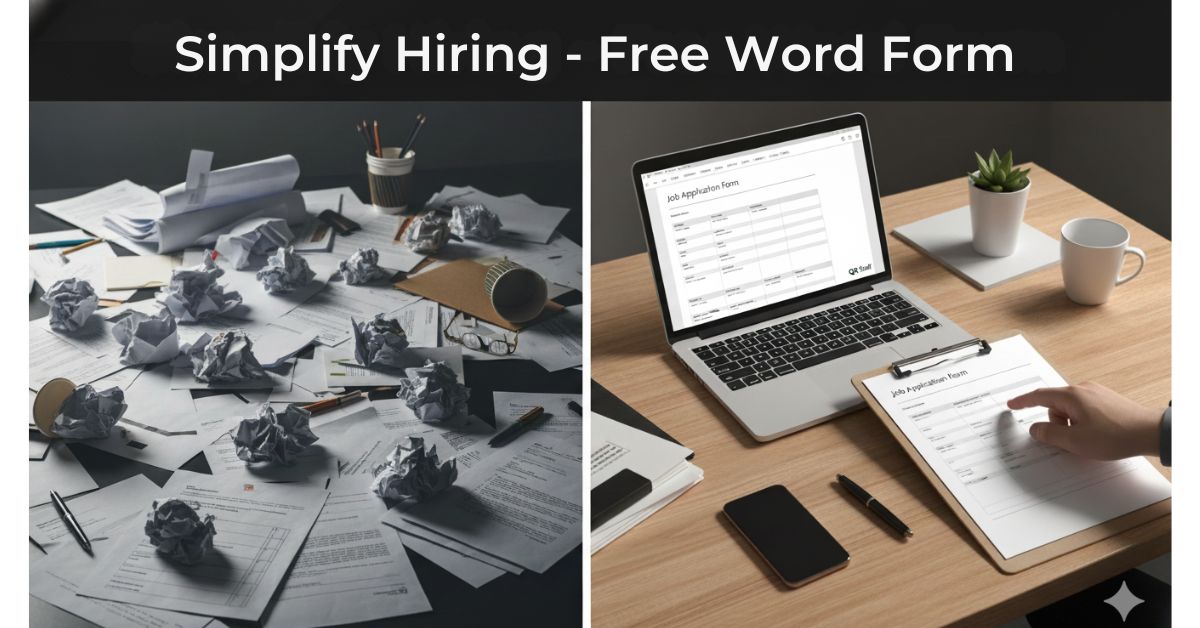
Using a job application form for hiring helps companies collect consistent, accurate, and job-relevant information from every candidate. Here’s why it’s an essential part of a smart hiring process:
1. Ensures Standardized Candidate Information
A job application form makes the same set of questions available to every applicant in order for an employer to compare candidates on an even playing field. As a result, it tends to reduce bias and ensures that no important information on work experience, skills, or availability falls through the cracks in a screening process.
2. Saves Time for HR and Recruiters
It saves the recruiter from going through unstructured resumes; instead, all the important details come in one clear format. This speeds up the process of shortlisting and reduces back-and-forth communication just to gather basic information, hence freeing HR teams to perform their actual tasks of interviews and decision-making.
3. Enhances Data Integrity and Record Keeping
The application forms capture accurate contact details, employment history, and references in a tabulated form. This enhances storage, searching, and retrieval of candidate data in case of any future needs, allowing for better documentation and compliance.
4. Helps Filter Serious and Relevant Candidates
Well-designed forms will have role-specific questions that discourage casual or unqualified applicants. Applicants who take the time to complete the form are more likely to be interested in, and qualified for, the position.
5. Supports Legal and Compliance Requirements
These forms may contain consent statements, declarations, and equal opportunity questions that are helpful for businesses to keep on track with hiring regulations and to make the recruitment process as transparent as possible.
6. Provides a professional hiring experience
A well-presented and neat application form reveals an organized company and, consequently, a professional image. It reflects to the candidate that the business values clarity, equity, and speed in its process of hiring.
Key Benefits of Using a Job Application Form
1. It assembles uniform information from each of the candidates.
A job application form ensures that each candidate provides the same type of information in the same format. This uniformity makes it easier for recruiters to compare candidates on a fair, objective footing without overlooking important details.
2. Streamlines Hiring Process
With all the essential details captured upfront, less of the HR team’s time is used in follow-ups with the candidates for basic information. Shortlisting, screening, and interview scheduling also become quicker.
3. Enhances Data Accuracy and Organization
Structured forms cut down errors and incomplete responses compared to resumes or emails. All the information of a candidate is in order, which makes it easier to store, access, and review them when needed.
4. Screens Qualified Candidates Early
Job application forms can include role-specific questions, availability, expected salary, or required skills. This aids in filtering out unsuitable candidates right from the beginning, saving much frustration and extra effort.
5. Supports Legal Compliance
Forms can include declarations, consent checkboxes, and equal opportunity questions. This helps companies keep within their bounds in regard to hiring laws and documentation for future reference.
6. Professional Image Improvement
A properly developed application form reflects both a systematic and professional recruiting process. It builds trust and confidence among candidates, improving the entire recruitment experience.
7. Makes Record Keeping and Reporting Easy
Digital or printable application forms make the record of candidates easy to maintain, applications easy to track, and reports easy to generate when needed, especially for growing businesses.
What’s Included in the Job Application Form?
A job application form is designed to collect all essential information needed to evaluate a candidate properly. Below are the key sections typically included in a standard job application form:
1. Personal Information
This section includes basic information: full name of the candidate, contact number, email address, and current address. This makes communication with the employer much easier and keeps records straight.
2. Job Information
This is where applicants state the position they are applying for, preferred job location, the kind of employment the applicant is seeking, and their availability. It insures clarity right from the very beginning.
3. Academic Background/Qualifications
Candidates give information on their academic background by stating the degrees earned, the institutions attended, the years of completion, and relevant certifications. This helps the employers to check whether the candidate meets the minimum educational requirement of the post.
4. Work Experience
This section summarizes past job titles, names of companies, length of service, and responsibilities. It provides the recruiter with a background of the candidate’s professional experience and the level of skill attained.
5. Competences and Skills
Applicants note their technical skills, soft skills, and relevant job experience. That speeds up the recruiters’ work of assessing people for suitability for the role.
6. Remuneration Expected and Availability
Expected salary, notice period, and joining date of candidates can be inquired about. This helps the employer to align the expectations at the initial stage of hiring.
7. References
The name, designation, and contact details of professional references are sought in case background verification is required.
8. Declaration and Consent
This section contains a declaration that ensures the information given is true and valid, with consent to perform background checks and use the data accordingly.
Why Use a Job Application Form for Hiring?
Using a job application form for hiring helps companies collect consistent, accurate, and job-relevant information from every candidate. Here’s why it’s an essential part of a smart hiring process:
1. Assures Standardized Candidate Information
A job application form is a set of questions that are common to all applicants. This makes it very easy to compare all applicants objectively. Furthermore, this makes it impossible to overlook important information such as work experience, skills, or availability.
2. Saves Time for HR and Recruiters
Rather than screen unordered resumes, recruiters can access all information in a neatly formatted manner. The process of short-listing and communication relative to basic information is greatly reduced, allowing HR to devote time to conducting interviews.
3. Enhances Data Accuracy and Record Keeping
Application forms provide accurate information such as contact details, work experience, and references in an organized manner. Such organized information can be easily stored, searched, and recovered when needed.
4. Assists in Filtering Important and Relevant Candidates
Well-crafted forms have role-centric queries which will deter people from applying for roles they are not qualified for. Applicants who fill out a form diligently are likely to be serious and qualified for a role.
5. Legal and Compliance Requirements
Job application forms may consist of consent statements, statements, and equal employment opportunities. Such aspects assist companies in complying with recruitment laws.
6. Offers a Professional Job Search Process
A well-organized application form reflects an organized and professional business impression. Application forms with a good structure show applicants that your business considers efficiency in your recruitment process.
Step-by-Step Guide: Create a job application form
Below is a simple step-by-step guide to create a job application form, suitable for businesses, HR teams, and startups:
Step 1: Define Job Role
Could you identify the role you are hiring for? You can begin by writing down the title of the role you are filling the vacancy for, responsibilities, skills, level of experience, and type of employment.
Step 2: Format Selection (Online or Offline)
Determine whether you want an online form (Google Form, online form, HR application software) or a printable form using Word/PDF. The online form is more manageable if you want lots of applicants in walk-ins.
Step 3: Add basic personal details
Add spaces for full name, phone number, email address, address, and date of birth if necessary. Make this part brief in order not to burden applicants.
Step 4: Add Job-Specific Information
Candidates can be asked to state the post they have applied for, where they want to work, salary in mind, notice period, and availability.
Step 5 : Collect Education and Employment History
Except for education and Make distinct sections for educational qualifications and work experience. Use formatted fields such as degree, institution, duration, company name, role, and responsibilities.
Step 6: Adding Skills and Other Questions
Now, you need Add sections for technical skill requirements, soft skill requirements, certifications, and work-related questions. Candidates can be filtered accordingly.
Step 7: Include References (Optional)
Include a separate page for Professional References with name, designation, and contact information. This will be very helpful during final verification.
Step 8: Add Declaration and Consent
“To make this, add a statement stating that all information given is true and accurate. Insert a checkbox for consent to background check and usage of information.
Step 9: Test/Review your Form
SOAP Forms can be. Make sure your form is understandable and grammatically correct, with no boxes left blank. Fill your form out in-house to make sure information can be collected without difficulty.
Step 10: Share and Manage Applications
Publish this form on your site, job portals, or share it via emails and WhatsApp. Use a proper system for tracking responses for a seamless recruitment process.
Samples of Job Application Form
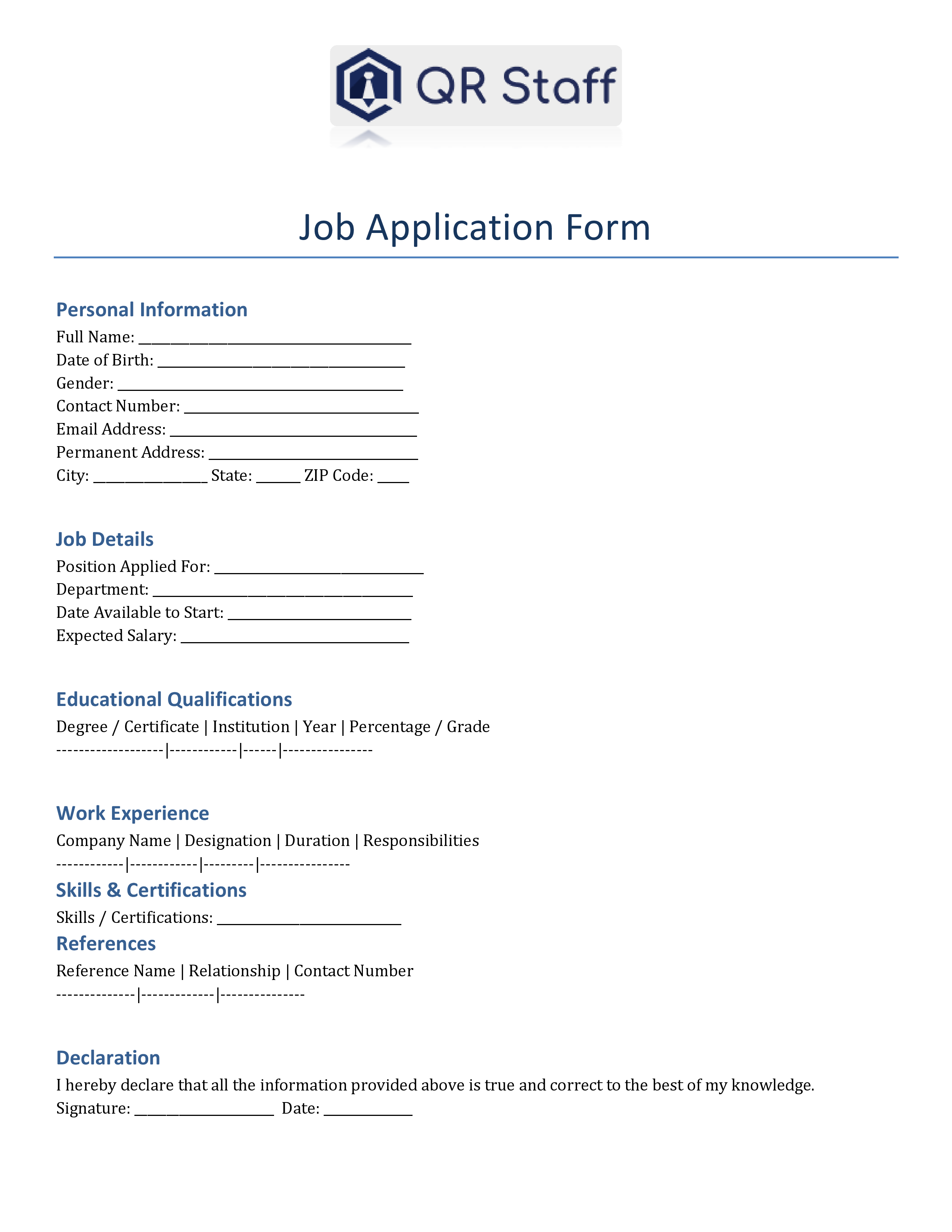
Download Your Free Job Application Form Today
Make your hiring process simple, professional, and organized.
| Formats | Files |
|---|---|
| Job Application Form in Word | Download Word File |
| Job Application Form in PDF | Download PDF File |
Common Mistakes to Avoid While Using Job Application Forms
Using a job application form can greatly simplify hiring—but only if it’s designed and used correctly. Here are the most common mistakes to avoid while using job application forms, explained clearly:
1. Asking too many questions
Many employers are guilty of elaborating too many questions in the application form. Very long and comprehensive forms often discourage good candidates from completing the application. Ideally, gather only job-relevant information at this stage. Extra details can always be requested later, either at an interview or onboarding.
2. The Use of Unclear or Confusing Questions
The result of unclear or poorly written questions is confusion on the part of applicants and incorrect answers. When people do not know what they are being asked, the quality of information suffers. Simple, direct language makes the form easier to understand. Clear questions also reduce the chances of incomplete submissions.
3. Not Marking Mandatory Fields Properly
Poor highlighting of the required fields could result in candidates missing critical sections. This leads to incomplete forms that involve useless work by the HR personnel during screening. Clearly highlighting fields that are to be filled out ensures all essential information is collected. The entire hiring process also turns out to be way more efficient in nature.
4. Neglecting Responsive Design
Lots of candidates apply via their mobile devices. A form performing inadequately on mobile may thus irritate candidates, leading to bigger drop-off and lower application rates. In turn, a form optimized for mobile improves accessibility and user experience.
5. Use of Outdated or Irrelevant Questions
The roles and requirements of a job continuously change with time, while many forms are never rewritten. These questions tend to confuse the candidate and make the form less relevant. This keeps the continuous update related to the present hiring needs of the organization. You’ll be assured to get accurate and helpful information.
6. Lacking Declaration of Consent Section
Omitting the declaration or consent part can create legal and compliance issues. Employers require permission to verify information and store candidate data. A clear declaration confirms that the details provided are accurate. Consent is a big plus in bringing transparency and trust to the hiring process.
7. Not Pretesting the Form before Sharing
Forms not tested may contain errors, inappropriate fields, or problems in submission. Problems create a bad first impression about the company. Testing ensures mistakes are identified before candidates face them. The smooth experience of the form increases the completion rate of forms.
8. Poor Management of Collected Applications
No proper system for collecting applications leads to loss and confusion in data. The important details of candidates may get lost or duplicated. Organized storage and tracking are the main ways of effective hiring. Digital tools such as QR Staff help in managing applications effectively.
Final Thoughts
A well-crafted Job Application Form is essential for a seamless and professional hiring process. It helps employers gather accurate, complete, and consistent information from all candidates, which cuts down on confusion and saves precious time during the screening and shortlisting phases. Instead of dealing with disorganized resumes and missing information, companies can depend on a single, standardized document to make more informed hiring choices.
Once the hiring process wraps up, efficiently managing employees becomes just as crucial. That’s where QR Staff truly shines. Beyond just hiring, QR Staff assists businesses in tracking staff attendance, maintaining employee records, and handling payroll through a smart digital system. By merging structured hiring with automated employee management, companies can cut down on paperwork, reduce mistakes, and boost overall productivity.
Frequently Asked Questions (FAQ)
Application forms are often preferred for extracting structured information from an individual for a particular application. The usage of application forms is common in the hiring of employees, admission to schools and colleges, internships, government services, opening an account in a bank, loans, and events. The application form aids in extracting accurate and consistent information from each and every applicant.
A job application can be prepared by starting with a formal greeting and then stating the job position that one is applying for. One can then introduce oneself and highlight one’s skills and qualifications that relate to the job. Lastly, one ends the job application with a polite closing. The language used should be clear and straightforward.
To fill out an application form for a job, one should carefully go through all the instructions given. Fill out your personal and job position information correctly. Also, give correct education and working experience details, and highlight your skills effectively. Check your application form carefully for errors before signing and submitting your declaration.
While filling out an admission application form, it is essential to read the guidelines carefully. Fill out the form with the necessary information. The information should include personal details, qualifications, and necessary documents. The date, CGPA, and certificates must be verified.
Application forms are required whenever there is a need to gather information in an organized and formal way. Application forms are required during the recruitment of employees, admission of students, internship, enrollment for courses, or enrollment for services. Application forms are required by the organization whenever there is a need for uniform data from different applicants.
Application forms are used as a standard means of collecting information from applicants. The advantage of the form is that it saves time, and there are fewer questions not answered. It is accurate, and the process of selecting or choosing is fair. The form is also relevant in maintaining the correct records.

Leave a Reply