
Excel vs Scheduling Software is becoming a key decision point for Indian MSMEs trying to improve workforce management. As businesses grow, managing employee shifts manually becomes time-consuming and prone to errors. From retail stores and manufacturing units to service businesses, managing employee shifts and work schedules has become a daily operational challenge. For years, many small businesses have relied on Excel spreadsheets to create and manage schedules. Excel is familiar, affordable, and available on almost every office computer. However, as businesses grow, scheduling tasks becomes more complicated. Tracking shifts, managing last-minute changes, and ensuring proper workforce planning become difficult with manual systems. But the big question remains: Should MSMEs continue using Excel or switch to automated scheduling software? In this article, we will explore the differences, limitations, and benefits of both approaches to help Indian business owners make the right decision.
However, with increasing workforce complexity, many businesses are now exploring automated solutions like QR Staff to simplify scheduling and improve efficiency.
Excel vs Scheduling Software: Understanding the Basics
Before comparing both options, it is important to understand how each scheduling method works and why businesses use them.
What is Excel-Based Scheduling?
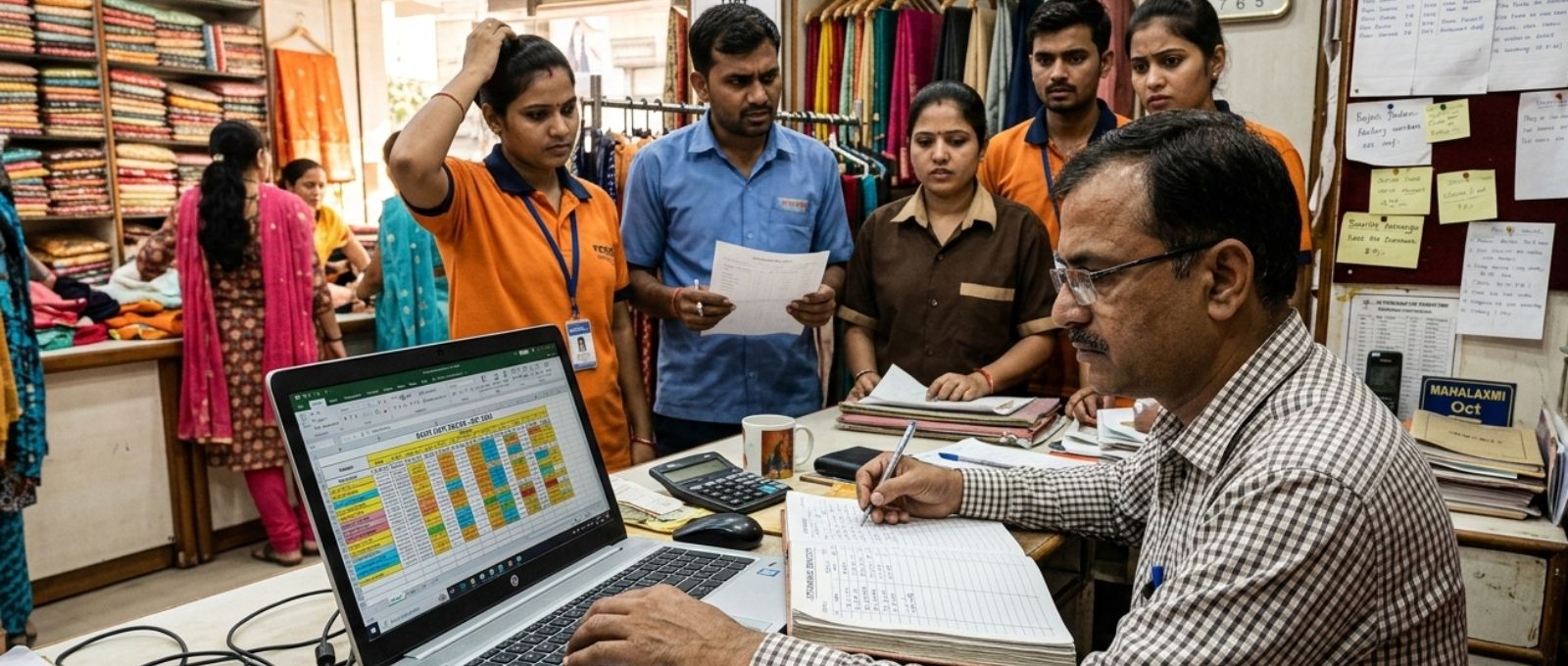
Managers create employee schedules using Microsoft Excel spreadsheets. In this method, managers manually create rows and columns representing employees, dates, shifts, and working hours. For example, a restaurant manager might create a weekly schedule in Excel by entering employee names on one side and assigning shifts manually for each day. This system works reasonably well for small teams where scheduling is simple and changes are minimal. However, Managers must update schedules manually. If an employee requests leave or swaps shifts, the manager must manually edit the sheet and ensure everyone receives the updated schedule. As the workforce grows, this process becomes more time-consuming and error-prone.
What is Scheduling Software?
Scheduling software is a digital tool designed specifically for small-business workforce scheduling. Instead of manually creating schedules, these systems automatically generate schedules based on employee availability, shift requirements, and business needs. Many employee scheduling tools in India also offer features such as mobile apps, real-time notifications, leave management, and attendance tracking. This means employees can view their schedules instantly, and managers can adjust shifts without editing spreadsheets. In simple terms, automated scheduling replaces manual work with smart automation, helping businesses save time and improve efficiency.
Why Many Indian MSMEs Still Use Excel
Despite the rise of modern software, many MSMEs in India still prefer Excel for scheduling. One of the biggest reasons is familiarity. Most business owners and managers already know how to use Excel, so they feel comfortable using it for operational tasks like scheduling. Another reason is cost. Excel is often already included in office software packages, which means businesses don’t have to invest in new tools. For very small teams, Excel may appear to be a practical solution. Additionally, some MSMEs feel that scheduling software for small businesses in India might be complex to implement. They assume that software requires training, technical knowledge, or expensive subscriptions. However, as businesses grow and teams expand, the hidden limitations of Excel begin to surface.
Limitations of Excel Scheduling for Growing Businesses
While Excel can work for small teams, it often struggles to keep up with growing operational needs. One of the most common Excel scheduling limitations is the lack of automation. Managers must manually create schedules, update changes, and share files with employees. Another major issue is error management. A small mistake in a spreadsheet formula or shift entry can easily confuse. Employees might show up at the wrong time, or two people might be assigned the same shift by mistake. Communication is another challenge. When managers store schedules in spreadsheets, they often need to send updates through emails or messaging apps. This can lead to outdated schedules circulating among employees.
Finally, Excel does not provide insights or analytics. Businesses cannot easily track patterns such as overtime hours, shift distribution, or employee workload. Without this data, optimizing workforce management becomes difficult.
Benefits of Scheduling Software for MSMEs
The benefits of automated scheduling become clear as businesses handle larger teams or complex shift patterns. One of the biggest advantages is time savings. Automated tools can generate schedules within minutes based on predefined rules and employee availability. This eliminates hours of manual spreadsheet work every week. Another important benefit is accuracy. Since the system automatically assigns shifts, the chances of scheduling errors are significantly reduced. Managers can easily see conflicts, overlapping shifts, or employee availability issues before publishing the schedule. Communication also becomes much easier with scheduling software. Employees receive notifications whenever schedules are updated, and they can access their shifts directly through mobile apps. This ensures everyone stays informed without constant manual updates. Additionally, many employee scheduling tools in India provide features like leave management, attendance tracking, and workforce analytics. These insights help business owners make better decisions about staffing and productivity.
Excel vs Scheduling Software: Key Differences
When comparing Excel vs scheduling software, the differences become quite clear once businesses look at automation, scalability, and usability. This comparison highlights why many growing businesses eventually move from manual to automated scheduling systems.
When Should an MSME Switch?
The transition from Excel to scheduling software usually happens when businesses start facing operational complexity. If managers spend several hours every week updating schedules, it is a sign that manual systems are slowing down operations. Similarly, frequent scheduling conflicts, miscommunication, or last-minute adjustments can indicate that Excel is no longer sufficient. Another indicator is workforce growth. When businesses expand beyond 20–30 employees or operate multiple shifts, manual scheduling becomes difficult to manage. At this stage, switching to automated scheduling software for MSMEs can significantly improve efficiency and reduce administrative workload. At this stage, automation becomes essential. As your business grows, having a structured HR system becomes equally important.
Also explore: HR Management for Startups vs Established Companies
Best Use Cases of Scheduling Software in India
Automated scheduling software is particularly useful for industries where shift management is essential. For example, retail businesses often deal with varying customer demand throughout the day. Automated scheduling helps ensure the right number of employees are available during peak hours. Restaurants and hospitality businesses also benefit greatly from scheduling software. Staff availability, weekend rush hours, and shift changes can be managed easily through automated systems. Manufacturing units and service businesses also use scheduling software to coordinate teams, manage production shifts, and maintain operational efficiency. As digital adoption grows, more scheduling software for small business India solutions are becoming accessible and affordable for MSMEs.
Final Verdict: Excel vs Automated Scheduling for Indian MSMEs
When evaluating Excel vs. scheduling software for Indian MSMEs, the best choice depends largely on the size and complexity of the business. For very small teams with simple schedules, Excel may still work as a temporary solution. It is familiar, inexpensive, and easy to use. However, for growing businesses that manage multiple employees, shifts, and operational demands, automated scheduling offers significant advantages. It reduces manual work, minimizes errors, improves communication, and provides valuable workforce insights. In the long run, automated scheduling software for MSMEs helps businesses save time, improve productivity, and focus more on growth rather than administrative tasks.
FAQs
Is Excel good for employee scheduling?
Excel can work for small teams with simple schedules. However, as businesses grow, manual scheduling becomes difficult to manage and increases the chances of errors.
What is the best scheduling method for MSMEs?
For growing businesses, automated scheduling software is usually the best option because it saves time, reduces errors, and improves workforce management.
Why do businesses switch to automated scheduling?
Businesses switch because manual scheduling becomes time-consuming. Automated tools simplify shift planning, improve communication, and reduce operational mistakes.
Is scheduling software expensive for small businesses in India?
Many modern employee scheduling tools in India offer affordable subscription plans designed specifically for small businesses and startups.
Can Excel handle large workforce scheduling?
Excel can technically handle large data sets, but managing complex schedules manually becomes inefficient and increases the risk of errors.
What industries benefit the most from scheduling software?
Industries such as retail, hospitality, healthcare, manufacturing, and service businesses benefit the most because they rely heavily on shift-based workforce management.
Is automated scheduling difficult to implement?
Most modern scheduling tools are designed to be user-friendly. Businesses can usually implement them within a few days with minimal training.
Leave a Reply