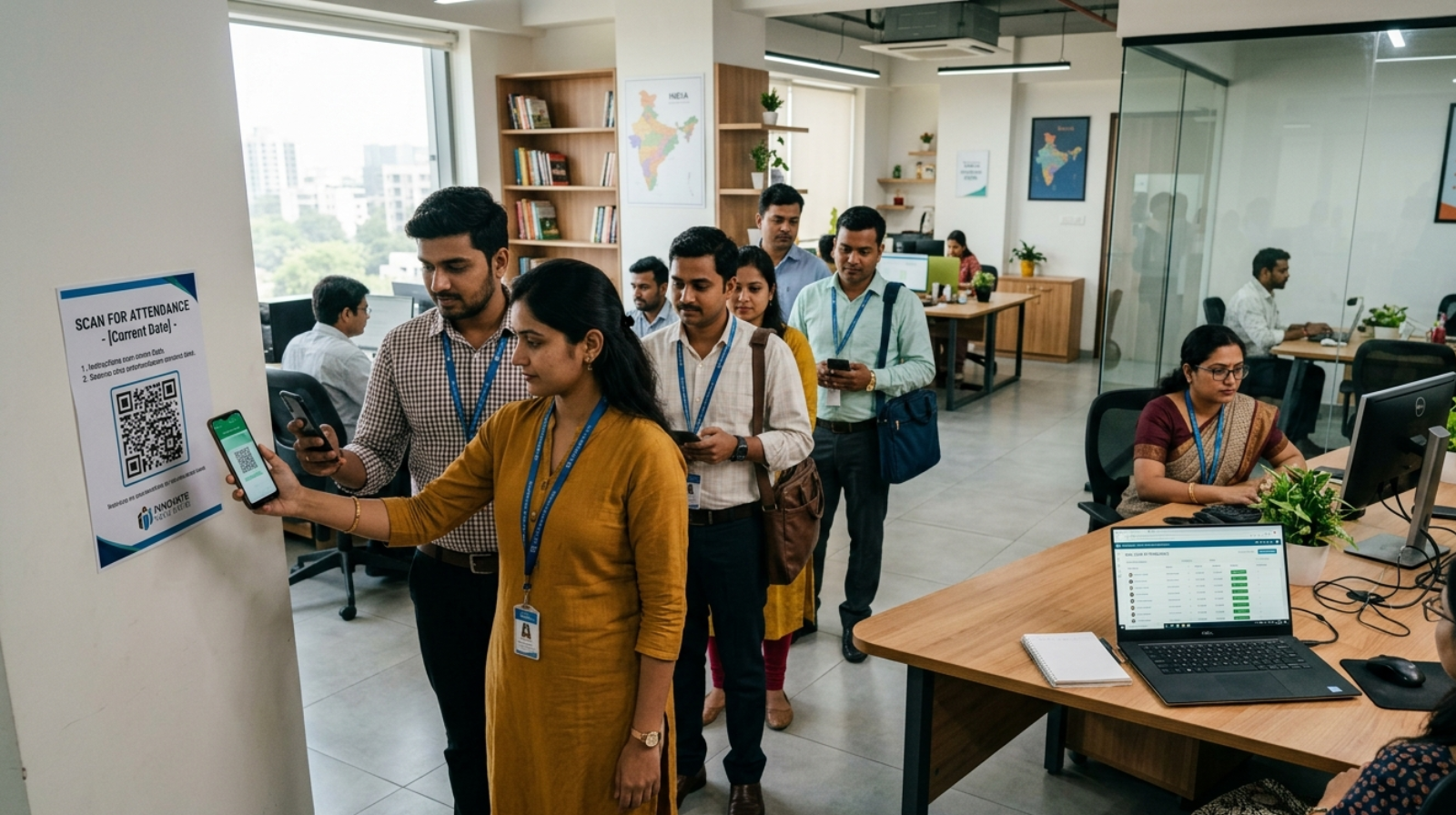
Automate attendance without expensive software is becoming a top priority for small businesses that want to reduce payroll errors, eliminate manual attendance tracking, prevent buddy punching, and improve workforce efficiency without increasing operational costs. If you’re still relying on paper registers or scattered Excel sheets, you’ve probably already felt how quickly small inefficiencies can turn into bigger operational issues.
For many small business owners, attendance management starts as a simple task. A notebook on the desk, a spreadsheet on a computer, or even WhatsApp messages to confirm presence. But as teams grow, shifts become more complex, and compliance requirements tighten, these methods begin to break down. Errors creep in, accountability fades, and managers spend more time verifying attendance than actually managing work.
The good news is that you don’t need expensive enterprise software to fix this. Today, there are practical, low-cost ways to bring structure and automation into attendance tracking—without stretching your budget.
Why Small Businesses Need to Automate Attendance Without Expensive Software
Most small businesses don’t ignore attendance management; they simply outgrow their initial systems. What works for five employees rarely works for twenty or fifty.
Manual registers are one of the most common starting points. They seem straightforward, but they rely heavily on honesty and supervision. This is where issues like buddy punching begin to surface, where one employee marks attendance for another. Over time, these small loopholes lead to payroll discrepancies and trust issues.
Spreadsheets, often seen as a step up, introduce their own challenges. While they offer better organization, they still depend on manual data entry. One wrong formula or missed update can affect salary calculations. And since spreadsheets are rarely updated in real-time, managers often operate with outdated information.
Another major issue is the lack of visibility. Business owners don’t always know who is present, who is late, or who missed a shift—especially in industries like construction, retail, or field services. This lack of clarity impacts productivity, planning, and ultimately, customer satisfaction.
Businesses with remote and field teams often face additional attendance challenges. Understanding how to track field employees without invading privacy can help improve accountability while maintaining employee trust.
Key Benefits of Attendance Automation for Small Businesses
When businesses move toward attendance automation for small businesses, even with basic tools, the impact is immediate and noticeable.
The first benefit is accuracy. Automated systems reduce human error significantly. Whether it’s a QR scan or a digital form submission, attendance gets recorded instantly and correctly.
The second advantage is time savings. Managers no longer need to cross-check registers or fix spreadsheet errors. Payroll processing becomes smoother because the data is already structured and reliable.
Cost efficiency is another key factor. Instead of investing in expensive enterprise solutions, small businesses can adopt a low-cost attendance system that delivers most of the essential features at a fraction of the price.
Businesses that eventually outgrow spreadsheets often switch to solutions like QR Staff, which combines QR code attendance, payroll support, and real-time employee tracking without requiring expensive biometric hardware.
There’s also an improvement in accountability. When employees know their attendance is tracked digitally, the chances of manipulation decrease. This creates a more transparent and fair work environment.
Finally, automation helps with compliance. Proper attendance records are crucial for labor laws and audits. Even simple digital tools can help maintain consistent and verifiable records.
Practical Ways to Automate Attendance Without Expensive Software

Small businesses today have multiple options for free attendance-tracking methods and affordable employee attendance solutions. The key is choosing what fits your workflow without adding complexity.
Using QR Codes as a Low-Cost Attendance System
One of the most effective methods is QR code-based attendance. Employees scan a QR code using their smartphones to mark their presence. This method is quick, contactless, and eliminates the possibility of proxy attendance. It works especially well for offices, retail stores, and multiple-site operations.
Google Forms as an Affordable Employee Attendance Solution
Another widely used approach is to link Google Forms with Google Sheets. Employees fill out a simple form when they arrive, and the data gets recorded automatically in a spreadsheet. This creates a real-time attendance log without manual entry. While it’s basic, it’s surprisingly effective for small teams.
WhatsApp-based check-ins are also gaining popularity, particularly in businesses where employees are not always in one location. Staff can share their live location or timestamped messages to confirm attendance. When combined with a structured process, this can serve as a lightweight attendance automation system.
Geo-Tagged Attendance Automation for Small Businesses
Geo-tagged attendance adds another layer of reliability. Using mobile apps that capture location data, businesses can ensure employees are physically present at the work site when marking attendance. This is especially useful for field staff, delivery teams, and on-site workers.
Staff Attendance Automation Tools for Growing Businesses
There are also basic mobile apps designed specifically as staff attendance automation tools. Many of these apps offer free or low-cost plans with features like check-ins, reports, and simple dashboards. They are easy to deploy and don’t require technical expertise.
The key is not to overcomplicate the system. The goal is to reduce manual work, not replace it with something harder to manage.
How QR Codes Help Automate Attendance Without Expensive Software
Not every solution fits every business. Choosing the right affordable employee attendance solution depends on your team size, work environment, and operational needs.
Ease of use should be your top priority. If the system is complicated, employees won’t adopt it consistently. A simple interface and minimal steps go a long way in ensuring compliance.
Scalability is another factor to consider. Even if your team is small today, your system should be able to handle growth without requiring a complete overhaul.
Reporting capabilities also matter. You don’t just need attendance data—you need insights. Look for solutions that allow you to generate summaries, track patterns, and integrate with payroll processes.
Mobile accessibility is essential, especially in today’s work environment. Whether your team is remote, on-site, or hybrid, the system should work seamlessly on smartphones.
Ultimately, the best low-cost attendance system is one that blends into your daily operations without friction.
Common Mistakes When Trying to Automate Attendance Without Expensive Software
While adopting attendance automation for small businesses is a smart move, certain mistakes can limit its effectiveness.
One common mistake is choosing a tool that is too advanced for current needs. Complex systems often lead to confusion and low adoption rates. Start simple and scale gradually.
Another issue is a lack of training. Even the best system won’t work if employees don’t understand how to use it. A short onboarding session can prevent long-term problems.
Ignoring data consistency is another pitfall. If employees use different methods to mark attendance, the data becomes unreliable. Standardizing the process is crucial.
Some businesses also fail to review their attendance data regularly. Automation is not just about collection—it’s about using that data to improve operations.
Avoiding these mistakes ensures that your transition to automation delivers real value.
Real-World Example of How to Automate Attendance Without Expensive Software
Consider a small facility management company with around 25 employees working across multiple sites. Initially, they relied on manual registers at each location. Attendance data was collected weekly, often with missing entries and discrepancies.
Payroll processing took days, and disputes were common.
The company decided to implement a simple QR-based attendance system combined with a mobile app. Each site had a unique QR code, and employees scanned it at the start of their shift.
Within a month, attendance tracking became real-time. Managers could see who was present at each location without calling supervisors. Payroll errors dropped significantly because the data was accurate and centralized.
The cost of implementation was minimal compared to traditional software, but the operational improvement was substantial.
This is a clear example of how small businesses can automate attendance without expensive software and still achieve professional-level efficiency.
Before selecting an attendance solution, it is important to compare manual vs digital attendance systems to determine which approach best suits your business requirements.
Conclusion
Automating attendance doesn’t have to be expensive or complicated. For small businesses, the goal is not to adopt the most advanced system, but to implement a practical one that solves real problems.
From QR code check-ins to Google Forms and mobile apps, there are multiple ways to create an efficient attendance system without heavy investment. The right approach saves time, reduces errors, improves accountability, and supports business growth.
For businesses ready to automate attendance without expensive software, starting with QR codes, cloud-based forms, or dedicated workforce management platforms can deliver immediate improvements in accuracy, accountability, and operational efficiency.
If you’ve been delaying automation because of cost concerns, it might be time to reconsider. The tools are accessible, the setup is simple, and the impact is immediate.
FAQ Section
How can small businesses automate attendance without expensive software?
Small businesses can automate attendance without expensive software by using tools like QR code systems, Google Forms, mobile apps, and geo-tagging solutions. These methods are affordable, easy to implement, and reduce manual work significantly.
What is the cheapest way to track employee attendance?
The cheapest way is to use Google Forms connected to Google Sheets. It allows real-time attendance tracking without any software cost, making it ideal for small teams.
Is QR code attendance reliable for small businesses?
Yes, QR code attendance is reliable and widely used. It reduces buddy punching, ensures quick check-ins, and works well for both office and field environments.
Can Google Sheets be used for attendance tracking?
Yes, Google Sheets can be used effectively for attendance tracking when integrated with forms or automated inputs. It provides a centralized and organized system for managing records.
What are the best low-cost attendance system options?
Some of the best options include QR-based attendance tools, mobile attendance apps, and cloud-based spreadsheets. These solutions offer essential features without high costs.
Why should small businesses switch to attendance automation?
Switching to attendance automation improves accuracy, saves time, reduces payroll errors, and enhances employee accountability, making overall operations more efficient.
Leave a Reply